Search
-
Re: [Maya] Translate/Snap objects with different pivots without grouping?
 Caught red handed. Was bored and looking for something to do. Besides, you bought my tools so that's strong encouragement for me to help a brother out. :p This code should work even better. This will put the locator at the pivot location of the first selected object. //Select all the objects you want to constrain and run…
 -
Gothic 2 monastery remake

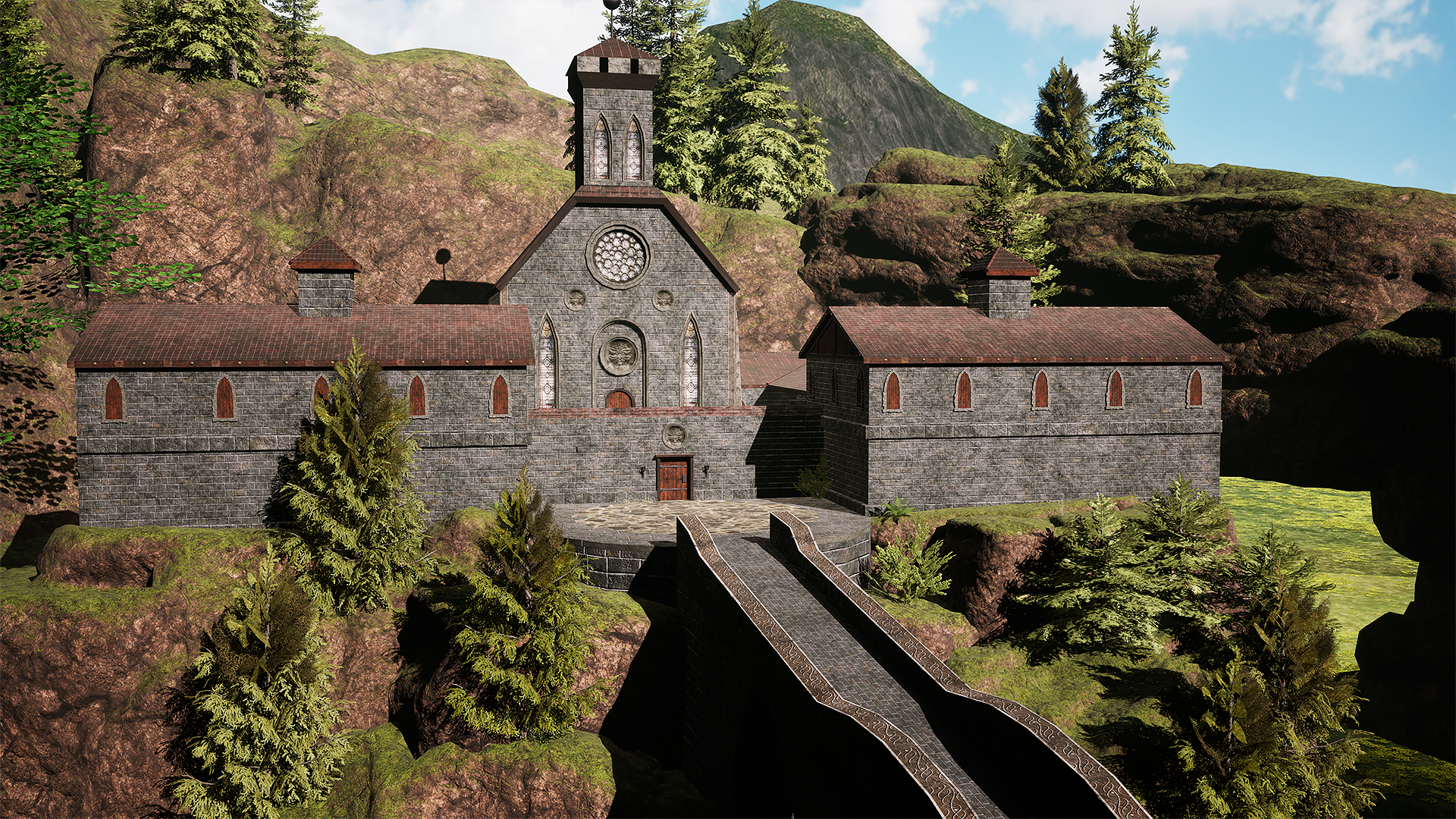 Hello, I would like to share with you my latest project. I recreated the monastery from one of my all-time favorite games, Gothic 2, as a personal project focused on improving my trim sheet workflow. For this scene, I set myself the challenge of using a single 4K trim sheet for all major meshes — including the buildings,…
 -
Maya 2016 Target Weld Issue
 Maya 2016's target weld behaves differently from previous Maya versions. When you select verts in vertex mode it remembers the selection. Now when you use the target weld tool, it automatically goes back to selecting the vertices that were previously selected in vertex mode. This is a problem because sometimes you switch…
 -
Maya Interactive Boolean Tool - Exposing Maya's Procedural Booleans

 Hey guys, after seeing a thread about revealing the input object for a Boolean in Maya, i realised that Maya had procedural Booleans under the hood (athough not 100% bulletproof). So I went to work making a script that i would love to use, and that others could use. This script doesn't add any new functionality to Maya it…
 -
Re: Maya jTools
 Well, I've suspected something like that - they're a bit confusing from the beginning, and i probably need to make some more informal introduction into these tools. Let me then introduce myself first: my name is Alexander "Joss" Khalyavin, i'm Maya tech artist/developer with ~16 years of Maya experience. Autodesk Maya…
 -
Re: Maya Script for custom editing vertex normal
I got you buddy :smile: Select any number of face vertices, the first being that which you want to copy from. Run the MEL script below. This will copy the normal direction from the first face vertex to all other selected. Code is commented so you can see what I'm doing to get there. Hope this works for you :) //Enables… -
Re: Can I get some 3ds max to Modo tips?
 Re: tools most tools are by default click to activate. You can change tools to auto-activate though, so simply selecting the tool will make it active. This can be done from the tool pipeline, which by default layout is on the right hand side under the "lists" tab. That's also a good way to check what tools / constraints…
 -
Re: Gina (critique welcome)
 I'm not a rigger nor animator for chars however fwiw I've limited experience with hard surface mechanical stuff so just a few options that may be helpful: 1 - Mesh bends or deforms in unexpected ways when you move the bone Check Bone Weights: ensure vertices are properly weighted to the bones that should control them Use…
 -
Re: Discussion: Increasing your speed with highpoly hard-surface modeling
 For those that use Maya, here's a script I wrote a while back that does the same thing: //name: QuadConnect//by: PolyhertzstartQuadConnect;global proc startQuadConnect (){global string $curObj[], $vrts2Tweak[];string $origList[];$origList = `ls -sl -fl`;$edjList = `filterExpand -ex 1 -sm 32`;polySplitRing -stp 2 -div…
 -
Vehicle Project
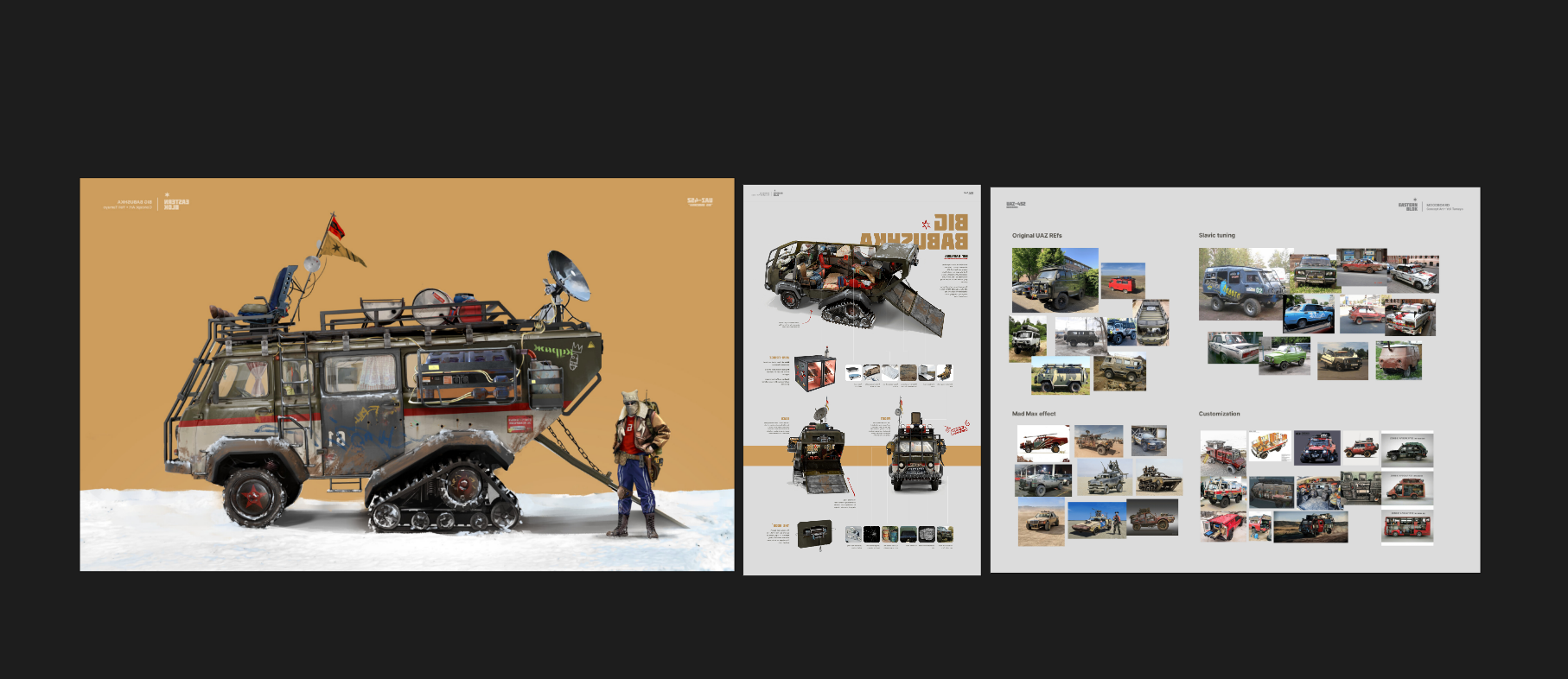 Hello, everyone! I am here to present my new project, which I will be working on over the next few weeks. I hope you like it. It is a vehicle, and my goal in this project is to improve my modelling and texturing skills. To do this, I have selected this prop:
>15392 results