Search
-
Re: normal map pojection issue [3dsmax 2011 to unity]
 Good to hear :) Generally you don't want smoothing breaks where there aren't UV splits to go along with them. UV splits where there aren't breaks in smoothing are fine. So for this prop, the flat top of the bolt(?) could be a separate smoothing group but the rest of it should all be one group. This is because along the…
 -
Re: Vertex Normal Toolkit for 3ds max
 I'm not saying to use the hard edges the smoothing groups create. Just use the bits set per face by the smoothing groups as your layers. Then you have 32 readily available layers (even more if you are just reading the bits set when multiple smoothing groups are set at once). While Explicit Normals are constantly destroyed…
 -
Re: Polygon issues
 The normals don't look flipped, it looks more like they have a different smoothing group that the surrounding polys (or they all have no smoothing group at all). Try adding a Smooth modifier (just Smooth, not Turbosmooth or Meshsmooth) on top of the stack (make sure you don't have anything selected or are in any sub-object…
 -
Re: xNormal - MASTER THREAD
 Sorry, let me clarify about the smooth group statement in Ue3. UE3 does interpret what you do to the smooth groups. However what it seems maya is doing is calculating smooth groups, then re-rendering the normal map internally based off those smooth groups. That's why when you see a dent or something it doesn't render a…
 -
Re: To MODO or not to MODO...: MODO VS the Rest... (MODO users needed!)
Actually Modo's smoothing groups are all right for soft/hard edges, but the discoverability is pretty bad and the implementation is a little weird. It's in the menus, under Geometry->Polygon->Set Smoothing Groups, and each smoothing group is a letter or number. So for example you could have smoothing group A on one area… -
Re: PolySmoother
 "The selected Previewing Channel '0' contains data. If you continue, the current data will be erased" I define all my smoothing groups. Export as fbx. Re-import the same fbx object. Then if I try to edit the smoothing groups again, to modify something, I get the aforementioned error message and all my smooth groups are…
 -
Vertex painting is distorting my mesh!
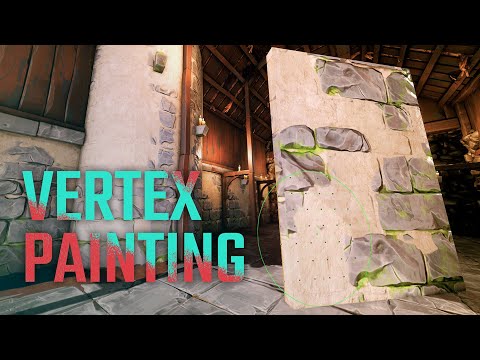 I completed the tutorial on vertex painting where the instructor utilizes world offset to allow painting into the cracks. However, I am now experiencing a distorted mesh. What steps can I take to prevent this?? Is this the best method for vertex painting or is there another way? I have tried smoothing the plane to get more…
 -
ZBrush/3Ds Max/UDK normal
hey guys, i could really use your help with a problem i just encountered, because i can't find anything helpful googling so far. I wanted to create a kris (kind of dagger) to use in UDK. so i created base mesh, made UV coordinates for it and imported it into zbrush. i subdivided it several times without smoothing to retain… -
Re: Colt 1851 Navy Revolver

 Here's a quick update on the Colt. I've been having a hard time trying to to bake out decent normals and find myself fighting the smoothing groups all the time. For the most part I have set the smoothing group to 1 for the low poly then adjusted it in areas that have bad smoothing. I did have a look at splitting the UV…
 -
Re: UT3 Map WIP thread
Have you tried placing the model in a level, placing a lighting and rebuilding? The generic browser in UE3 is well named, the way to see what you are really getting with different processing methods and smoothing groups you experiment with is to place it in a level. I generally fake, fudge or manipulate things as much as I…
>15011 results