Search
-
Looking for a good low-poly modelling tool...
 I'm dabbling with a Nintendo DS homebrew project, and I'm wanting to take a stab at some concept art, in 3D model format. I'm trying to find a decent modelling program; the problem is that basically every guide I come across on the Internet is geared towards professional all-purpose 3D software like Maya or Blender. This…
 -
perspective tools v2
 Hi guys, can anyone tell me how to uninstall perspective tools v2 from PS-cc 2017 ? Many thx in advance for ur answer/help
 -
Workshop Tools question
 If I downloaded the tools.... Can I use them to create animations and effects to cosmetic items?
 -
Tweak the Weight Tool?
 hi you know if it's possible to tweak this popup with maxscript? i don't find the file of this tool :poly141:
 -
VFX texture tools?
What are you favorite tools for creating particle effects? Not the particles themselves, which are usually done in-engine, but supporting textures, like animated normal maps, smoke and fire textures, etc. -
[LFW] 3D Artist & Creative Technologist

 Hello everyone, I’m a multidisciplinary 3D Artist & Creative Technologist currently available for freelance, or contract opportunities. My background includes:• Real-time 3D visualization• Environment art• PBR workflows• Interactive XR experiences• Architectural visualization• Unity-based experiments and optimization• Data…
 -
Maya 2015: After changing axis from Y to Z Up, tumble tool doesn't work properly.
Hi, so for Unreal 4, I changed the axis of 'up' in Maya preferences to be Z. Now, whenever I use the tumble tool (Alt +LMB (Drag L/R)) it acts as if i'm doing Drag Up/Down. It's working on the wrong axis. No settings in the Tumble Tool Settings seem to help. Any suggestions? Cheers -
[Tool] Terrain Generator

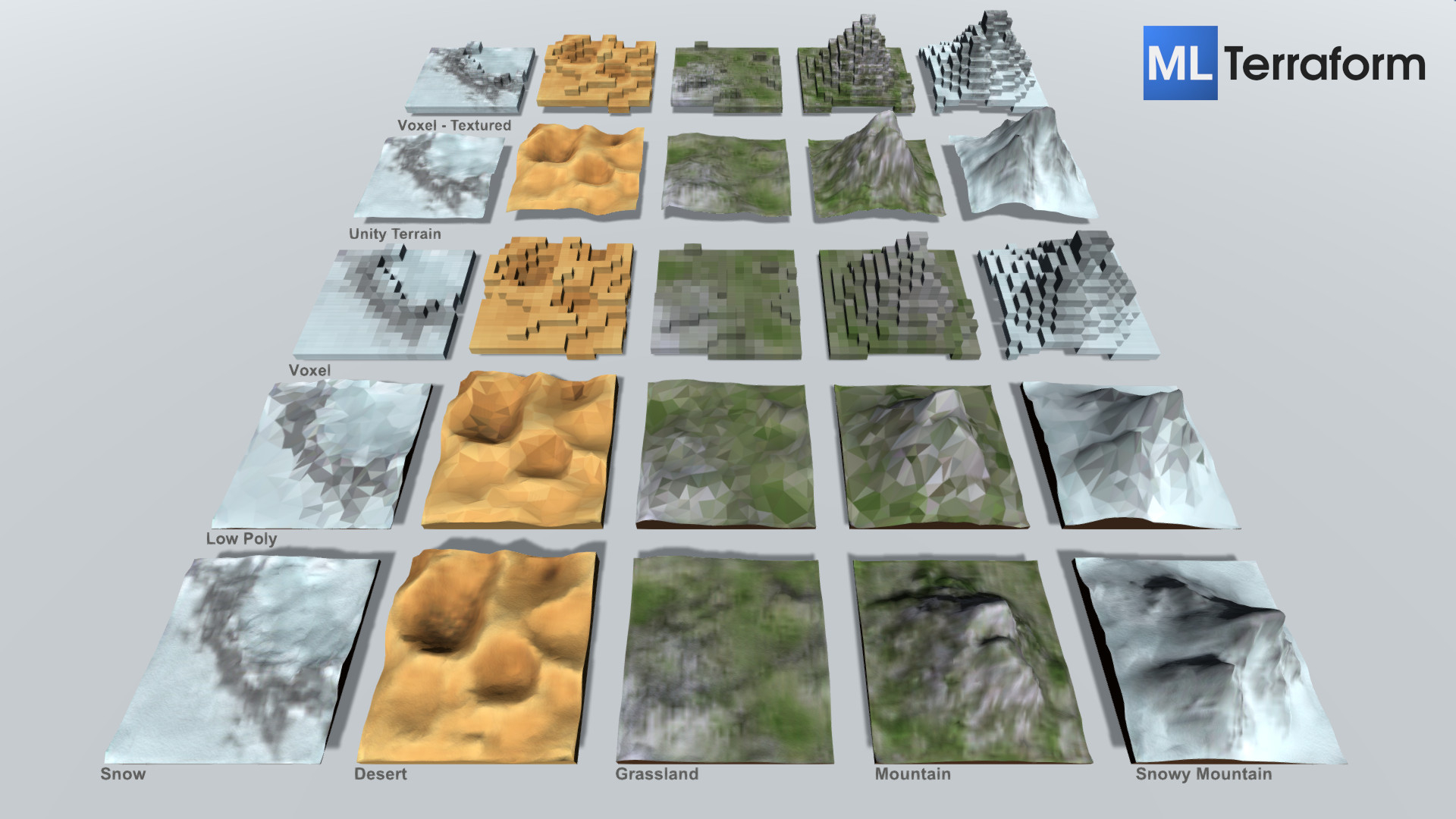 ML Terraform is a Terrain Generator implemented using a Neural Network trained on handmade 3d models. It is now available as a Web Tool and Unity Plugin. Let me know what you think.
 -
prolow tools thread
 maya poly rounder uploaded the uncompiled .py cause I suspect the .pyc was causing incompatibility issues [ame=" https://www.youtube.com/watch?v=YnYU3UUUbIo"]round tool for maya - YouTube[/ame]
 -
Maya's deformation tool
I'm very new to maya's deformation tool. I just applied some basic deformers but it seems the deformation controls are set to points in space, and not the mesh. Is there a way to bake the deformation into the mesh itself?
>63136 results