Search
-
How do I save photoshop cs5 preferences not work space.
 Anyone know how to back up the photoshop preferences after you've set them the way you like them. Saving the panel layouts and hotkeys is easy enough through the work space save but I'd like to save/load my general preferences.
 -
Masking VS Pixel lock (Photoshop CS5)
 Greetings PCers; This thread is for those who use Photoshop for their concept art. Anyways I've been practicing making concepts before I follow them in 3d modeling. I tried using both methods. 1) painting a base color and creating a mask out of it. - In that case, you usually duplicate the masked layer and paint over it.…
 -
Re: The "ethics" of touching up images in photoshop
 I've rarely, i.e. next to never, seen people heavily Photoshop their Realtime artwork when it comes to portfolio stuff. So I kind of consider it a non-issue; most people know the rules. However in the broader world of CG art, photoshop is just one tool of many on the way to making a complete image. When making art for arts…
 -
Histogram for 32bit image within Photoshop CS6?
 Today I was doing some 32bit skybox/HDRI stuffs, and I noticed that when I went to preview the histogram for the image's value range within Photoshop CS6, the histogram pane was completely grayed out. Is there a specific set of steps needed to get this to show up when working with 32bit documents? Or is this just a feature…
 -
Photoshop actions always append " copy" to saved files...? ..? .?
 I work with PSDs that have the correct name for my game, but when I want to save out a game-ready TGA, using an action to save time since I do some resizing, it always appends " copy" and doesn't overwrite the TGA that is already in the directory. Does Photoshop think that writing a TGA to disk would overwrite my PSD? How…
 -
3d artist -3ds max, photoshop(quixel)
 My name is David and I am a 3d artist with 5 years of industry experience and two small titles that I worked on as a 3d artist. I use 3ds max and photoshop(quixel) for my art work. I do have some zbrush experience as well. The past year I worked at a company called Applied VR as a 3d artist using unity 5. I created…
 -
Baking Tutorial (Maya, Photoshop, nDo2, xNormal)
 Hey guys, I posted this in WAYWO but in case people missed it I thought I'd make a thread as well (hope that's okay!) Kind of technical, kind of artsy, mostly workflow technique I guess. I know a few people have asked about my process before so hurr it is. [ame="…
 -
Creating Atmosphere, Haze, Mist, Rays, Sun Flare in Architectural Renderings Photoshop Tutorial

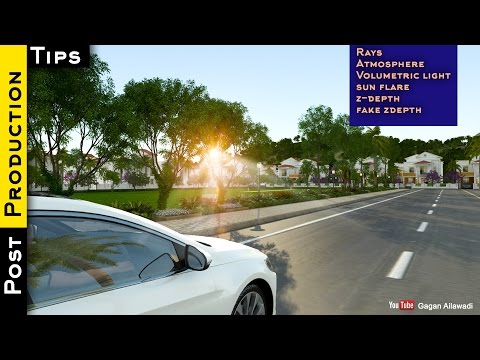 Creating Atmosphere, Haze, Mist, Rays, Sun Flare in Architectural Renderings Photoshop Tutorial https://www.youtube.com/watch?v=-4ZvQRu28Nc
 -
Answered: Faceted normal after using photoshop

 Hey there! I'm having this problem with glossy surface appearing faceted. When I bake normals using xnormal (saving as .tif), the normal is great and the glossy surface remains smooth. However when I put normal through photoshop (to be more specific, Quixel Suite), it appears faceted after that. I tried saving the file in…
 -
Zbrush Stamp/Clone tool likein photoshop... cannot find him?
Where in Zbrush is a brush or "feature" working in the same way as "stamp" or "clone" tools in Photoshop... That means in lets me pick a place on my model from which to source geometry to paint on other side/place on the model... I cannot find this tool in zbrush but it surelly has to have one, right...?
>19985 results