Search
-
Re: Braided river, streams ?

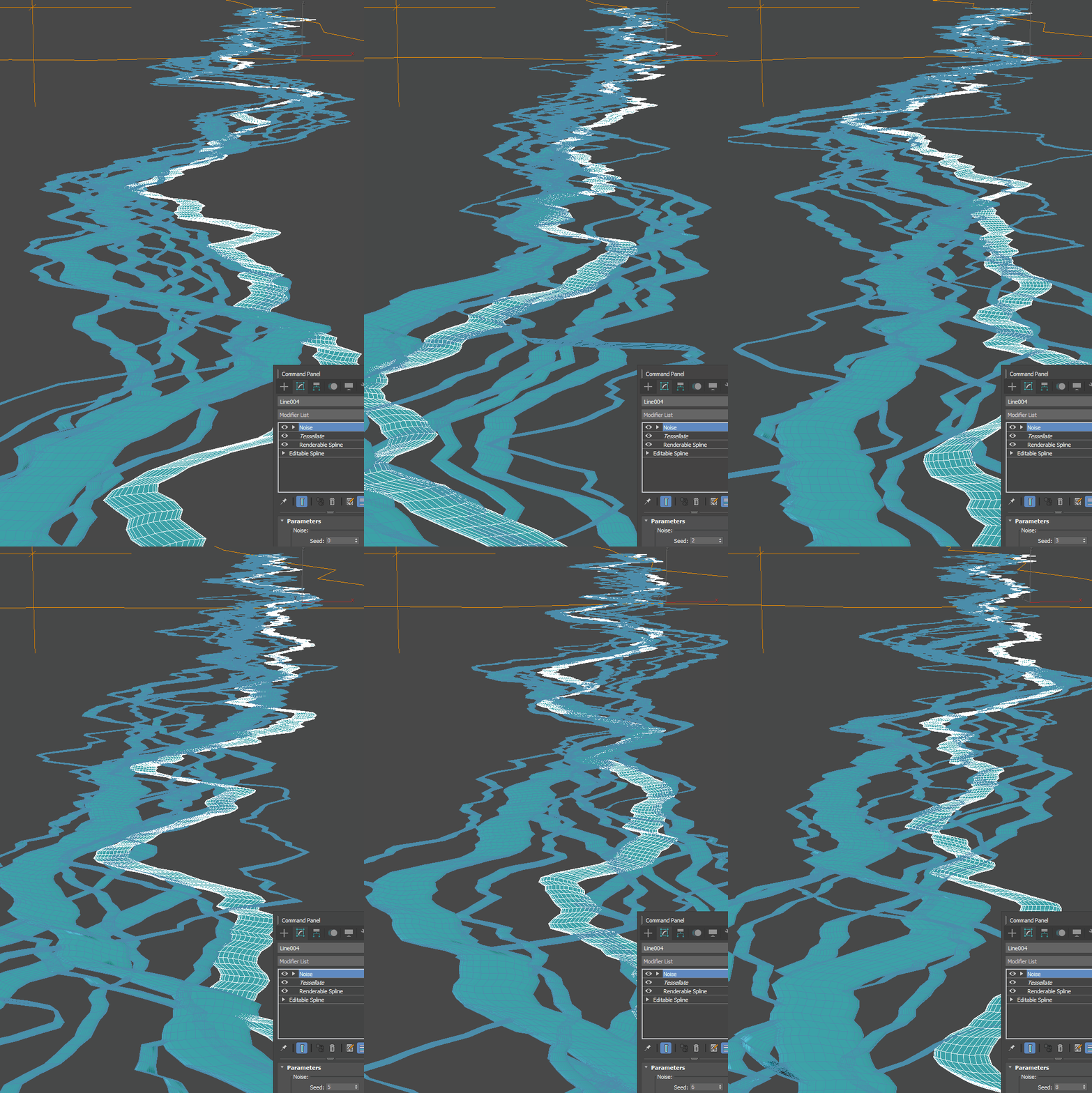 That looks nice indeed and I did something like that in Blender Geometry nodes too by roughly same stack but isn't it instantly obvious the thing is not real and have a typical "procedural" taste just because a half of child streams are crossing each other and not do typical flow in before a bend and out after , a core…
 -
Substande Designer 5.0.3 - adding nodes
Hey guys, iam new to SD and i want to test a few things. but right now i got the first problem. i choosed the pbr spec/gloss set for start. but i also need a height output. i saw on the previous versions of SD that i was possible to add output nodes directly under craeting a "new substance" tab. how can i do this now? -
Photoshop Blend Modes - UDK Equivalents?
 Hi Polycounters! Are there any particular ways in which to recreate some Photoshop blend modes within UDK's Material Editor? (Blending between two textures instead of blending between layers.) I know the simple ones: Photoshop's Multiply = UDK's Multiply Photoshop's Linear Dodge = UDK's Add But are there any relatively…
 -
Re: WIP - Portfolio piece - Feedback
Thank you for your feedback! I would like to mention that the light is not my strongest skill as of right now and the ss are taken with different cameras which have different settings :# I would like to mention that I am using UE5 and Lumen is used for lighting. Below is a link with a video in play mode. If you would like… -
Re: [3dsmax]- Copy uv settings to other bitmap nodes Slate material editor?
 Select the map nodes you want to have the same coordinates and run this script. After that, the mapping coordinates for those nodes will be instances so changing parameters of one will affect all the others: ( As for some artist-friendly way to do that, I agree that a node would be much better - could you submit that…
 -
Re: Rigging Question.
 Here's the script for adding multiple bones to multiple meshes: <font class="small">Code:</font><hr /><pre> //global proc CRaddMultiInfluence() { string $sel[]=`ls -sl`; string $objects[]; string $bones[]; for ($node in $sel) { if (`nodeType $node`=="joint") $bones[`size($bones)`]=$node; if (`nodeType…
 -
Coming Soon - ZBrush 3.5 - A Comprehensive Introduction
 Hi Everyone! I just wanted to tease this one because I think its one of our best releases if not the best. Watch the video sample and let me know what you think. This is scheduled to be release this coming up Monday. Here is a video sample: [ame]http://www.youtube.com/watch?v=e2YsANbRS7Y[/ame]
 -
3DMotive.com launches

 A few days ago some of our members launched 3Dmotive.com, an online source for video tutorials. A few months in the making, gamedev and crew have set out to create a unique online video tutorial service. Already a few of their videos are online for FREE. FREE! (Enough to make any artists ears perk up, I'm sure). What I saw…
 -
Modo: MeshFusion Mesh Mode problem

 So I'm having a problem where if I switch the Mesh Mode to anything but 'Draft - Best Performance' it introduces artifacts (missing geometry) at the strips. If I adjust the strip widths to make them smaller I can make the problem go away but what's the point of having a Draft option if it doesn't accurately show what…
 -
Change camera speed in "ghost mode"
Hi everyone. I have been looking for a console command or any way to change the camera speed while in ghost or fly mode ingame. I know you can change the walkspeed by using setSpeed but this won't affect the ghost or fly camera :( slomo slows the camera speed down too, but everything else slows down as well so I'm just…
>58124 results