Search
-
Re: WIP Game Project Assets
 Clean start. I would bring in the shoulders and hips in a bit. He's a little more slender. And just a tip, the sculpt geometry tool works well for getting rid of the boxy edges. Just set the opacity low and give those sharp edges a light swipe.
 -
Re: 2D What Are You Working On? 2018 !

 Alecti Ward, The Moon's Chosen. Image for my personal project. @sudhanl very evocative images. Digging it! @Lyno Nice environments! I would love to see you combine softer edges in your images to really contrast and emphasize the hard edges of the focal areas :) .
 -
Re: Crash Bandicoot N.Sanity Beach
 I wasn't happy with the old edging so I modelled up a new one. Only the base colour is in at the moment and even that is missing in areas :P I will be putting some little bits of fallen rock and dirt around the edges as well to help it blend with the floor.
 -
Re: Maya subdivisions
 @throttlekitty Hey, One more question when I use smooth preview I have my vertex boundary set to sharp edges and when I click on smooth mesh preview to polygons it uses the vertex boundary sharp edges and corners anyway to fix this?
 -
Re: Short-Barrel'd Bolt-Action Rifle [WIP]
@Joopson Thank you! Am I using creasing? I think so. If that's the same thing as beveling in Maya, then yes. Though I use different methods in different places. Some edges are just manually nudged into place, then usually the trickier edges get beveled. -
Re: n/a
 Can you point out the spots? Hard to see. What did you use to bake the map? Are you using edge padding? Are you using anti-aliasing/multi-sampling? Are you using hard edges, and are you using a cage when you bake?
 -
Re: AK337 sniper modular
 I think you really need to change some of your edges.. especially on the main body and some of the simpler shapes. They are super tight right now and almost read like 90° edges. I can't judge how much of it is still work in progress though.
 -
Re: Cyberpunk inspired motorcycle
I think for the sharp edges I was trying to see if my low poly needed to keep some round edges or needed to be sharp. For the material your right. I went with the default painted steel material in substance but wasn’t sure how the concept was intended to appear. -
Re: [Problem] 3DSMax 17 (SP3) - Unable to select some faces... o.O
 I tryed it... nothing changed... I'm so desperate... T_T Maybe it's an setting option I've accidentally switched on? It's so weird, because I have the feeling that I can select the face only near the edges (last 5% from the middle to the edge) of the polygon.
 -
Re: xnormal problems
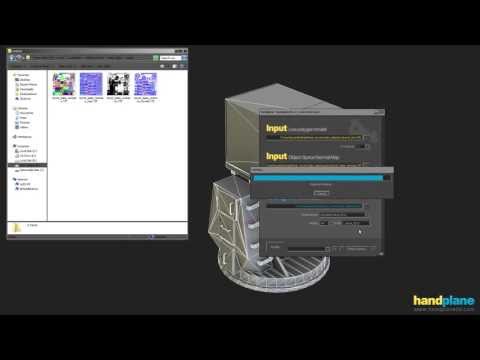 I was not suggesting you try different edge padding values. Edge padding should be set at a high number like 64 pixels and left alone. Try adjusting your raycast distances. This video might help you: https://www.youtube.com/watch?v=l59_R7RENxE
>27985 results