Search
-
Moved: 3dsmax script multiple use for "c"
 This discussion has been moved.
 -
Re: [3DSMAX] How to make guardrails like these?
 Tada! https://makeanything.autodesk.com/3dsmax-indie
 -
problem with F.A.S.T plugin for 3dsmax
 hello. when i do the wire connection when i click on F.A.S.T button and click and drag nothing will happen what is wrong? http://s5.picofile.com/file/8372917418/Rec_0004.mp4.html
 -
3dsMax 2022 with Smart Extrude Cut-Through and Bridge
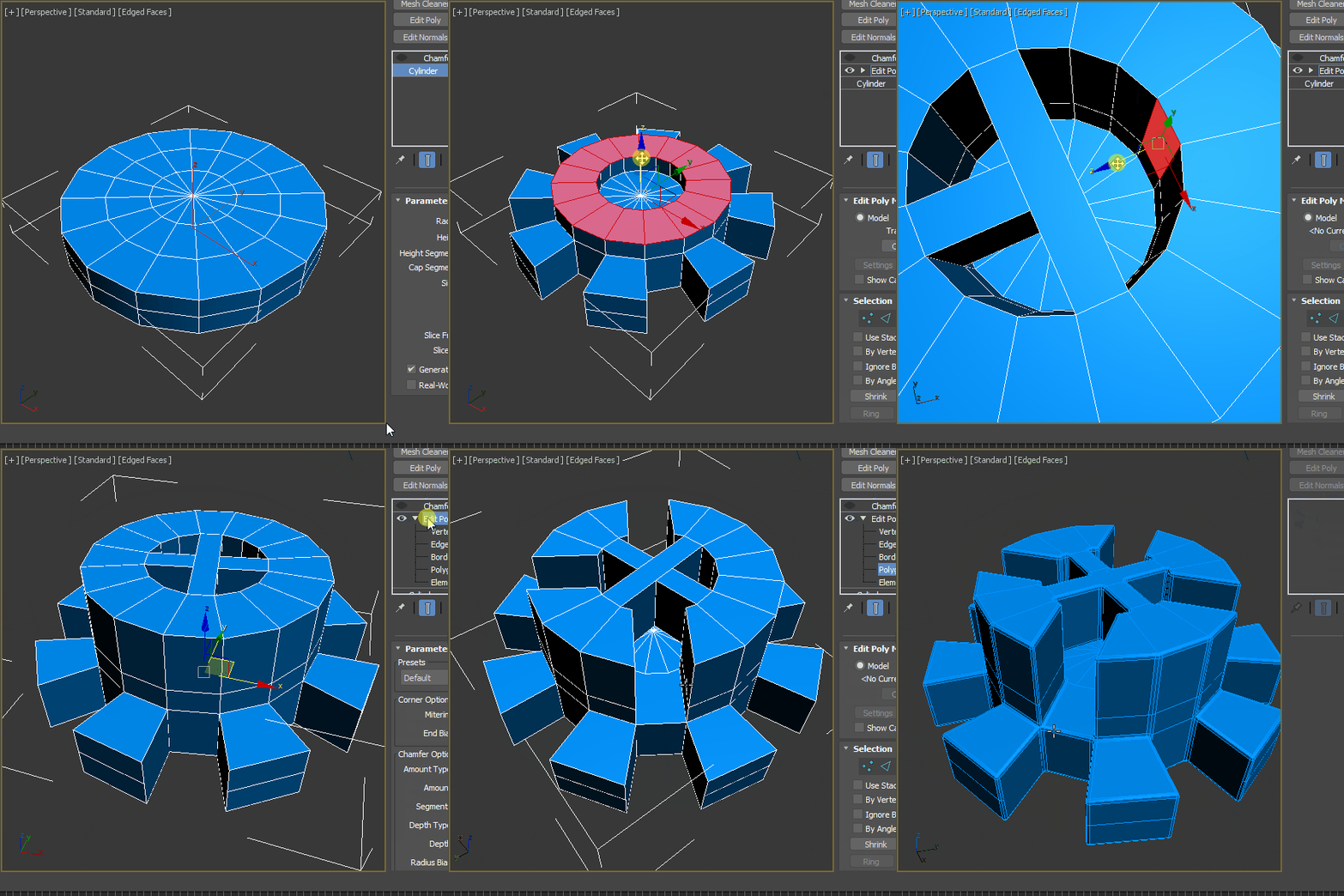 Autodesk Official VIdeo : https://www.youtube.com/watch?v=q0bIYyorjY0 Eloi's video : https://www.youtube.com/watch?v=YbrHCICnT4sPerformance update detail. https://cganimator.com/3dsmax-2022-modifier-modernization-includes-3dsmax-2021-pus/Smart ExtrudeSmart Extrude Cut-through - removes geometric data when the smart extrude…
 -
3DsMax Cant find Polydraw
 Very embarrassing, I cant find polydraw under the freeform menu in Max 2017. Came up empty with google as well. Any info appreciated. Cheerio
 -
Re: 3dsmax Invert UV's
In the Unwrap editor, the Select menu has a tool for this. http://help.autodesk.com/view/3DSMAX/2017/ENU/?guid=GUID-2AEF6A44-859D-434E-8E08-00D2A480A0CD -
Re: 3dsmax . stacking order
 http://www.luxinia.de/index.php/ArtTools/3dsmax Crazy Butcher authored a script that sets the direction of movement based on mouse movement, it might be what you're looking for?
 -
3dsmax Conform Geometry
Hi, is there a script or something who does the same thing as Topogun does ? A conform geometry ferature ? I know there is a similar script for maya but I didn't find anything for max. I tried the conform modifier, but it doesn't seems to work like Topogun do. Any hint on this ? -
Video tut - 3DsMax to CryEngine3
![[HP]](https://us.v-cdn.net/5021068/uploads/userpics/PW2278Q17H7M/nK9DV1HH4CBZK.jpg) Very straightforward tut on exporting your stuff into the engine. Enjoy, and drop some feedback if you will! :) http://eat3d.com/free/cryengine_3dsmax PS* Excuse the tuga accent! ahah
Very straightforward tut on exporting your stuff into the engine. Enjoy, and drop some feedback if you will! :) http://eat3d.com/free/cryengine_3dsmax PS* Excuse the tuga accent! ahah -
Recreate Subdivision Levels - Script for 3DsMax 2011
TurboReduce will recreate the subdividion levels of an already subdivided mesh. Download from Scriptspot.
>6886 results