Search
-
Re: Sixties - My level design project.
 Awesome! Those renders look like a scene from World in Conflict. :) http://pcmedia.gamespy.com/pc/image/article/779/779951/world-in-conflict-20070411062142759-000.jpg or more specifically the X-Mas map:
 -
Re: Post your home desk!!
 its 120 ish for one arm :( My real choice is if I want two. I sent them an email asking if I buy one if I can attach another one onto that one...
 -
Re: "Azoowu" Witch Doctor/Shaman/Mage
 If you want people to actually see your work I would suggest you save your work as jpeg. Your first image is a 120 meg png file. No one is going to wait for that to load.
 -
Re: How to edit vertex normals for Anime / Toon shading in blender? (Arc System Works-Inspired)
 Guilty Gear baked vertex normal from a simpler mesh. Give it a try if Blender toon shade can pick that up. http://3.bp.blogspot.com/-kIFTNf68_YU/U9X6RkBS3XI/AAAAAAAAAxU/rKllj06qsA8/s1600/060.jpg
 -
Re: How to - Vertex Painting (Unsolved)
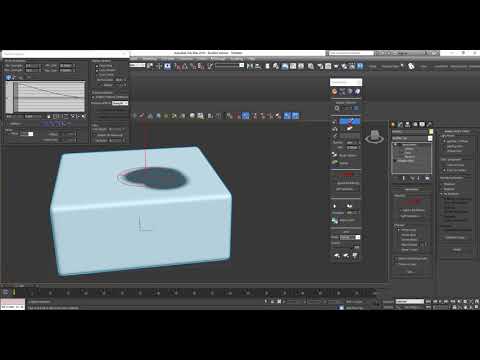 The issue was because of the brush options defaulting to 'Min strength 0.0' I've posted a video showing the solution below in case others hit this hurdle like i did. https://www.youtube.com/watch?v=YI76kMvKIKs
 -
Re: A question about GLSL shaders
 You'll also have to find the center point of your texture, because if you rotate it without, it will more than likely just rotate from 0,0. The center point will be half your res. of x and y.
 -
Tavern California - UE4 Environment by Sasha Nodia
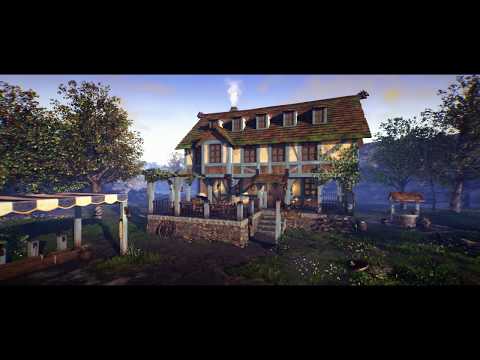 UE4 environment created in about 120 hours https://www.youtube.com/watch?v=09w8FS9aWmw Hope you guys like it :)
 -
Re: Is there a big bamboo tablet version?
 really? They cant make one just 2-3 inches bigger or something for at least $120? Man :\
 -
Re: Poll: Pick which turd to polish!
 [ame=" https://www.youtube.com/watch?v=kR9ILB4xnS0&feature="]henchman polypaint demo 002 - YouTube[/ame]
 -
Re: C4D 14 with sculpting!
Here's my Landscape under C4D - 714 K QUADS ( 1.400 000 tris); no problemo :poly142:
>2010 results