Search
-
Re: Alternative to Quixel Suite ?
 After Designer I always feel like a breath of fresh air when I go to Blender nodes . To be honest I hate Designer UI . In Blender I just do a stroke across connecting lines with shift or ctrl . In designer i need to click 2-3 times to insert that same damn dot and with heavy graph it gets so unresponsive . Working with…
 -
Re: kHED 1.0 Beta - a new low poly 3D modeling editor
 Hi Monk! I don't know if this fits with your description of a stack : what I meant is not only the "stackable" nature of the modifiers, but also and more importantly the non-linear, "browsable" aspect of their connections. I mean, I really love and rely a lot on Max's ability to let me go back the very lower layer of a…
 -
Re: FORKLIFT
 Would've been nice if you'd finished CHAPPIE your initial project that didn't really get past reference gathering, I mean what happened? rather than continue to push stuff out the door like a conveyor belt. Note - a bit nitpicky I guess but an important OHS plant requirement nonetheless due to practical experience…
 -
Re: blender questions
 1. shift+s let's you place the cursor at the selection/grid/active. I don't use grease pencil much sorry. Lol, you want to do those doodle things of yours, don't you:) 2. press F6, press the "add new" button if there isn't already a texture, in "texture type" choose image then press the load button that appears (you can…
 -
ReTiCo (RealTime Companion), a Blender add-on oriented 3D realtime and glTF workflows

 Let me introduce you to ReTiCo: https://github.com/Vinc3r/ReTiCo It's oriented realtime workflow but some feature may be interesting for everyone as well. Here a non-exhaustive-list of features, check the doc' to know more: Materials: - quick set backface culling on/off - set active texture node (useful in viewport Solid >…
 -
Re: [maya] Disable Component in object/component mode
 I'm a little confused about what you're asking here, maybe it's a difference in how you and i work. Personally I only use F8 when I want to work on multiple objects in component mode. To move between modes, I use the standard right click marking menu in a quick snap motion. For example, I'm in vertex mode on object A, and…
 -
Maya Paint Mode
I kinda got stuck in that paint mode... I tried pressing 8 to get out, but it only changes the paint mode. -
The Bi-Monthly Environment Art Challenge | July - August (103)

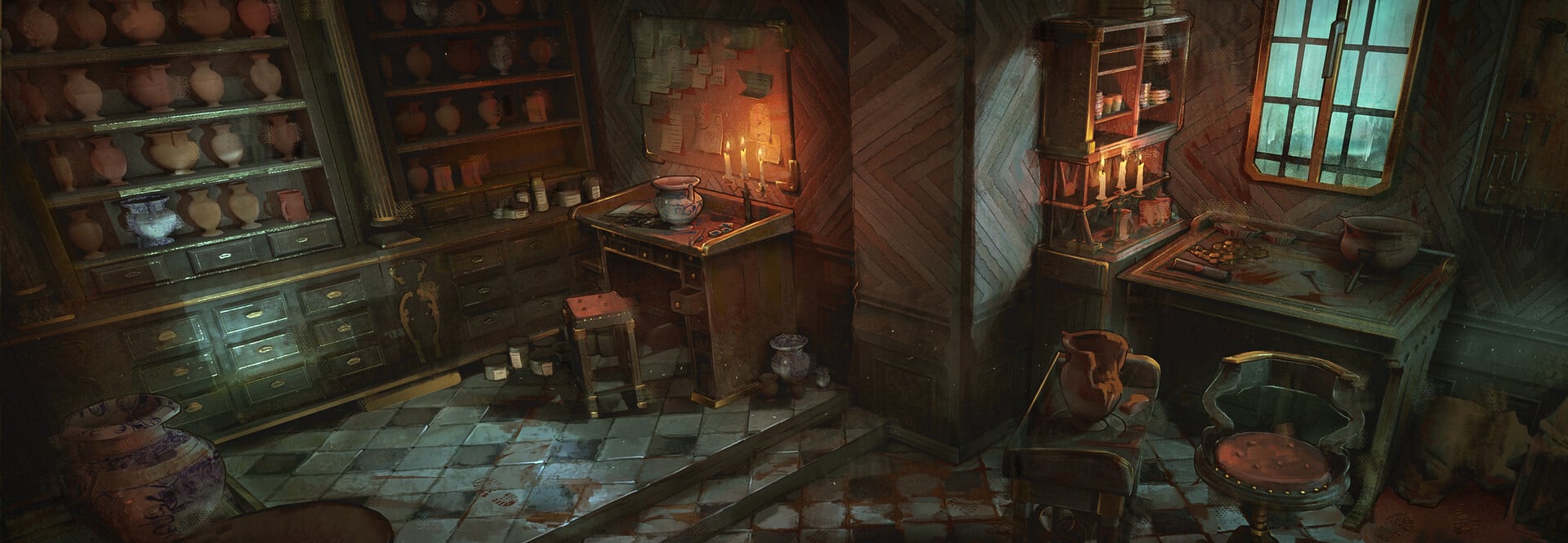 Welcome everyone to the 103rd Bi-Monthly Environment Art Challenge for the months of July and August! This challenge is a way for real-time 3D artists to test their skills and create a piece of work based on concepts provided. It's open to those of all skill levels and we do our best to provide meaningful feedback along…
 -
Face Topology [Breakdown Guide]
 ~ (NOTE: I wrote this to help some students I know and some PC friends mentioned posting it on here to help out the early learning community. Feel FREE to dive in and we can start a fresh discussion on the age old face-topology subject :) ) Students seem to often find face topology so alien and hard to learn so I decided…
 -
Re: Photoshop Hard Light blend mode in UE4 shader?

>37264 results