Search
-
Re: [SOLVED] [3ds Max] Animated shutter: Bones bend whilst animating along a path.
 Does this happen at a vertex in the spline? If so, maybe check if it's actually two vertices. Flipping is common (like 180 degrees around the long axis) but this 90 degree angle looks odd. Maybe post the file if you can. Save it back to the oldest max version it lets you. Edit: Sorry, hadn't seen your latest reply. Groups…
 -
Re: A newbie's question about Maya, Bridging and Mirroring
Yeah Bartalon is right, also, assuming that you're in the polygons tab and the main side of your mesh is center pivoted to the middle. To prevent the hassle of aligning individual vertices to the center for mirroring is to align it altogether by using the absolute transform tab and putting (assuming it's centered on X… -
Re: 2.5D Snap in Maya?
 Hi Gheromo, thanks for the quick reply. I am not sure to understand what I should get with this combo. I think I wasn't very clear in my first post, I am speaking about polygonal modelling, and I am moving vertices around. If I press D to adjust the pivot and V to enable the snap to vertices, it doesn't snap to meshes…
 -
Re: UDK: Generated/Imported vertex count ratio message
 It's not really an error message so much as an efficiency warning. Various things will require the engine to split up (duplicate) vertices along certain edges. Generally it's due to smoothing groups and UV seams. This warning box is basically a feature that sets a target of just 25% increase in imported versus source…
 -
Maxscript, color per vertex -> ascii output
 I've been messing around with this piece of code for two days trying to figure out a different way to tackle it. My objective is just to output RGB vertex coloration values eith each line being an index for each vertex in the mesh. The problem is relatively known and documented, and this is probably mostly a case of me…
 -
How to determine the texel density in the video.
 In the tutorial on making a still image, it was mentioned that the texel density of a building in an Enivironment piece is determined by what percentage of the render size it occupies. For example, if the render size is 1920 x 1300 and the height of the first floor walls is about half of the render size, the vertical size…
 -
Re: Adding a circle hole to geometry?
 I'm pretty sure what they mean by 'snap verts to cylinder is this': Draw a cylinder over your mesh where you want the hole to be turn on snap to vertices use the cut tool, clicking along the vertices of the cylinder, cutting its shape into your mesh. That's kinda tedious though. In Modo I'll just use axis stencil or bevel…
 -
Re: pupe unwraping issue
 I agree with mojokey. Or you could recreate it with a torus primitive and delete the unwanted geo. Make sure "generate Mapping Coords." is checked on before converting it from a primitive to edit poly. Or if you're really bent on unwrapping it as is you can straighten it out pretty quickly by: Click a vertical edge, click…
 -
Re: UV texture size affects the normal map?
 The reason this is true is because when you divide a single model into multiple materials it then has the potential to slow down your frame rate. As the game engine draws the vertices/triangles of your model, it has to stop drawing whenever it encounters vertices/triangles using a different material. It then has to process…
 -
Help, Experiencing renegade polygons in Zbrush

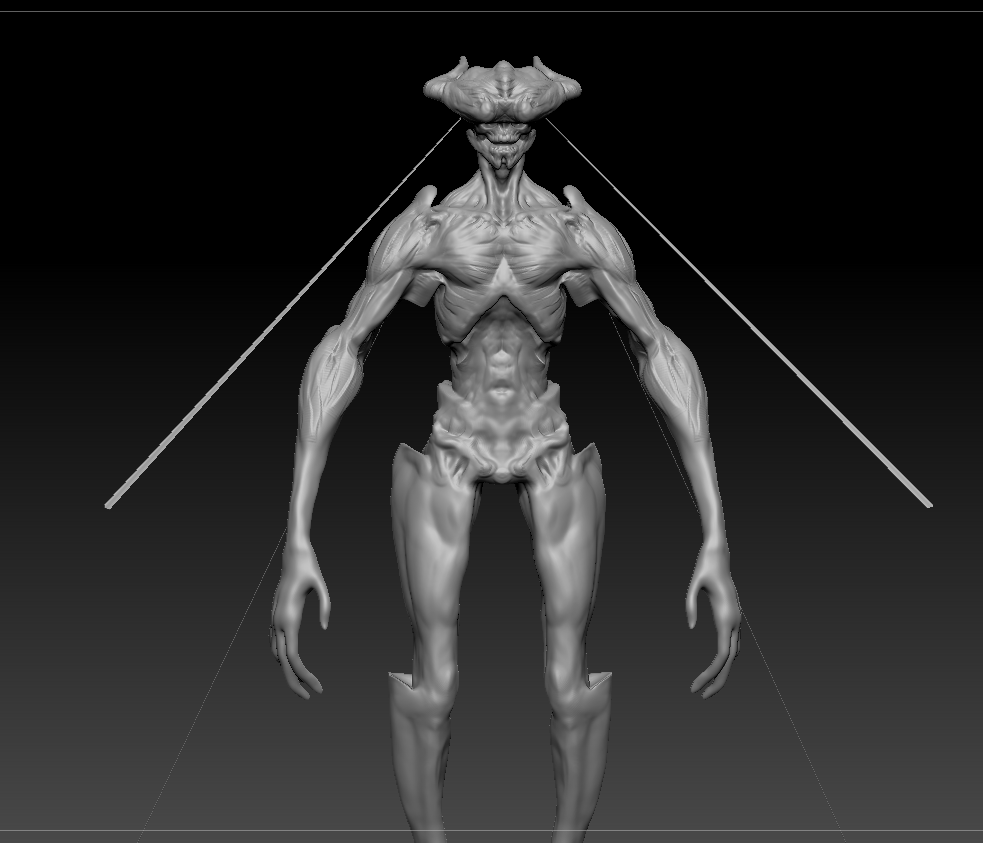 I've been working on this guy and during my dtopo workflow where I expanded out the arms, body, ect, I messed up and got messed up vertices inside my mesh. Im not longer in Dtopo mode and have been sculpting the normal way. However, some of the messed up vertices have emerged now and have made these weird strands. I've…
>7637 results