Search
-
Re: Tom Delboo's SketchBook
 Haven't uploaded in a while. So here's the final low poly from the dentist chair. in marmoset 1 in 3dsmax But in the mean time I also finished another project. LowPoly Gun: clean version hope you like it. Atm I'm busy with making a miniexcavator and a level in udk. will be posting soon about them. cheers
 -
Re: Hair - Planes and Alphas
 Oops. If you want the mesh to match the location of the spline, use the World Space PathDeform modifier, not the Object Space one. OS should put the spline to the mesh location, while WS does the opposite. http://docs.autodesk.com/3DSMAX/16/ENU/3ds-Max-Help/files/GUID-47EA2253-C097-434A-82AD-B13E2DE10C6C.htm
 -
Re: 3ds max 2015 new mouse zoom config
 Hey guys! Just so you know, autodesk added a way to revert back to the traditional navigation method with the SP2. you have to look for the 3dsmax.ini under: C: \Users\[YourUserName]\AppData\Local\Autodesk\3dsMax\2015 - 64bit\ENU and add "AdaptiveNavigation=0" under [Performance] section like this: [Performance]…
 -
Re: Textools V4.10 and the Render to Texture
fixed issue (I think so) with RTT not working anymore after you used either the AO or some of the map render types from TexTools. (I think the issue was that I set the ...bakeEnabled = false; after the bake, and that option is not availbel in the default 3dsmax RTT window). This is an error that the older version had.… -
Re: 3DS Max - Viewport geometry flickering/disappearing
 Do you have adaptive degradation toggled on? It's assigned to the O key by default. Not sure whether it's the same as the "don't degrade" option you mentioned. Max's help topic on it: http://docs.autodesk.com/3DSMAX/16/ENU/3ds-Max-Help/index.html?url=files/GUID-486136D3-3BCC-4A95-823B-3E7F9F75C2C4.htm,topicNumber=d30e11672
 -
Re: Intermittent Shading Error In Max 2013
If it looks fine in UDK, that's all that matters. Max is only a tool to help you get there. You might also try the settings in the Configure Direct3D dialog, specifically turning on "Redraw Scene On Window Expose". http://docs.autodesk.com/3DSMAX/15/ENU/3ds-Max-Help/files/GUID-4FB6180F-7C21-4B0E-903B-D25974C92FB7.htm -
Re: [3Ds Max] Looking for these scripts
If you install Neil Blevins' script collection, his objectDropper will do #1. http://www.neilblevins.com/cg_tools/scripts/3dsmax/soulburnscripts.htm For #2, have you tried the standard 3D snapping? You do need to adjust settings to make it work in a similar way to UE4. Also, which version of 3ds Max are you running? -
Re: Reallusions's 3d Character Design Contest _Hiro_Nakazawa

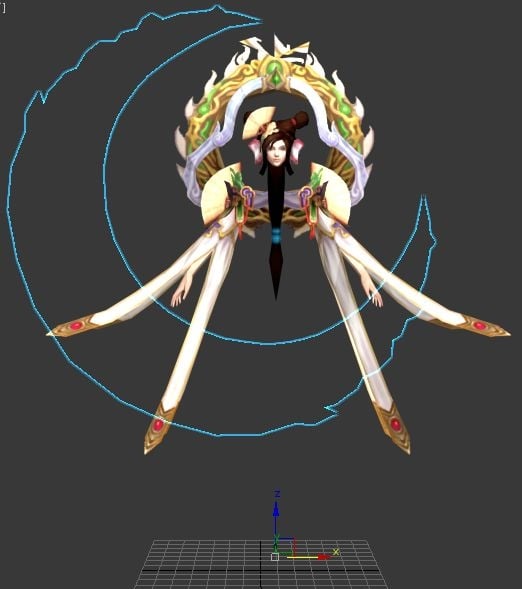 Reply by Hiro_Nakazawa · · Home› Contests & Challenges Archives› Reallusion's 3D Character Design Contest 20162016.9.25- - -10.3 By analyzing the Model in the 3dsMax, it was found the Model was composed by the following three static components. The Model was exported to 3DXchange by FBX format and found the Size was too big and no texture was shown. The Model texture was found as DDS format and converted to JPG by using Online…
 -
Re: Handplane WIP - Hotley No.984
 Well this MtId baking system is frustating for me or maybe I'm doing something wrong. Anyway I finally did it by exploding entire high poly into pieces, cause it looks like this tool doesn't work with 3dsmax MtlIDs, and in the end I got 35 high poly meshes and 15 low poly meshes for baking.
 -
Re: First post ever.
 hmmmm.... sorry to be the one to tell you this, but I honestly think you should take a step back from 3dsmax, and study traditional art for a while, and then come back to 3d in a few years. here's a link from another forum that may help you out. http://www.eatpoo.com/forum/viewtopic.php?f=5&t=27
>7371 results