Search
-
Re: [FINISHED!] [UE4] Havana - Overwatch FanArt Environment Study [FINISHED!]

 Hey! We're back at it again, this time with a smaller update. We were busy with creating smaller sci-fi-ish normal decals that can, and are going to be re-usable throughout a bunch of the assets on the scene. Those include all of the cars, gas station, ticket booth and more. - Firstly we went trough the whole scene again…
 -
Re: Blender Mega Thread
 We're probably just not talking about the same thing. I am talking specifically about normal/depth-based DM decals each calling their own unique source textures (like the ones used in my examples : a tiny DM texture set for indentA, a tiny DM texture set for indentB, a tiny texture set for this or that bolt, and so on...…
 -
Re: [WIP] MGS-Styled Compound Environment

 I created some trim sheets for the walls and some structural assets along with some simple modular pieces. Created a simple decal generator for the floor decals. General shifting around of assets and adding simple placeholder models. Starting to work on some walls and details using the trim sheets. I don't like how flat…
 -
[WIP] SINSPIRE - Final Year Gameplay Trailer

 SINSPIRE Synopsis Sinspire is a third-person, spine-chilling psychological horror RPG set in the decaying remnants of a grand Victorian clock tower. You play as Edith, a girl trapped in the tower's ground floor as chaos unfolds around you. With no escape and time running out, you must ascend to the tower's summit through…
 -
Re: An Investigation into Modular Environment (Victorian) - Dissertation progress thread
 UPDATE I've made some props, although they are not textured yet! The new ones I made are the awnings, signs, letter signs and floor sign. This is a quick list of some things that I am going to make (props/decals) - Mail post - Bench - Planters for the windows - Sewer - Gutters - Flags - Horse poops * (it might look like a…
 -
What is the method for texturing holes in walls to expose the bricks?

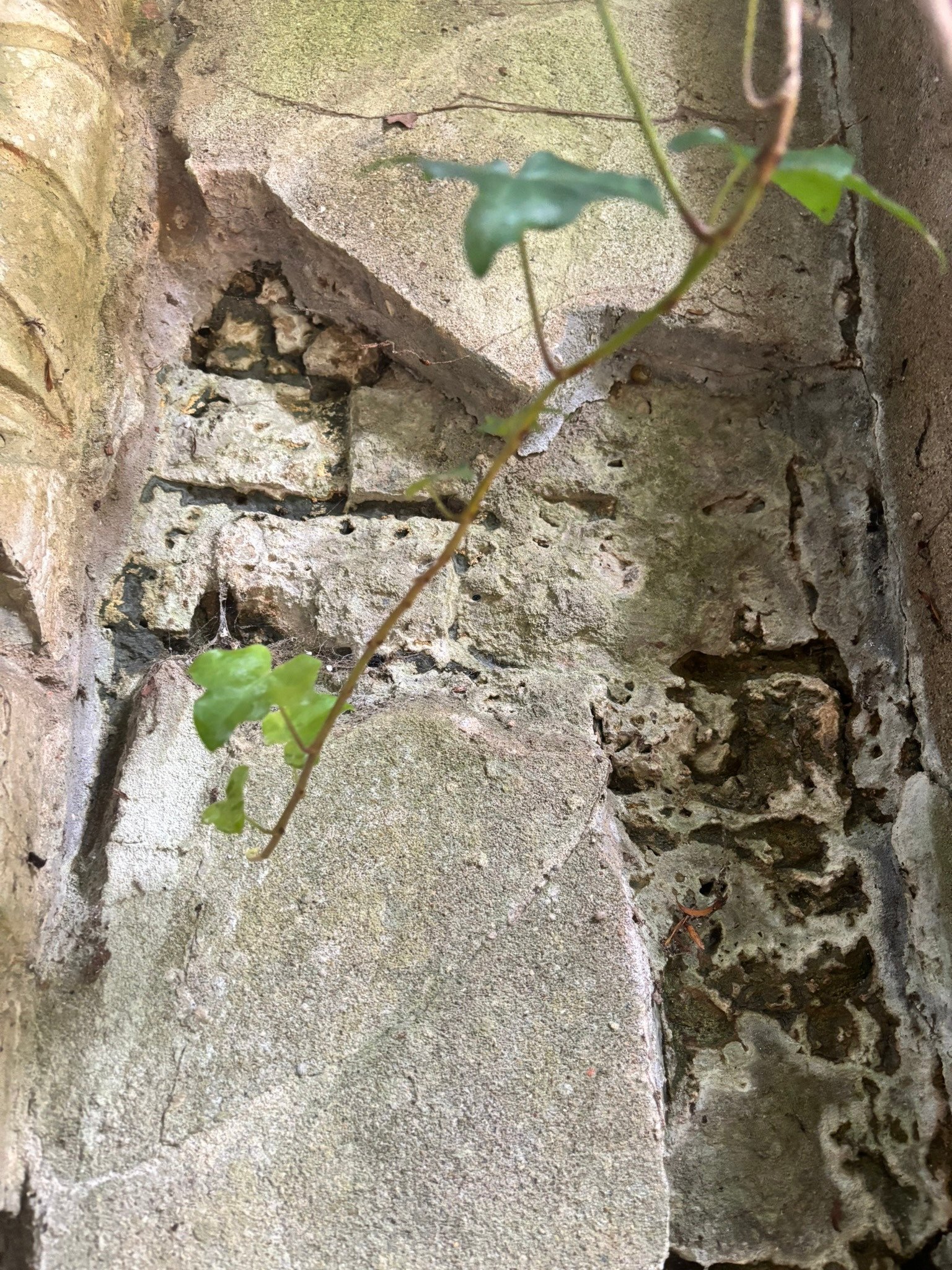 How can I replicate this texture featuring holes in walls that expose the bricks behind the stone? Should I create it on a trim sheet, utilise decals, or actually model the broken sections? As I have not attempted this before, any helpful references or tutorials would be greatly appreciated. Thanks
 -
Re: [UE4] Gears Of War Building
Ok, I have done some vertex paint and made some decals. Is there a way to have more than one decal in one texture? I mean, can I make a texture of 2048x2048, for example, and make several decals from this texture? Can someone give me a tutorial or documentation about decals? Thanks!! -
Re: [FINISHED] Desert Town Environment
 I agree with ashervisalis, but also google mesh decals and edge decals. Edge decals is a tehnique where you add wear and other stuff to the edges of big meshes like buildings. Mesh decals is what is called inside UE4.
 -
Re: How do Americans reconcile the concept of bootstraps with being a nation of fatasses?
 **Quasi tangent/rant Warning** First: I think this is a failure of imagination and bigger-picture thinking. What is going on here has very little to do with America's "go-getter" attitude(which can only be a good thing, btw) and much more to do with an entitlement attitude, and the fact that we're all nothing more than…
 -
Re: Super Kart Racing for iOS and Android - Art Preview
 Working on the garage area for kart selection. I had a really tough design constraint to try to work around with the decals. The karts can be painted several different colors and when I first used full color decals, some of the decals didn't match with the paint color currently selected. I am thinking I will be going back…
>7115 results