Search
-
Re: [MAYA] Surface-Based Asset Generation

 No problem ! There are more Max users in this thread then Maya users so it's always great to see solutions for both users ! :) I'm going to hijack the discussion a little bit too ^^ Looking at the bevels 3Ds Max produces i noticed a few "triangulated-corners" on the bevels that produce a kinda "meh" result.Maya 2016 also…
 -
Re: Best softwares for making effects
![[NB] Mohsen](https://polycount.com/themes/polycount/design/default-avatar.gif) No, unfortunately you cannot do so. But, here is what valve has said on the requirements page: Effects Vertex Based Particle Effects for Items For items which have effects on them by default, such as edge glows, item authors will be required to submit a .dmx or .fbx mesh which defines where these particles should go on…
No, unfortunately you cannot do so. But, here is what valve has said on the requirements page: Effects Vertex Based Particle Effects for Items For items which have effects on them by default, such as edge glows, item authors will be required to submit a .dmx or .fbx mesh which defines where these particles should go on… -
Re: Attaching Skin Modifiers 3Ds Max 2016
If you want to export your model back into the same game, you'll probably want to copy the same exact makeup. You don't need to attach everything to one mesh to have a common unwrap, you can apply the unwrap modifier to several meshes at once. Both Skin Wrap and Skin Utilities should be able to transfer the old skinning to… -
Re: Avoiding random non-manifold faces/UVs
 yeah those faces you can see in the wireframe is everything mesh cleanup found. I'm using the latest version of Maya 2018. UV mapping shouldn't have anything to do with these faces or extra vertices. This looks like the type of thing that happens when I do a mirror operation. I can't think of any other instances in which…
 -
Re: Dual Monitor or Ultra Wide Monitor ?
 three 27" monitors in surround for gaming. 3 monitors Vertically for workflow pipeline ( 1 documentation/reference leveraged vertically, 2 maya and script editor echo or UE4 in center, 3 notepad or visual studio all vertically scrollable for maximized screen real estate... Vertically can also be referenced at once with…
 -
Re: Hidden shortcuts in Max Unwrap Editor Window?
 hmm the hotkeys you're looking for should be available in max 2010+ it should be called Align Selection Horizontal and Align Selection Vertical or something like that but all I have is max 2012 right now so I'm not sure But making your own macroscript (C:/ProgramFiles/Autodesk/3dsMaxXXXX/ui/macroscripts/[whatever].mcr) for…
 -
Maya. Apply bend deformer to a part of mesh?

 Hi! I'm wondering, is there a way to bend a mesh in a way that would only affect a part of it in the middle? I know that I can use low and high bounds in bend deformer, but that's very limited, and doesn't let me do what I want. I want to twist a section of my mesh into almost a tube, but leave the other parts unchanged.…
 -
Re: Free Blender 3D Tutorials on YouTube

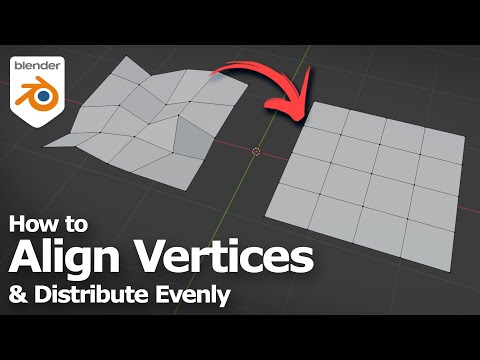 Blender basics, shows how to align vertices and distribute vertices using Free Addon. Happy sharing and I hope this helps. #blender #b3d #cgian Watch here, https://youtu.be/Y0OPfZmFifg
 -
Re: 3ds to CE3 : export issues
I have a few models this is starting to happen to me. Once the error message appears, I go to click to find the faces, and max crashes - every single time. The weld idea isnt working on my model. I receive a prompt from max that no vertices were within range. Is there another way to identify the face? This one has me… -
Re: [SOLVED] Math help! Accurately reducing edge length

 Ups.. i did this a few days ago but didn't hit the post reply button..😅.. If you have a cone then the length of the edges depends on the number of divisions (or vertices) of the round border (radius) because: Initially thinging of a main radius of 0.5 will give a circumference of 2*pi*0.5 = pi = 3.1415. Using 4 vertices…
>7636 results