Search
-
Re: Arm Rig!
 You are so absolutely right! :D So Here is what I found, but Keep in mind I haven't looked them through myself yet, so I can't vouch for their quality personally :) http://seithcg.com/wordpress/?page_id=30 This one is from SeithCG.com and it deals with seamless FK/IK Rigging.. It seams like there is some pretty heavy mel…
 -
Re: How do you model? - Time lapse references
 That's a bummer, might want to give MoPs Normalize script a try it started out compatible with 8+. http://boards.polycount.net/showthread.php?t=52415 I agree, align to face would be handy. In 9 or maybe 2008 they added a "quick planar map" button that does roughly that. Super effective. Before that I think it was a script,…
 -
Re: BRAWL2 [Character] Sodom, Fabi_G

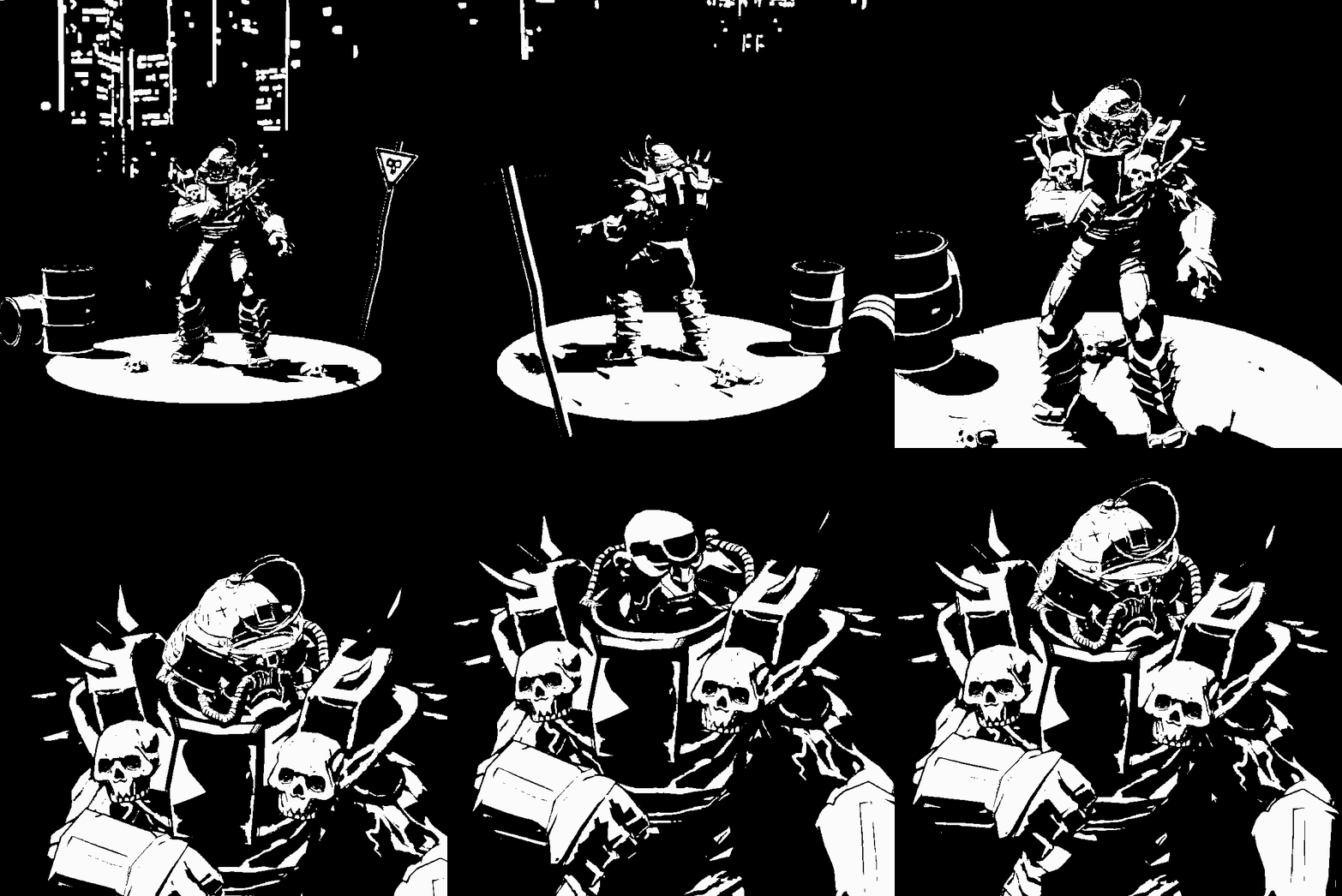 Hello, still alive though time has been running through my fingers. Managed to do some pushes in some different aspects: * Experimented some with a shader in Unity to get a black and white look * Adjusted the model some, though very roughly, mostly mapping to parts of the existing textures. Of course, added skulls and…
 -
Re: Workflow for Morph Targets (Unity Engine) and Normal maps!
 Yes. You would need to create a C# script which blends textures (or whatever values you want for each morph) at the same time that the vertex positions are being morphed by your morphing rig.
 -
Re: [Maxscript] random UV position of texture
 Well I already explained basically how you'd go about writing such a script. If you're hoping someone else will write the script though you'll need to post an example mesh and material you'd like said script to work on.
 -
Re: [HELP] Face Weighted Vertex Normals Maya
ZeroBiit The script automatically calculates the angle face and aligns the vertex of the normal. Cylindrical, spherical shapes do not require calculations. This script does not have such a function to control the process. It is necessary to select the faces and apply the script. -
Re: Modo - Insetting faces except boundary edge
 I have a feature request in for this option. Until then I wrote a Script that does it called Bolundary Bevel that is part of my Topology Scripts collection: http://pushingpoints.com/v2/pushing-points-topology-scripts-for-modo/
 -
Re: Clean up +Select by texture? 3dsmax
 You could do this in script. There may already be one out there - check scriptspot.com , or Neil Blevins' blur script packs, I recall his having material editing / management scripts in them. Or write one yourself :)
 -
Re: splitting smoothing groups for normal maps
 Links to the actual script seem to be down, and I cannot seem to build the script from the github page (VS errors, and googling doesn't really help). Anyone perhaps have the actual script or a installer (for max2013)? Or if I am missing it, a working link.
 -
MaxScript: Gradient Map

 UPDATE 2: * Now if you render with a selection you'll get a single gradient for the selection instead of one per object. UPDATE 1: * Saves your options when you open and close the dialog. * Spinner for padding and selecting UV channel * Optional Output path * Shows progress bar while rendering * Due to a max bug, I added a…
>11559 results