Search
-
80s-style Engine Analysis Room (UE4)

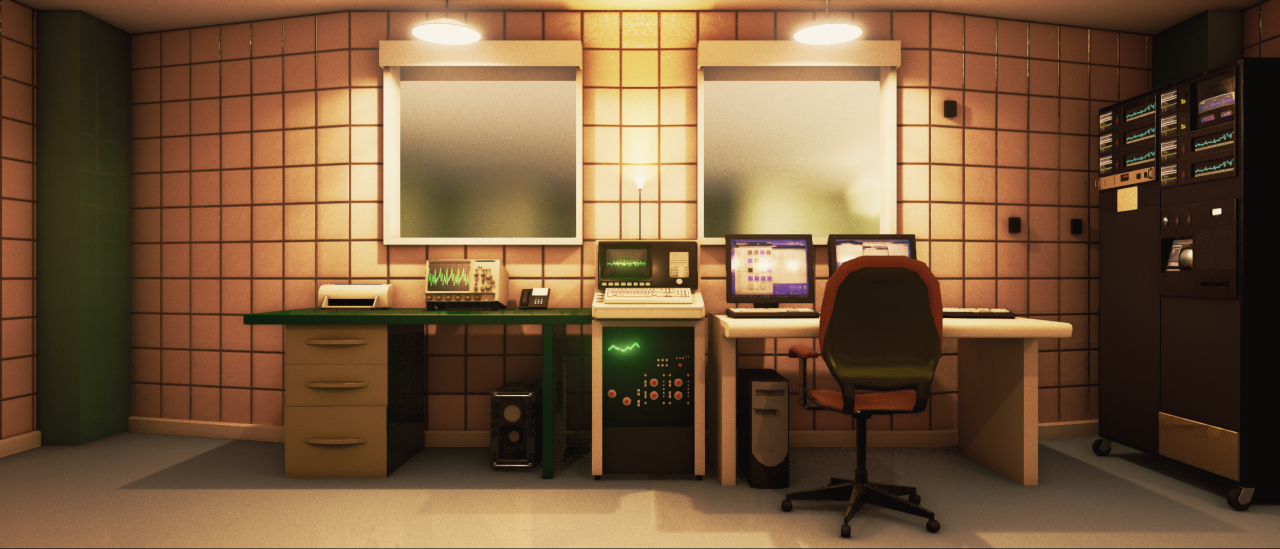 Scene I put together for an art test for Camshaft Software (Camshaft gave me permission to post this) I had a lot of fun making this, any crits welcome :) Here you can see how the fresnel effect is used to dull-out the displays. the oscilloscopes fade out, the table LCD has a low field of view, and the CRT displays have a…
 -
80s-style Engine Analysis Room (UE4)
Scene I put together for an art test for Camshaft Software (Camshaft gave me permission to post this) I had a lot of fun making this, any crits welcome :) Here you can see how the fresnel effect is used to dull-out the displays. the oscilloscopes fade out, the table LCD has a low field of view, and the CRT displays have a… -
Re: Maya 2019 Quad Draw Tool does not extrude properly
 Usually this happens because the viewport can't "see" the edge or verts, usually from being embedded too far in the highpoly. I'm not sure if hiding the highpoly layer works, I never think to try it. In this case, I'd just pop out of the tool, bridge the two border edges and go back into QD.
 -
Re: computer randomly shuts off
 After the two shut downs today, I thought maybe I had too much plugged into the one power bar/wall outlet. So now It has it's own surge protector going to a different outlet... if that has anything to do with it I have no idea but I did it any ways :P
 -
Re: Nate's Hand painted cottage
 Hey it's looking cool. I think your roof tiles are a tad large and could be tiled more. Maybe add some variation in your wood texture too it's looking a bit plain, perhaps two different types? Finally, all your windows have the same image, change it up a little :
 -
Re: Sci Fi Helmet Practise Model
 Some of your curves are wobbly and fight each other. For example, the triangular grill above the ear piece doesn't fit with the inset around it. Overall, I don't like the narrowness of the visor. On the second view from the left, the helmet looks like it's too high, like she's wearing two helmets at once.
 -
Re: First game model "zombie"
 Hey man, looks great for a first model! One or two things... the teeth look way too low on his skull, and there should be a little more detail on his torn off ears :) Also, some blood on his shirt would help sell the character. Keep it going, looking forward to updates!
 -
Re: Nicolasw's Substance experiments
 This tri planar uses an heavy fxmap computation, I would not advice to use it for anything else than "baking" bitmaps. For Painter, a tri planar projection is planned (that'll be a lot faster than this ;) ). Concerning your two requests, they have already been asked several times and will be addressed sooner or (not too)…
 -
Re: Quick Fast Detour Sign
 im just guessing - but it seems like your texture density is extremely uneven, it looks like the two sign textures ate up ~90% of the texturespace. or maybe your stripes texture is just way too blurry... fix the things already mentioned, like the dirt overlay stuff, and it will look quite nice.
 -
Re: Mirroring UV map and normal map creation question
 You need to take a look at the material files for D3 and Q4 as there's a 'special' parameter in there which they use on character models called "unSmoothedTangents" (although it can be used on other models). I've got two working character models done for Doom 3 without too many noticable artifacts from mirroring the UVWmap.
>73543 results