Search
-
Help: 3Ds Max Character Studio (Motion Mixer) seamless looping animation
 Hi All, I am using 3Ds Max version 9. I have 2 looping .bip files that I am using to create a new seamless loop with Character Studio's Motion Mixer. I would like to make the transition seamless between the two? I have lots of these to do so I am trying to get a good work flow down. The issue is that the last animation…
 -
[CLOSED] 2D game UI + tile assets for late stage indie RPG
I'm working on a "remaster" of an old-school dungeon crawler called "Dragon Bane 2" as a personal/indie project. It's a dungeon crawler, with 3D grid-based movement and 2D turn-based party combat and inventory systems. The project needs a 2D freelance artist willing to work against a backlog of tickets to polish and extend… -
3DSMAX - A way to "loop" lines one by one?
 Hey. I wonder if anyone know if it´s possible to select a line and then "grow" the selection along the line. I know there is a grow option but that selects all edges connected to the edge you have selected, i only want to select edges that are following the original lines direction, just like the loop-button, but loop…
 -
3ds Max tri edge loop selection plugin/script?
 Is there a plugin/script in 3ds Max that enables tri edge loop selection? It seems Max's loop selection only works with quads.
 -
Looping cloth animation in 3Ds Max?
 Hey guys! I'm having loads of trouble getting my cloth animation to loop - I've followed the two main tutorials I could find online and I'm either missing something totally obvious or Max isn't having any of it. The first is [ame=" https://www.youtube.com/watch?v=aZBZtxyjWJQ"]this one[/ame], in which it all goes to plan up…
 -
Difference in edge loop selection in since Maya 2011
 I have noticed an annoying difference in how the "To Edge Loop" tool works since making the jump from Maya 2011 to Maya 2015. It no longer selects the complete loop. My question is, can this be changed back to the old behavior? I have uploaded a short video showing the difference. [ame]…
 -
Re: First tree: Looking for tips! (Virginia Green Ash Tree)
 Your textures are looking great! For the model itself you can loose some of the unnecessary edge loops when you get higher up, it'll save you polys that can be used to add extra branches and such. You can make the trunk thinner as it rises as well because it looks too thick at medium height. Also don't be afraid to spread…
 -
3ds Max insert edge loop problem
 Quite often when I'm working in Max i'll get a problem where my insert edge loop line will flicker in an out or not appear on the surface at all. Moving the camera very far away fixes the problem and the loop appears but then I just cant see where I'm putting it anyway. The way I have been getting by for years was just…
 -
Re: Mult loop split for max 8
 No, I think basically los wants to select one edge out of an edge loop, hit a button, and have it chamfer (split) the whole edge loop. Personally I just have CTRL-F bound to Select Loop (and CTRL-R for Select Ring), and just hit that when I select an edge. Perfectly quick enough for my needs...
 -
Re: Sd.Kfz.182 Pz.Kpfw.VI Ausf.B "Königstiger" (Henschel Turret)

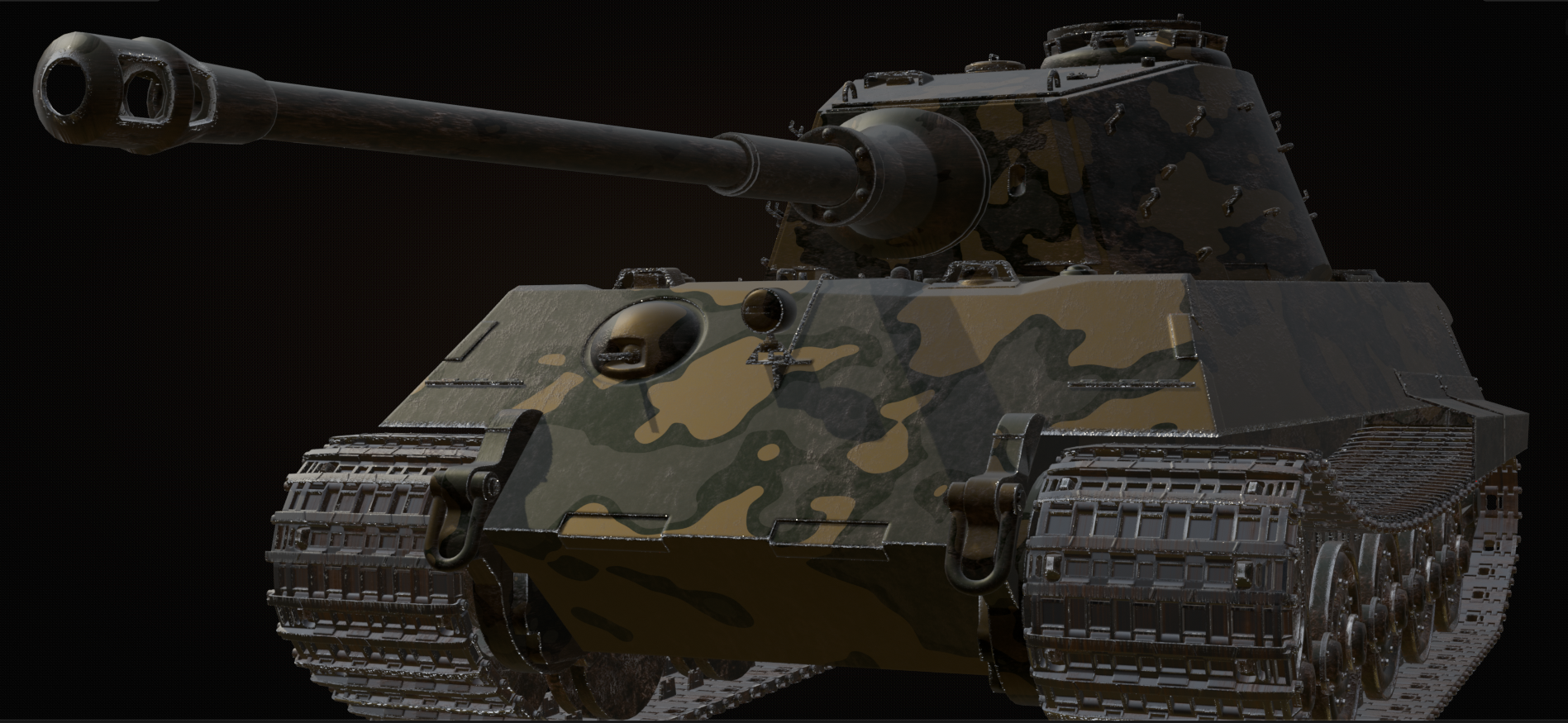 More skins Think I'm not that far off sorting out a FOSS homogeneous asset pipeline so next we'll look into UPBGE and see what that throws up.
>108974 results