Search
-
Re: What do you guys use to export animations from maya to Dota 2?
 If you are using/have access to the 32bit version of Maya, you can just use the tools that Valve ships with the Source Film Maker. If you go intoC:\Program Files (x86)\Steam\steamapps\common\SourceFilmmaker\game\sdktools\maya\ you'll find a "runmaya_2012.bat", double click that and it'll run Maya with all the plugins set…
 -
Re: GZ81 Naganata - ZeroG Supremacy Fighter
 only thing that really sticks out for me as a typo nazi is the "Z" in GZ, it looks too much like a "2" I don't think it feels like a futuristic "Z". But that's the only "major" crit I have :D great work on the ship!
 -
Re: Convincing 3d that looks like 2d.... Wow
 Random thoughts and comments after all that: The stuff they do with the z-offset and modified perspective is both simple (well, for a programmer) and crazy. You can effectively use as many layers as you want as long as you're careful with z-buffer depth. I thought they'd be rendering to offscreen surfaces but this is way…
 -
Need help with normal maps and pipeline
 Hey guys, I'm in a game production team in school and we just got our schedule worked out from the producers laying out when assets are due. Our pipeline for the main characters seems to be going in this direction: Weeks 1-2: Model the low-poly characters (4 total) Weeks 3-5: Texture and rig the characters There is a major…
 -
Re: How to correctly pronounce:
 Wacom is pronounced Wah-Com. Says so on their AboutPage. It's a fusion of two japanese words. Wa is for "harmony" or "circle", and Komu for "computer". Z-Brush gets its name because your painting/sculpting in the Z axis, instead of just the usual Y and X axis with regular canvas. So technically if its just the letter…
 -
Re: Mudbox 2009 or zBrush 3.1 in an upcoming eat3d video
 Mudbox - I want to learn Z-brush really bad, but as its already been said, theres a TON of z-brush tuts out there already. Mudbox seems simpler to learn and use, though obviously more limited. Just my opinion. -N
 -
Re: Zbrush retopology problem
 I once read about z brush that it makes more sense to import a sphere from max and use that as Z spheres have some tpye of an issue saposeidly, I don't remember what it is though.
 -
Re: [MaxScript] miauu's Script Pack

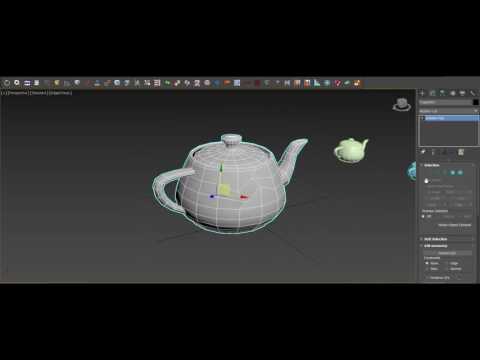 @cptSwing, thank you. miauu's Script Pack vol.1 is updated to version 3.4 Changelog: New Scripts: - Align WP to OP - alligns the Working Pivot to the pivot of the selected object. - Aliogn OP to WP - alligns the pivot of the selected object to the Working Pivot - Turn Off WP - will turn off the Working Pivot. It is…
 -
Re: Animating fading out objects for game engines
 That looks like Unity! Here are some options: EDIT - It was material.color.a material.color.a (or similar) can be scripted. Attach a script to the emitter or something, and fade it. So: instantiate (Z prefab, which is a plane - NOT the Unity plane with 200 tris - with texture and shader with transparency)…
 -
Re: ZBrush: Mirroring Geometry?
 Lupus, actually you can make Smart Resym mirror along X, Y or Z axis, look for the little dark box to the right of the button with tiny X Y Z text, you can click those on or off to highlight them. It's just that X is the default.
>45472 results