Search
-
We're hiring: TECHNICAL ARTIST / 3D Generalist Remote
 With a small and dedicated team, we are currently working on a first-person tactical co-op game using Unreal Engine 5. The game features a realistic, military-focused setting with a strong emphasis on simulation and tactical gameplay. We are searching for an ambitious generalist with a high focus on art and tech-art…
 -
Help. Instancing or referencing a node within a graph
 I was wondering if there way to instance or reference a node within the graph. I know a can create a separate graph with an input and output, and then bring that into my graph, but it seems like a pointless extra graph for such a small task. Here is what I have. I need those tile generators to always be the same, but I…
 -
Upheaval - University Game Project
 Hi there, Currently residing in New Zealand we are a small team of talented third year university students that have collaborated together over a six week pre-production cycle to create a game. We have learnt UE4 from scratch and completely by ourselves have managed to create the game Upheaval.Upheaval is an upcoming…
 -
Re: [FINISHED] - UE5 Realtime Metahuman - Ryan Gosling: Drive

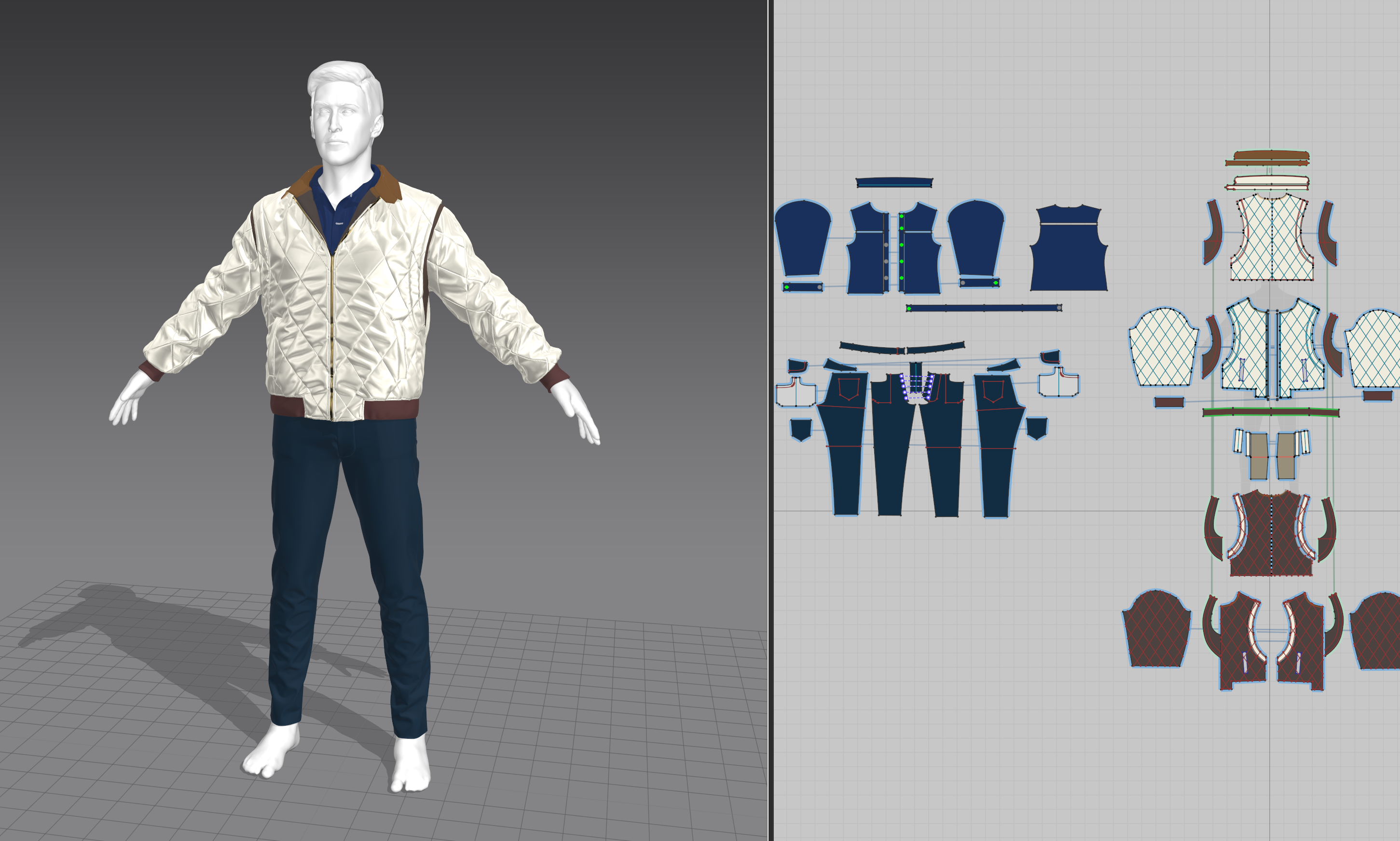 I'm kind of close to the end I think, I'm fixing some bugs and running renders through MRQ now so I should really catch up on the posts. Clothing creation was really problematic and I think one of the things I spent the most time on. There's a lot I could talk about but I guess I will focus on 2 things I realized: 1.…
 -
Re: Brace Yourself: ArenaNet Environment Tests are coming.
 Cool to see everyone participating. Everyone's work seems so good. I only have a small update because another project has come up that I have to work on. I'm afraid I won't be able to work on this as much I want to. Guess Ill keep plugging along and see what comes out of it. Anyway, here is what iv'e done
 -
Re: maya hotkey questions! (from 3ds max & SI user)
 Hey Maze, My bad. The code was at fault. Apparently Maya by default sets the subdivision level to 0 so that's why the if was not working. Fixed up the code and this should work Incrementing string $sel[] =`ls -sl`; for ($thisObj in $sel){ int $displaylevel[] = `displaySmoothness -query -polygonObject $thisObj`; if…
 -
Re: Thinkin' about makin' a little game here
 Worms AND BON JOVI, holy crap sign me up! :D Well I finally got over this damned flu and dove in and started coding today! Now that i'm looking at this project as an actual game it's pretty exciting to work on for long stretches. Easy fix to that max speed bug, i was checking world x velocity against max speed, not local…
 -
Re: Braided river, streams ?
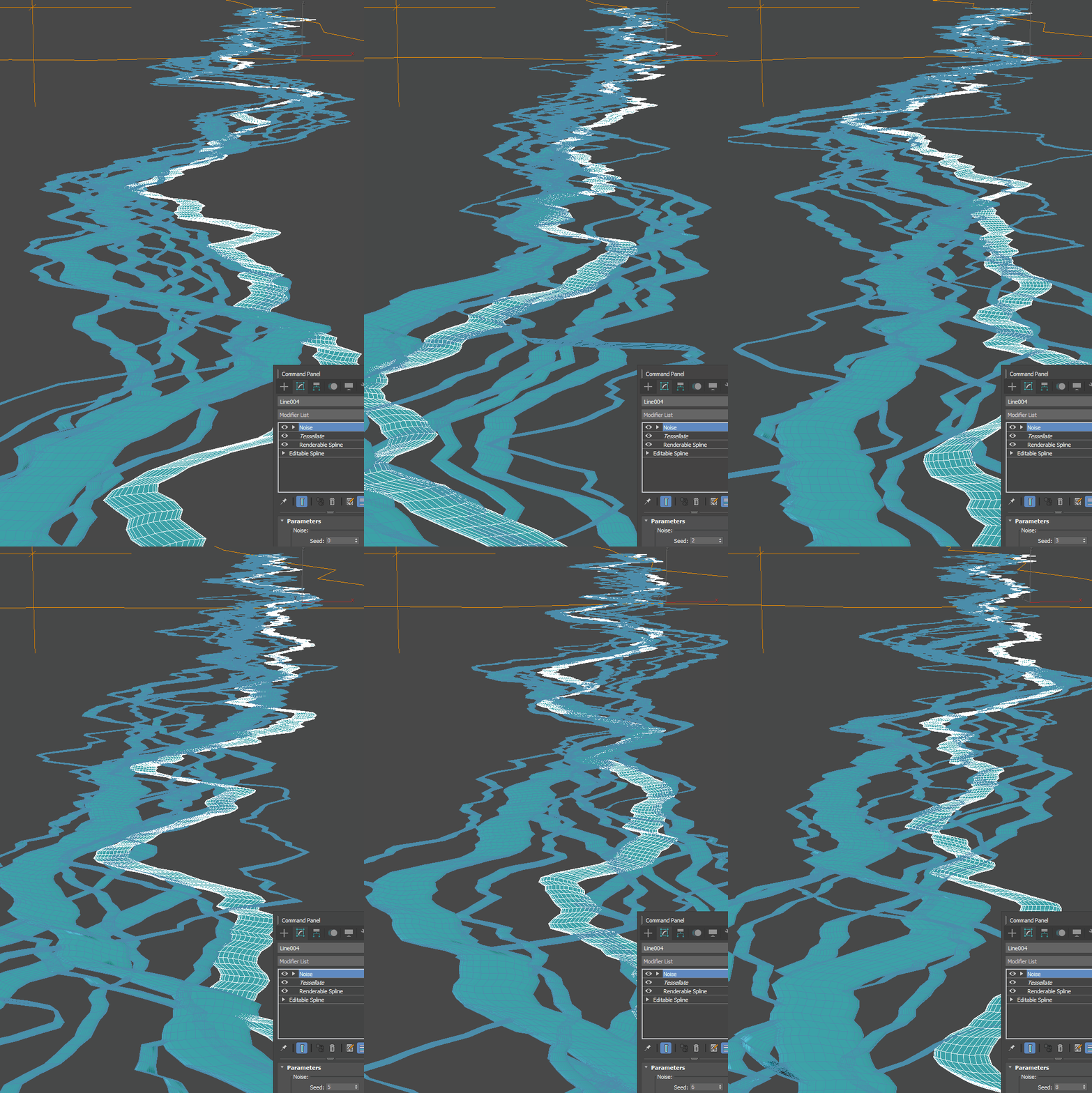 That looks nice indeed and I did something like that in Blender Geometry nodes too by roughly same stack but isn't it instantly obvious the thing is not real and have a typical "procedural" taste just because a half of child streams are crossing each other and not do typical flow in before a bend and out after , a core…
 -
Abstract waving cubes - World position offset - Tutorial

 I saw this topic coming up from time to time, and today I got involved with one of them so I decided to just make a writeup about how to approach this effect using Unreal Engine: References: https://www.youtube.com/watch?v=Ld_peIKWE3A https://videohive.net/item/abstract-surface-of-moving-cubes/18266215…
 -
xNormal bake coming back blank (files provided)
 Can someone please help me figure out what went wrong with my bake? I spent a long time working on this and now im stuck. I made a low poly mesh then uv mapped it. Softened and hardend edges. Then I created a cage and then created the high poly mesh and im trying to bake it and it comes out blank like this. Anyone got any…
>58117 results