Search
-
Flare Gun
 hello , i am about to start a high poly model of this flare gun but I am a little weary on the ( Dip shape ) on the upper part of the grip. All the other shapes I can tackle fearly well, but I am not too sure what to do with this one. I am using Autodesk Maya by the way, if anyone has diagrams or specific instructions on…
 -
vray frame buffer?
Hi i am new to vray. I find that vray frame buffer can allows me to preview my render as fast as i change the camera. But is that a way to use it to render animation for preview sake?? thanks -
Re: Where have all the promising projects gone?!
 social media, the hunt for fame an money wrecked that, together with gumroad. while i do understand the urge to make a living from ones outputs, i do think these sorta wrecked the whole free sharing momentum we had back in the days.
 -
Re: WIP Environment Scene – Feedback Needed (Lighting / Foliage / Composition)
Looking promising. Note how in the concept, the bright yellow leaves at the top merge with the light background to open up the frame (could perhaps be argued if they are necessary at all). In your version, they are on a dark background and the brightest thing in the picture, drawing the attention away from your subject. -
Re: Fire God - Concept by Max Grecke
 Finished all the flame frames of animation. Time for rigging! I replaced the geometry flames with cards to display the animations
 -
Re: Backpack- Project
 Love the material variation + specifically weathering as well and didn't actually realise it's frame would be polymer, really nice touch.
 -
[WIP] Stylized Forest Cabin – Lighting Experiments (Maya/Arnold)

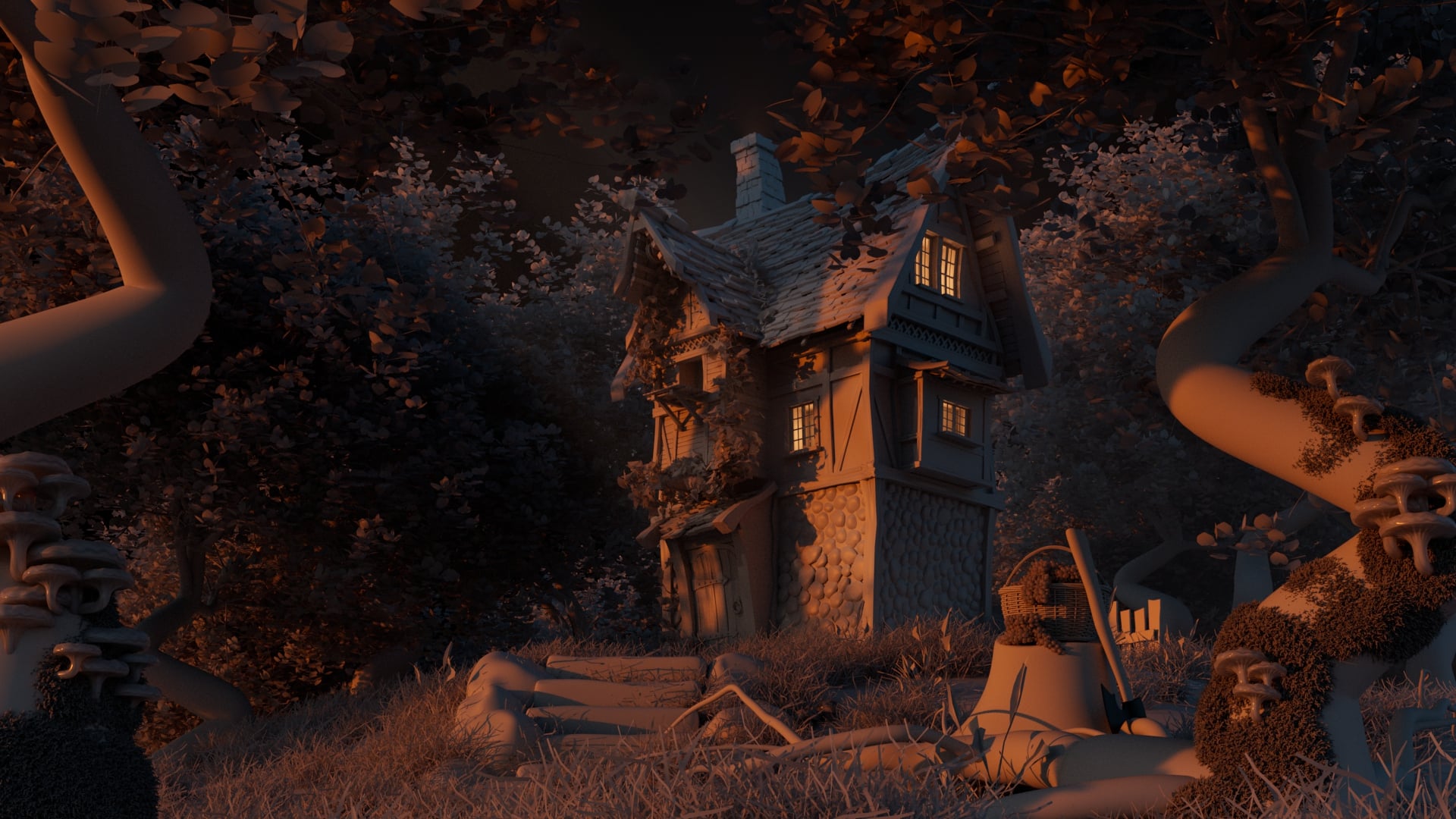 Hi everyone!My name is MishaI'm currently working on this stylized forest cabin scene and would love to get your feedback and critiques.I’m aiming for a whimsical, slightly Disney-inspired or classic stylized look. This is still a work in progress, and right now I am mainly experimenting with different lighting scenarios…
 -
1st frame of animation blurred

 Hi! Im still pretty new to Unreal, I'm setting up some animations where my model is doing a Turntable animation, and then the camera pans up. The first frame looks like this What can I do to avoid this? Is there a camera setting that I need to turn on or off?
 -
Xgen disappear in Vray frame buffer
 i've a trouble with my project. Why hair, eyebrow, eyelash and fur disappear in Vray frame buffer ?
 -
Vray For Maya Frame Buffer
Hey guys, in this video, [ame=" https://www.youtube.com/watch?v=OxPQNsG4l1c"]Vray Material basics - 3D General in Maya - YouTube[/ame] this guy has his frame buffer update when he makes a change to the material. He doesnt seem to have to click render every time, how do i enable this? thanks!!
>13573 results