Search
-
circle script
 is there a script out there that could make selected polys into circles? Like, it rearranges all outer verts in selected poly so that they are equidistant and equiangular?
 -
Re: Need help in baking related problem

 1. Hm as for UV. That also happened to me. I uv the mesh in rizom-uv to check it out. Whenever I imported the mesh the UV was broken but when I re-imported the mesh the UV was as good as it was in rizom-uv. I don't know what the problem is. 2. About using less support loops. I wanted to have smooth areas in those areas,…
 -
Re: How do you use the bevel?

 You seems to have extruded parts of this "rips", constructed the circular part connect it; selected the inner part, extruded it and scaled them in your X axis like so..? Consider to extrude and reposition the inner part like that.. (also as mentioned) maybe adding more vertices to the circle part:
 -
Re: why are there holes in my mesh in unreal, when i cant see anything wrong with the geometry or uvs?

 I created a night scene with ray tracing last night and saved the file closed it reopended it and the scene isnt lit anymore with the dark sky, is there an option i need to select to turn it back on?
 -
Looking for a digital painter
Hello everyone, we are looking for a digital painter with a sense of color to collaborate on the development of a mobile game for iOS and Android. It is about coloring of drawn screens in Photoshop or in some other program. The result will be a graphic story / comic that will be part of our game. At the same time, we plan… -
Re: Cant find the right options for bridging in 3ds Max
 You need to bridge with faces selected or borderedges selected, not in edge mode
 -
Re: Maya won't snap to points in a single axis?

 Try this: Select the object you wanna move and activate Move Tool Select the handle on the X-axis of the Move Tool (red arrow), so it will turn yellow Press and hold V key. Middle mouse to move object on the X-axis to a vertex Ready
 -
Re: Photoshop Mouse-Over Layer Identification?
 alt + right clicking with move tool selected should select the upmost layer
 -
Greeble Generator for Blender

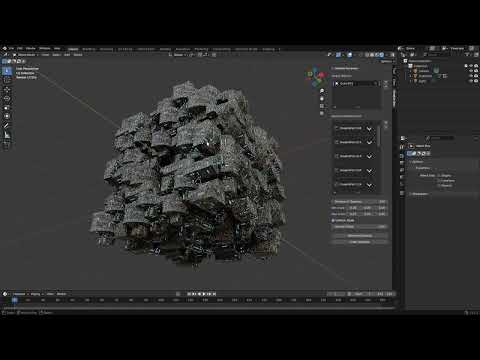 https://www.youtube.com/watch?v=X7i8tsdNN2I Key Features: * Automatic Surface Alignment: Greeble parts automatically align to each face’s normal—no manual rotation required. * Instant Parenting: Each newly scattered part is parented to its target mesh, so moving or transforming the original object keeps all the detailing…
 -
Re: Sketchbook: Meat House
Previous selection refined, reworked, and with new ones selected out of a new batch. There are the finalists.
>15392 results