Search
-
Re: 3ds max file turning Auto Backup off
 Thx, that script is just not working for my problem files, they still turn it off but every other file that i open after it turn it on again which is already a big help. Maybe it could work if there could be delay before the script runs? But then again i have no idea how max script works.
 -
Re: NumTools (for use with TexTools)
 I can have a look at a few scripts of TexTools and make them less GUI dependable. Most scripts are but the rotate stuff was for example because I was lazy. @PredatorGSR: maybe I can help wrapping some features into simplified standalone scripts so that you don't need textools at all as a requirement.
 -
Re: HELP! Trying to get the MayaCryExport 2013 to work in Maya!
 it seems Maya doesnt know where the mel scripts (and the shelf) that belong to the exporter are. They need to be X:\Users\Username\Documents\maya\20XX-x64\prefs\scripts and X:\Users\Username\Documents\maya\20XX-x64\prefs\shelves. You need to restart, so maya can source these scripts on startup.
 -
Re: [3dsMax] Greg's Tools: Rock Generator
 Amazing script I would modify a bit script like so on btn_generateRockFromSelected pressed do( -- check if selected obj is not rock itself because it will be deleted -- and selection will be empty and script will crash for o in $ where o.name == "generatedRock" do deselect o if $ == undefined do ( messageBox "No mesh was…
 -
Re: Maya - Solid Bevel
 there once was a script out there which had a solid chamfer option! but now it is not ^^ maybe anybody has a similar script or knows some script like that... it was called http://sourceforge.net/projects/bpt/?source=dlp here is the description: http://old.byronimo.de/docs/BPT/1.0/html/BPT_bevel.htm
 -
Re: Help Marmoset Overlap Artifact Fix
-
Unity 6 HDRP Golf Course 18

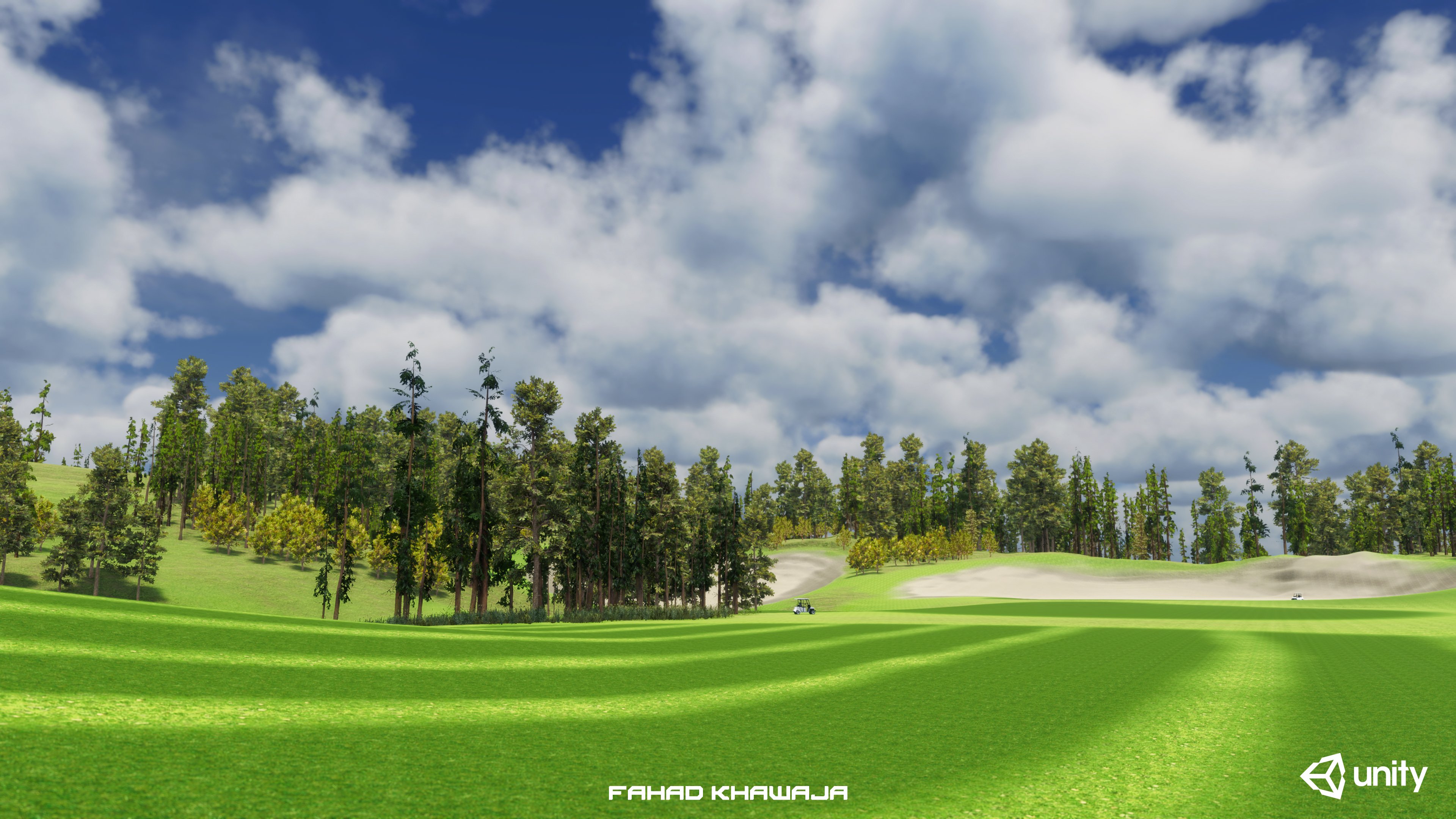 Hey all, made a fictional golf course environment to test new features of Unity HDRP terrain and lighting. Whole environment from blockout to final is done in 18 hours, used Unity Essentials and free assets. Most time spent on Unity forums figuring out warnings and errors related to terrain, hdrp shaders and art directing…
 -
Re: Is it possible to merge materials without attaching my objects in 3dmax ?
 http://www.scriptspot.com/3ds-max/scripts/detach-by-material-id http://www.scriptspot.com/3ds-max/scripts/detach-by-material-id-0 http://emrahgunduz.com/categories/development/maxscript/detach-using-material-ids/ You can attach all your objects, then use Detach By Material using any of the scripts above.
 -
Re: Baking UV tiles in Maya
 i think the best way is to do it thru mel.. but it might take a while to create such a script. I can implement this in my Ninja_UV script. I have created alot of bake options in the script. [ame=" https://www.youtube.com/watch?v=_H3lJ3KeZZ8&feature=related"]Ninja_UV (Bake Textures Demo) - YouTube[/ame]
 -
Re: Chuggnut's UV tools - hotkeying?
 Hmmm, looking at the script; the actions you want to perform aren't defined as functions, just in button handlers. Not much in the script is put into functions at all; kinda bad script writing on his part. So, you'd have to break them out into functions and then make macroscript definitions for those or copy+paste their…

>11574 results