Search
-
Re: Model Help
 Should have asked this in "how you model dem shapes" thread, but meh, heres how i'd do it... Make a cylinder with double amount of faces to the amount of blades you require. Select every other face around the edge Extrude outward Rotate extruded faces into direction of the teeth Select inside verts, push them out and…
 -
Re: Siege of inaolia environment/texture art
 1. It's a technique called double smoothing. This video should explain it: [URL="https://www.youtube.com/watch? v=87I8FpXn3Yc"] http://www.youtube.com/watch?v=87I8FpXn3Yc[/URL] It basically removes the need to add support loops to get hard edges. You can also combine it with edge creasing or exclusively use edge creasing.…
 -
Re: [UE4] Cliff Tower Ruins
 Be careful with the blending... you may see strange transitions in the blended areas. You have a regular pattern of stones with distinct gaps between them. Each texture set should probably use the same number of rows as the first set. If you had flat concrete-like textures instead, the blending would be easier because you…
 -
Re: University game project - need advice/crits
 Hey Kawe, Heres a quicky crappy paintover that may give you some inspiration. I added an edge texture for the hexagonal material, and added a little more interest and tonal variation by giving that a welded, indented grey edge. Cyan speckles add interest against the red dust. since its the most striking thing on screen,…
 -
Modo 501
 Modo 501 has arrived! :) Has anyone had a chance to mess around with it? Any first impressions? I'm trying to resist just purchasing it because I'm a bit poor atm... though I'll probably give in sooner or later. From what I know it has a some new features that may prove useful to us as game artists: 1. Smoothing Groups are…
 -
Re: Ninja Dojo 3.5
 Ninja Dojo has been updated to 4.7 on the Ninja Dojo Page and Creative Crash 4.7 updates Ninja Dojo 4.7 1. updated button icons for Ninja Mesh 2. updated button icons for Ninja UV 3. Bonus Scripts are now 3 columns instead of 2 an no longer have the Ninja_ prefix in the name. 4. fixed a bug with Exit Ninja Dojo that would…
 -
Insomniac Spiderman Retopo (Help)

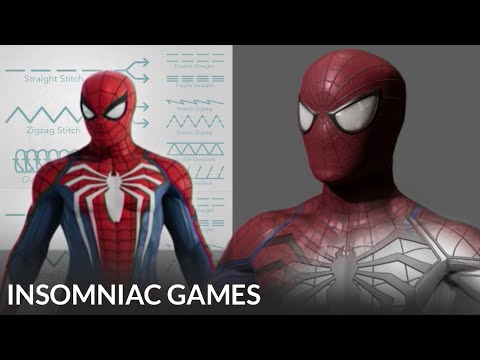 My question is very confusing, so I will do my best to word it. This is the Spider-Man model from Insomniac Games Marvel Spider-Man 2. The only model that is from Spider-Man 1 is the photo taken in Maya (blue wireframe). During the 2018 ZBrush Summit, the modeler for Spider-Man at the time (Leroy Chen) said that he cut the…
 -
Re: How would I go about creating textures similar to the game Solarpunk?
looks to me like a soft woodgrain texture that's been projected in Painter (or w/e) to wrap around the edges. Its very low opacity, and there's a subtle curvature highlight and AO shadow. -
Re: Zbrush or Substance Painter for Surface Details?
 Most of those details you mention I would do in Painter. They're high-frequency, typically quite shallow in terms of height detail and also easily tileable, making them suited for texturing as opposed to modelling. Generally if any details don't fit those criteria I tend to put them in geometry (e.g. bolts, large dents,…
 -
Re: [WIP] [UE4] Modular Vehicle Vol. 2
 Model looks good but the textures need some work The edge wear is way too even and looks like generated, try add some much larger scale details and erase 25% of your edge wear randomly, which is always a good trick. The base surfaces could also need some more variation. Adding some bleaching or dirt gradient on the sides…
>27984 results