Search
-
Re: Porta-Pilots: Plunging Through Time - Art Dump!

 I was basically 'unwrapping' in an incredibly messy way to quickly apply flat colors to the right faces to save texturing time and be able to iterate a lot on the palette. Quick example:
 -
Re: PC-CSGO | POLYGRID
 @Relic Can you give me an example of picture "pair of Ray-Bans"? I don't know much about it cuz english isn't my primary language.
 -
Re: best workflow with detail maps?
 Just create a new usage. You can name it "detail_normal" for example. You need to change the usage for your second graph output and your second texture sampler.
 -
Re: A better solution to 3DSMAX?

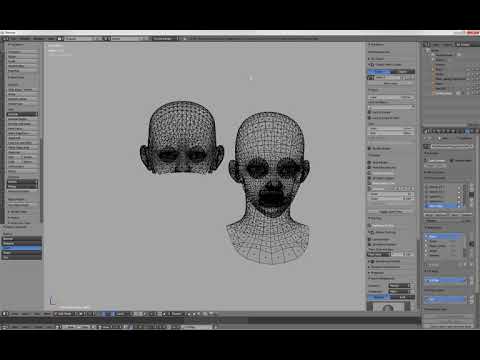 Here's a practical example of the above applied to blendshapes : https://www.youtube.com/watch?v=BUG3QwRjABY&feature=youtu.be As said this also works for skinweights, vertex color data, and so on.
 -
Re: Animating lowpoly grass clusters

 The right way to go is with a vertex shader. But I suspect Sketchfab doesn't let you import your own shaders. For example https://www.youtube.com/watch?v=B4j5tzAIflU
 -
Re: intuos stuttering
 - got VIsta+ ? then perhaps disable the tablet/writing recognition feature in the OS - try reinstalling the drivers - if it is just zBrush and not for example PS or msPaint check knowledge base at zBrush
 -
Re: Lighting vs. Texture Shadows
With that low of a hardware spec, you'll get the most bang for the buck if you go with no lighting at all, and put all the lighting in a lightmap. Here's an example. http://wiki.polycount.com/LightMap -
Re: Reset floating window position
you have to open close them,- or restart max. For example if the material editor is gone hit twice m to make it invisible and visible with the new position- should work -
Re: The 2D guy learning 3D
 Yeah, try rounding off those loops extending from the mouth, for example, upper lip edge to lower lip edge instead of extending them past the ear..
 -
Re: Stylised influences... where to begin?
 With most types of stylized art, it usually comes down to exaggerating or stunting: Form and Proportion Color and Lighting Movement (and sometimes Suggestion; think simple cartoon noses as an example)
>27407 results