Search
-
Re: Pistol/Revolver metal texture
 This is something you should make on your own. Using PBR you want a fairly simple diffuse. A normal map that represents your edges/or high poly and a complex roughness map that has the right values for the speckles and surface imperfections.
 -
Re: Subst4nce ?
 theres a long/lat panorama channel for the PBR shader, so just import your image and hook it up to an output node. right click on node, select view in 3d view, and youll get a drop-down list of the channels.
 -
Re: [UE4] WIP - Star Citizen Corridor Environment
 Hey keep up and don't say it sucks ;) The roughness map is the most important in a PBR workflow, work more on it. With a good placement of some SphereReflectionCapture actors, a better lighitng (fill, key etc...) and a clean post process, it will look good ;)
 -
Re: f0 to IOR online calculator?
 If you're using metal-rough PBR, you don't need to mess around with IOR, the metalness takes care of it for you. There's a few cases where you may need to manually force IOR values, but they're pretty rare. What renderer are you using?
 -
3D Character artist

 Hello, my name is Ilya and i am opened for any opportunities. Can sculpt, retop, bake and texture with a PBR pipline. You can see more works and turntables on my artstation page: http://www.artstation.com/dratard . Also you can contact me on mail: dratard@gmail.com
 -
3D Character Artist: Dennis Batol
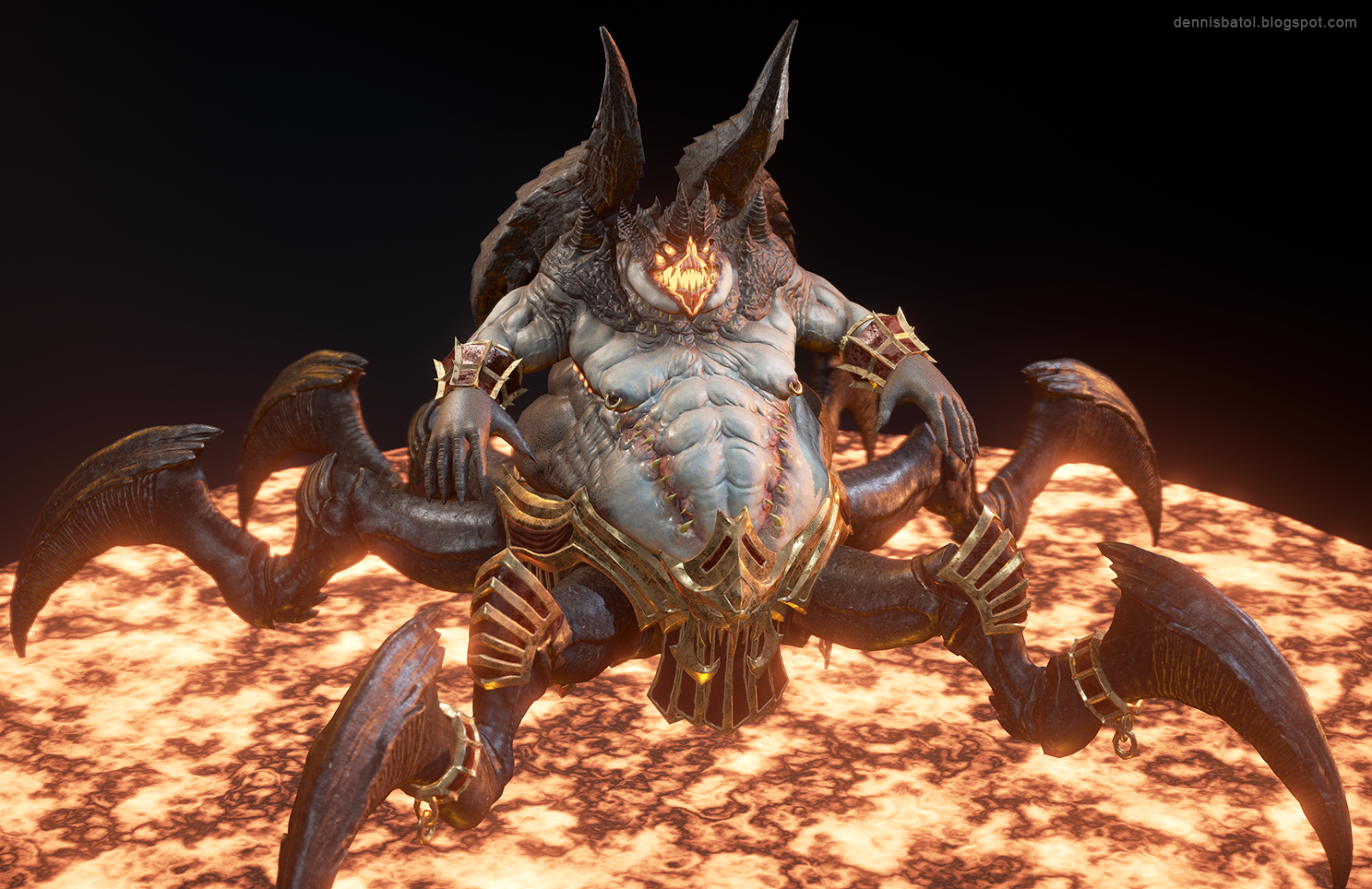 Hi guys. I'm a character artist with special interest in making creatures and monsters. You can see samples of my work here: http://dennisbatol.blogspot.com/ I use ZBrush, Maya, Photoshop, Quixel Suite, xNormal,and learning Unreal Engine 4 and PBR Thank you.
 -
Bone Warrior - Game Ready Character

 Hello polycounter ! I'm super happy to present you my first PBR game ready character made in four weeks. This is the concept made by Noodle Li. WIP1 WIP2 WIP3 WIP4 Starting to retopo Final UV & polycount WIP_substance painter Bake occlusion 3DCoat
 -
Re: color grading - how to fix for more legible dark skin types

 Okay so the stated intention from this video (~44:00) : https://www.youtube.com/watch?v=A-wectYNfRQ&t=2570s is that: * Post process / Film parameters are intended for per project tone mapping * Post process / Color grading params can be used for per level, per scene, etc adjustments So just tweaking Slope, Toe, etc seems…
 -
Re: Sword (stylized prop real time)
 Well, the reason that my albedo has shades of colors and metal have gray tones, is because I was looking for an unrealistic style, but a stylized point. Now as you say in the pbr it would not be entirely valid, but I understand that it is a trick that I know for some artists.
 -
Re: Where are the slots for these texture maps in UE4?
 The traditional specular workflow has been replaced by the metallic workflow in UE4's adoption of physically based rendering. Read through this for clear concise information on how to author, and convert old assets for the metallic worklflow https://www.marmoset.co/posts/pbr-texture-conversion/
>15792 results