Search
-
[3ds Max tool] Text highlighting for MAXScript Editor on 3ds Max 2023 and lower versions

 In a lot of text/code editors when you select or double click a word all of its instances got highlighted. This feature exist in 3ds Max 2024, but does not exist in all previous versions of 3ds Max. The provided code will add this functionality to the lower versions of 3ds max. I am not the author of the code. All kudos…
 -
Re: UDK - Amegakure (Hidden Rain Village)
 I think the fisheye effect comes from a ridiculously high fov, somewhere around 180. I dont know really, theres probably some way you can distort a camera view in kismet, but I'd presume you might need coding to distort the player view/viewport.
 -
Substance Designer Normal map issue!

 Hey guys, first foray into substance designer here. Just trying to make some rocks. Have a look. The 2D view is viewing a blend node, some fairly chunked up rocks. It is being piped into a normal node right after. In the 3d view you can see some weird... circles. These circles arent visible in the blend node. When I switch…
 -
Re: Skylight bug in matinee, any workaround?
 yeah, it looks like there is no way to modify those values without making some custom kismet nodes or hard coding. you might be able to paste the matinee into a text editor, modify and re-paste back into UDK if you are super resourceful :D
 -
Re: [Maya/WIP] Fill my holes : quad fill tool
 AMT's next update is super confirmed hard core hard coded for the 15th-25th of next month.As you might know this update has been in the works for like 6 months so you can expect a crapton of new tools, too.
 -
Re: Non Competes and Game Artists.
 I think non-competes are seldom, if ever, used against artists that change jobs. They are MUCH more important when it comes to technology/code. They can be held up in court, maybe, but former employers have little incentive to go after artists.
 -
Re: Quick back and forth between Modifiers? (Max)
 if (selection.count >= 1) and (selection[1].modifiers[#MeshSmooth] != undefined) then selection[1].modifiers[#MeshSmooth].enabled = not selection[1].modifiers[#MeshSmooth].enabled I'll let Slum come up with the macro name, but that should be all the code required to toggle the modifier on and off.
 -
Re: [3D] How to unwrap spherical Visor so texture doesn't distort?
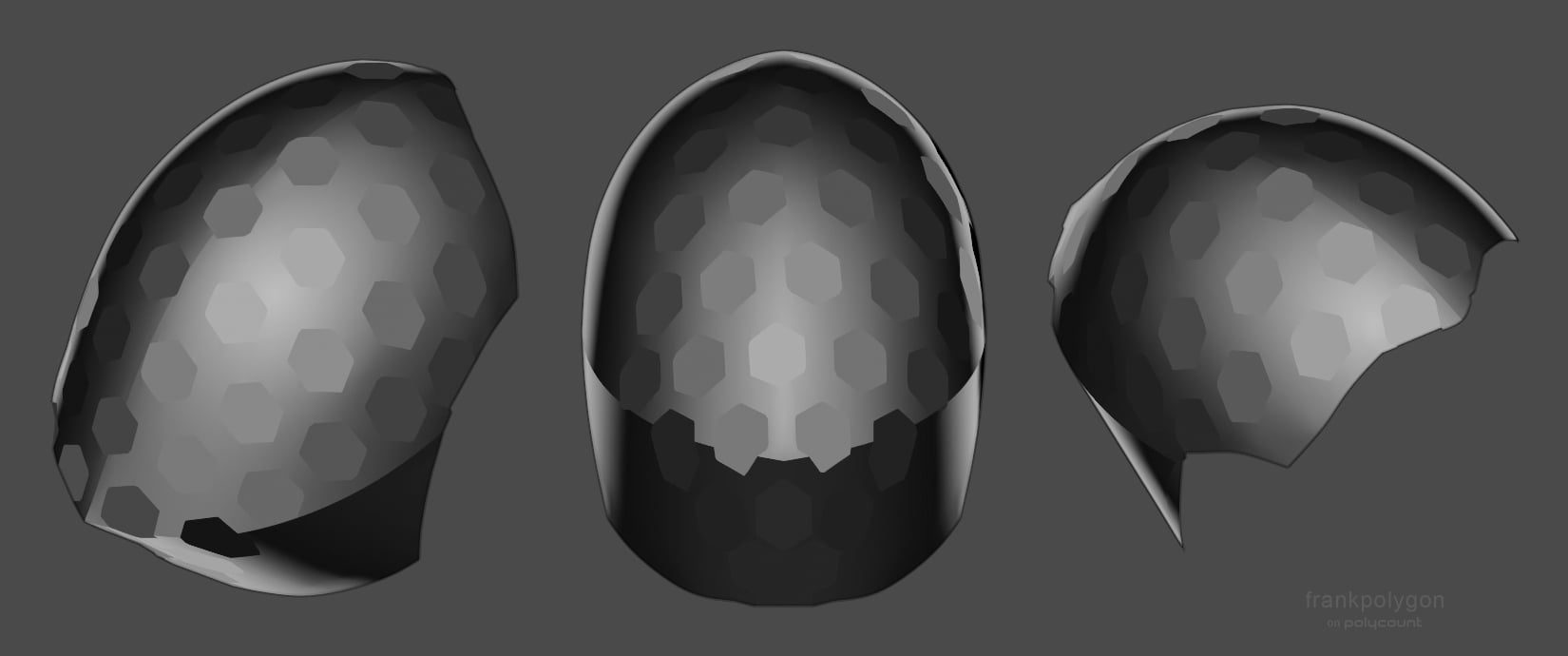 Have to agree with @Noren , @ZacD , and @pior : both the contiguous unwrap and compound curvature of the shape are contributing to the distortion in a way that's almost unavoidable with a [tiling] texture only approach. Lot's of good advice on how to proceed with different approaches from everyone in this thread. As far as…
 -
Construct 2

 Steam was updated today with Construct 2; a new game engine/editor package. It's aimed at producing games with "no coding" for mobile and web platforms. It comes in 3 tiers of pricing starting at free and goes up to 340 USD for the various versions. This is actually 15% off as a special promotion, but even at full price it…
 -
Re: UV based Eye Rig - UDK
Sos for the late answer, glad you made it. Custom Nodes are for you to plug your custom HLSL code into, but I see no reason for you to do it for texture offsetting. What I meant with a "float2" is a vector of 2. You can create one by holding down the "2" button and leftclicking into the editor.
>58105 results