Search
-
[Riot Art Contest] - Gangplank (The Bilgewater Bailiff)
 Topic by Cam Sykes · · Home› Contests & Challenges Archives› Riot Art Contest› Riot Art Contest - Character ArtHi Polycounters!!! This project will be my first serious attempt at the complete production of a game character. I have a background in 2D concept art and as of late have been extending my skills in the 3D arena. I've chosen the champion Gangplank, and a skin concept of my own being a wild-western sort of…
 -
The realistic skin, muscle, and gore systems in the upcoming game "ILL" - How is it optimized?

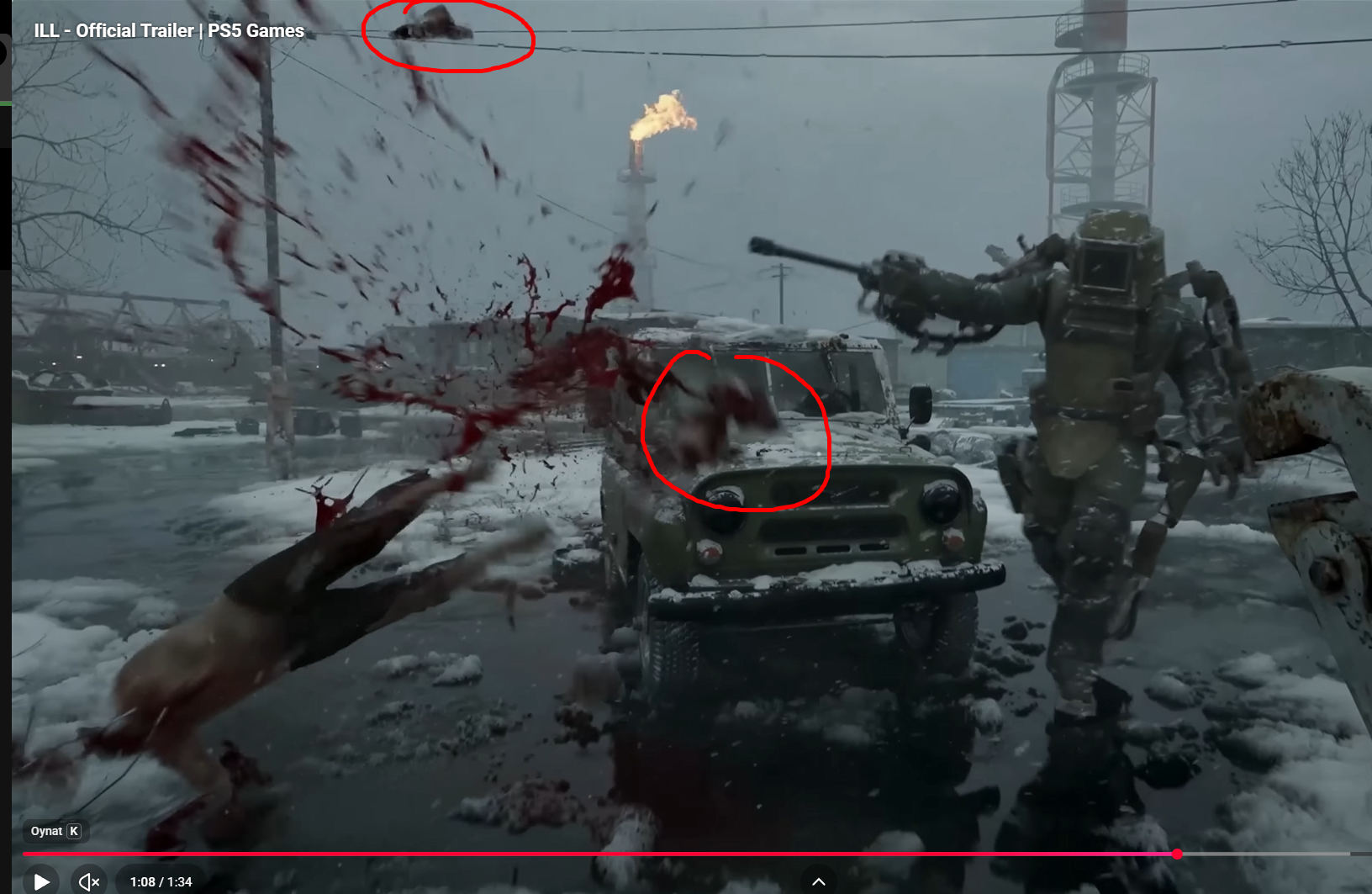 Hello everyone, I'm reaching out to discuss a highly technical topic today. It's about the incredibly realistic animations in the upcoming game ILL. I don’t know how many of you have seen the trailer recently, but the way the creatures look like they have actual fleshy skin and their natural posing really caught my eye.…
 -
Re: Western Digital External Hard Drives SUCK
 Polycount! There's a name I haven't heard in a long time... I'm not sure how this thread got necro'd and into my email, but it's nice to see some familiar names. B) Also, cloud storage 4TW. There weren't a lot of options for that back in 2009, but it's all I use now unless I am literally going to sneakernet something…
 -
Re: Why does my stuff look so bad?
 You are comparing two images textures and asking why A is different to B, but you are missing an important part of the puzzle - the lighting and rendering setup. That is going to make the biggest difference. I think the textures in the original image are probably good enough to work with. I'd spend some time learning about…
 -
Re: Blender questions
1. I usually do painting through the following method: a. Make sure I'm in the Blender Render mode. b. Use the Texture Paint Layer Manager. (Hit N in the 3d view to see the layer manager.) c. Be in GLSL shading mode. This allows you to use the shader properties to get your shading information. So, you can set up lights how… -
Re: Getting into the gameindustry with blender?
 True, I agree with those things especially the lack of a cage. Blender should be capable though, it's the import/export scripts that has to be up to date and working. In max I want the split-edges smoothing from maya and blender, but they keep insisting on using the smoothingroups, in blender I want the cutting tools and…
 -
Re: Female (stylized) basemesh + joints

 @jacopoS Noticed! I'm honoured you're taking the time to help. 1. You have a good point there, the mesh itself won't be used in game. I was planning to use it as a base mesh for the in game characters as well (like the hands are reusable), but I guess I should make two separate meshes from now on: one for skinning and one…
 -
Re: Thinking of becoming a 3D Vehicle Artist
 You've already been offered a wealth of advice and resources to get on with, so stop whining... Here's some info I personally recommend: A - Download a student EDU 3ds Max licence (free) or a copy of Blender (free) B - Intro tutes for beginners 3ds Max (free)…
 -
Re: make blender behave like maya (ish)
 I click on the scale manipulator or do the gesture thing if its all axes.. I can't seem to manage to get the script to do ' ctrl alt G' otherwise I'd put those on w e and r. You can see that I tried here, but they don't activate the gizmo, they just go straight to translation PS here's how my script currently looks after…
 -
Re: Wich one is the best way to uvmap this?
 A lot of this depends on A: How you're using it in game and B: The program you're using to texture it with. If it's something that the player is going to be all over, looking at every nook and cranny, you're going to want to avoid any major seaming. If you have to have a seam, I'd have one and I'd put it along whatever…
>154815 results