Search
-
Re: Texture baking features?
 As an aside I mostly use TexTools for Blender anyway and since it's introduction I don't bake without a custom cage. Primary issue as I mentioned in my initial response. Rather than rely on plugins authored by an enthused userbase I'm nonetheless very thankful of for streamlining an otherwise convoluted process, is to…
 -
Re: Shader FX hard shadow issue
 This was fixed in a later version of Maya, but I believe your problem is this: create a new shader shader Open ShaderFX inside shaderfx graph window: enable Settings / advanced mode enable Settings / Override system nodes enable Settings / Show Node ID drop down a "shadow map" node Go inside this group node by clicking on…
 -
Re: RAGE
 I've been reading there is a lot of issues with the game runnin on ATI Radeon video cards. With weird grid on the character textures, and some other issues. That and the fact that there is really no tweaking the game settings. Some of the issues and bugs found so far in the game via Steam.…
 -
Re: The Bi-Monthly Environment Art Challenge | November - December (99)

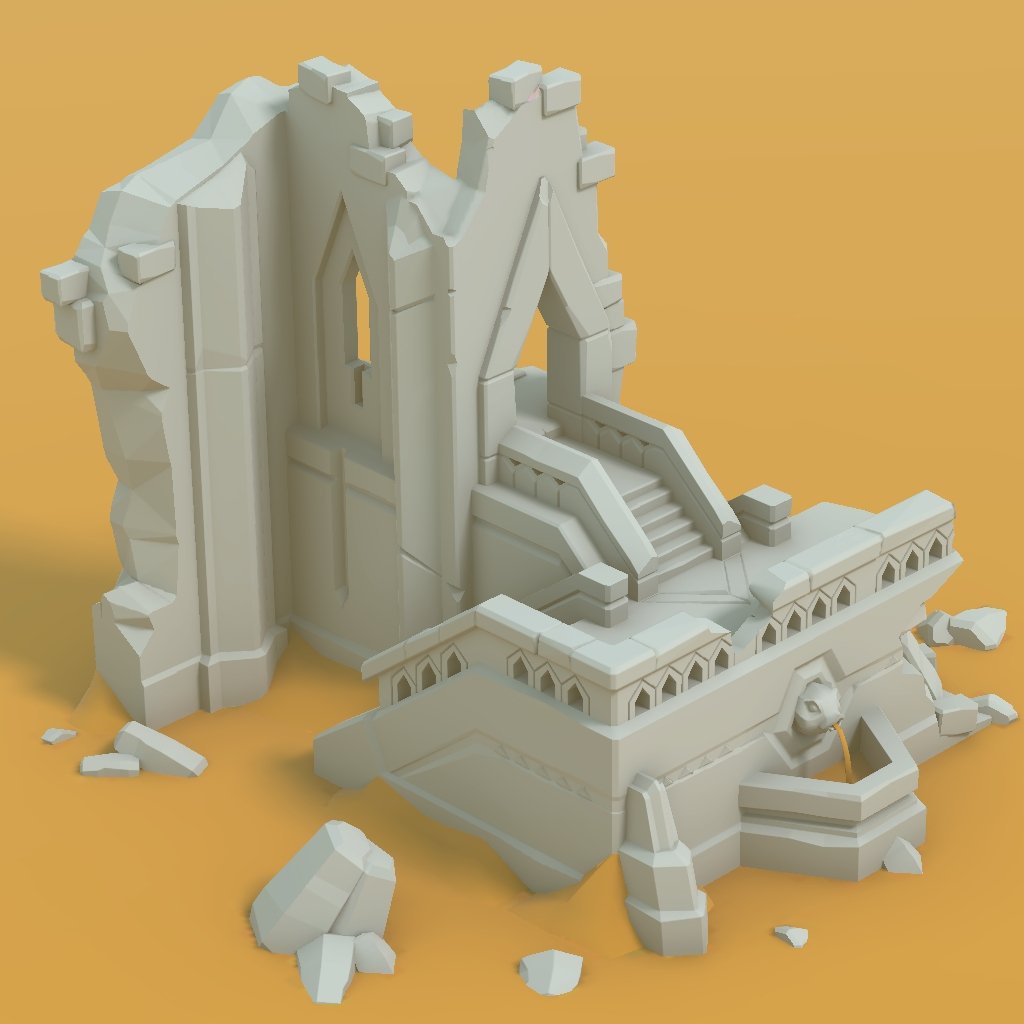 Cool concepts! I couldn't resist to start the ruins one. How far will I get? :tongue: Just simple modeling, controlling shading via hard edges, don't intend to do any highpoly/ sculpting. Rendering in Unity engine, baked lighting with Bakery. Next, I would apply surfacing, probably using a hand-painted trim atlas. Final…
 -
Blender Edit Mode Performance
 Hey, I experience awful blender performance when switch to edit mode even with low to mid poly models (50k etc.). Is there a magic button in the settings that i missed to enable? I got rtx 4080 with i9 14900 and whatever ssd and ram that is best.
 -
Re: [3DS MAX] PolyUnwrapper 4.0 Released

 PolyUnwrapper 4.2 is out. It is a Free Update for all current users. http://www.polytools3d.com/polyunwrapper What's New + NEW Added support for 3ds Max 2017 + NEW Align Shells: Shells can now be aligned to the 0-1 space as a group + NEW Added Get Render size from current texture map + NEW Settings Manager UI + NEW…
 -
Re: Vector math - understanding the output to use in code
Thank you so much for the explanation! I sincerely appreciate it. I've been doing Udemy 3d math for gaming to help understand this. It's helped a little. But I'm thinking I need to take a linear algebra course, which I never took in school. For context, I'm using the data to rotate a rocket and depending on it's tilt, I… -
Re: Anyone w CPU 5.5-6.0 clock speeds to help run a PS test?
 Not sure if it's the cause of the issue, but your RAM is very slow; You should be using DDR4 3200 or 3600 at CL16 (with XMP/DOCP enabled in bios). Also make sure you have OpenGL enabled in Photoshop (Edit > Preferences > Performance).
 -
Gamma correction problem 3ds max
 So i have been trying to get my head around the whole gamma correction dealio. and it seems like the recommended way is to use it. problem is, in max it looks like crap. heres a plane with the tga-texture at the right aplied to a plane with a standard material and then a xoliul shader 2 material. first with gamma…
 -
Re: MODO - snapping item center to selected vertex
 Shouldn't be any difficulties, you just need snapping enabled (with vertex mode on). Sometimes this can be problematic because modo likes to swap from vertex mode back to geometry when you change your tool or drop your selection. (that's with 701 era snapping anyway). The only other thing I can think of is maybe check that…
>6560 results