Search
-
Re: [UDK](WIP)Lost Cave
 lookin neato, all the vertical elements should lead to a nice final composition. god of war 3 had some wicked cave visatas worth checking out, especially the pit of tartarus.
 -
Re: Panorama Cubemap Converter App suggestions
 For file formats you probably don't need to support much more than TGA and DDS. Cubemap presets you probably only need to worry about vertical cross and horizontal cross.
 -
Re: Bathroom Tiles
 Right, so add more depth to the high-res tile models, by scaling them vertically. Or you can do it in Photoshop by squeezing the Levels and re-normalizing, using the Overlay trick, etc.
 -
Re: [Houdini/UE4] Neon Alleyway!

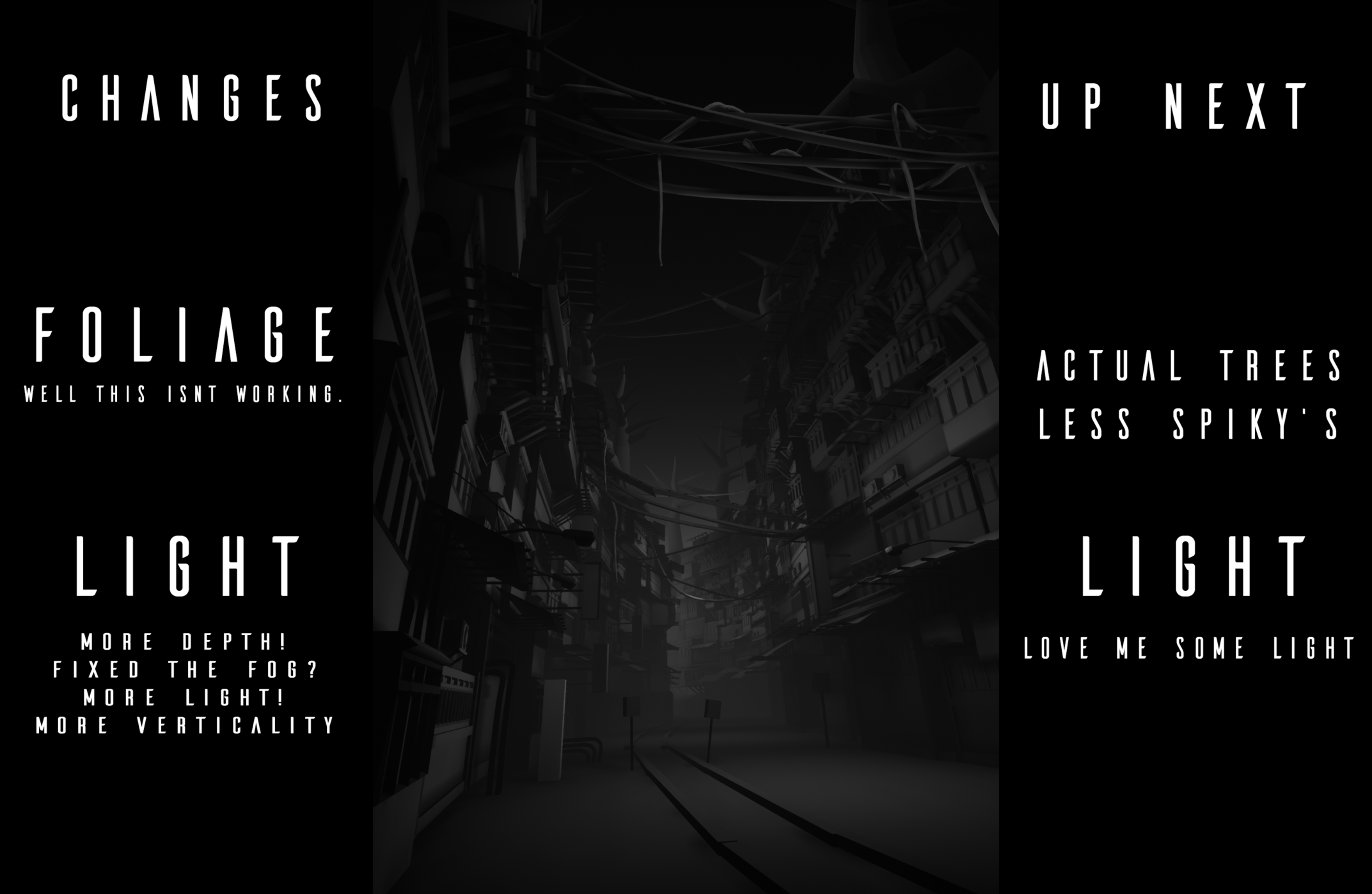 waaaay too dark, I've made changes to the light setup to accentuate the depth and verticality. also done some tests with basic blockout trees, but that hasn't worked too well so far.
 -
Re: Character Modeling Progress
 Generally, you'll apply the high poly's normals to the low poly mesh. You might have to move some vertices around on the low poly so that it matches the high poly as much as possible.
 -
Re: Check out my 2D shoot-em-up - DroneSwarm
 props for your efforts man. i'm a huge fan of vertical shooters myself. the only games i care to play. any particular reason you went with the top down side scrolling ?
 -
Re: trackball mouse vs traditional mouse
 A friend of mine picked up a different variety of those vertical mouse with more of a joystick pistol grip setup a strange thing to see, but apparently comfortable to use once you get used to it.
 -
Re: LODs and UVWmaps
In Max, the functions that you will want to use are Remove and Collapse. Remove (Ctrl + Backspace) is usually used in conjunction with a loop selection. Collapse can work with vertices, and does quite well with Ring selections. -
Re: ever had that feling you are about to get sacked
 LOL. yeah if I don't get sacked i wil try harder next time. Perhaps i will physically attack a polygon model and pull the vertices off it. that should do the trick
 -
normal issues
on the left is my high poly and on the right is my low poly. I'm having some issues with the normal map tapering in at the vertices. How do I make a consistent, straight line down the low poly mesh?
>7637 results