Search
-
Blender, and game model plugins
 I thought there was a newer MD3 export plugin, but all I could find was bob's plugin that "doesn't do anything yet". and KDR what happened to that PSK export script? Can anyone give me the lowdown on the current status of game model format import/exporters such as those for md5, md3, and psk? I would google, but those will…
 -
Spicy Jam Subway Station - Modular Modelling
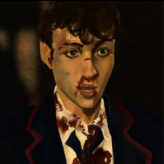
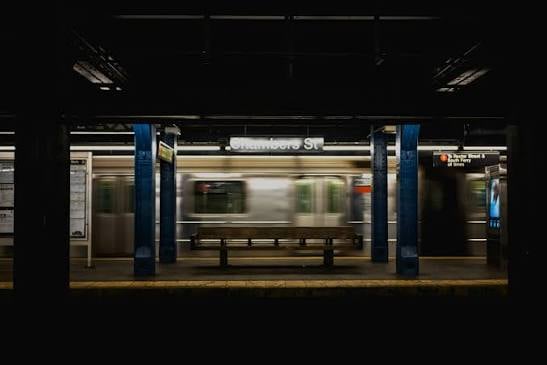 For this assignment we have to create a building using modular assets that snap together. Earlier this year I made a game concept titled Spicy Jam so will be recreating one of the environments (the Subway/underground) for this project. I didn't get to make concept art so got advice to pick an existing train station to base…
 -
Re: Does .obj support vertex colours?
 maybe write a wrapper that reads out the vertex color and ads it to the ASE or OBJ ASCI with a custom set of data? edit: Couldn't find it in the Wikipedia: http://en.wikipedia.org/wiki/Wavefront_.obj_file so when you export from max or maya it doesn't export vertex colours but like I said maybe a script could add that to…
 -
Re: alittle help, please
 I model alsmost exclusively in Modo and it's not perfect when it comes to exporting ASEs (and it cant to PSKs at all, obviously). If I ever need to do something complex I sometimes finish up in Modo, export to obj, import obj to Max and export to UDK from there. It's a schlep but sometimes it's less of a schlep than doing…
 -
Re: Stay Low-Poly
 Make sure you do 'export selected' instead of 'export' or 'export all' Also, the limits are in tris, not polys. Not sure how you would get that to display in Max. It seems like you extruded a plane or a spline; in that case dont forget that that face that's facing the camera has to get triangulated to be able to…
 -
Re: Baking out Diffuse maps (for quick selecting in Photoshop)
 Here's the same workflow for baking color maps in Maya: [vv]55523169[/vv] I can never apply the color as vertex color in Maya, export it (either as OBJ or FBX) to xNormal/Topogun, and get the diffuse map to bake correctly. Maya's OBJ exporter seems to not allow vertex color. The FBX exporter I'm not sure what's going on.
 -
Re: Solidworks to game engine? (Bypassing any other 3d program)
A lot of what comes out of solidworks wont work well for game models, your best to maybe export as stl or obj to maya or max and cleanup there than export as fbx to game engine. If the issue is not owning a 3d pacakge, you could also do the same with blender since it supports obj, and stl on import and can export fbx. -
Re: Vespa SS 180 model for Marmoset Skyshop Demo
 looks great! not sure if it was asked already, will there be an export to web feature inside toolbag ? something that exports out an html file with all necessary elements so anyone can integrate it easily to their website ? if not, i think that would be a great feature. exporting unity object right out of toolbag would be…
 -
Re: game character workflow
 ok Let me get this straight. I got the export a good high res out and start building my low res. But does that mean I start to delete edges and reduce my polycount from the exported high res or does that mean start a new mesh completely from scratch over the exported high res?
 -
Re: Adobe raises price of Photoshop 50%
 I’ve been amazed by https://www.photopea.com/ lately, for my home projects. All the same functionality (almost all) and all the hotkeys as PS. There’s a subscription nag whenever you export a non PSD file, easily bypassable. Adobe keeps innovating with PS tho, seems more 3D being integrated.
>17858 results