Search
-
How do I link thumbnails to a bigger pic on pc?
 I used to use this but the newer polycount does not support it, anyone know how to click a thumb nail and make it go to the bigger picture? <A HREF="https://www.malcolm341.com/misc/unwrappipe_01.jpg" TARGET="ps2"><IMG SRC="https://www.malcolm341.com/misc/unwrappipethumb_01.jpg"></A
 -
[Riot Creative Contest 2017] - Jason Chisolm

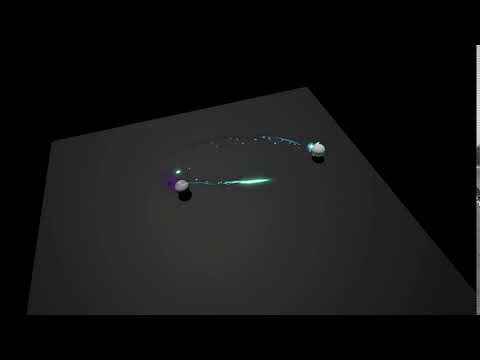 Topic by Jchisolm · · Home› Contests & Challenges Archives› Riot Creative Contest 2017› Riot Creative Contest 2017 - VFXHey all! For my entry i'm thinking of doing a soul volley, where after all 3 souls hit the target it is infused with soul energy which then detonate in an aoe around it. I'm going to keep the most up to date WIP video of it Below. https://youtu.be/4hzwBh-1Mic
 -
Next gen (PS4/XBO) Bathroom Environment
 Still a lot of placeholders and missing textures. Assets intentionally have higher polygon counts and textures for a closed environment for targeting next gen consoles. I will fix the scale/proportion. Also, ignore the FPS thingy. When taking screenshots, it tends to jump up and down a lot (it actually runs at 100fps).
 -
Re: Knight Mecha
It's neat looking, but it does look a bit bowlegged. Also maybe add some bulk to the hip area on the vertical axis. This thing needs some tassets (thigh armor) as the leg spindles look like a very fine target. I do like how you've done the feet. -
morphing w/ zbrush
 Ive recently tried using the morph target brush w/ z brush on the low poly when I subdivide it to avoid loosing the form i worked so hard on. but I noticed when I go up subdivisions again it happens all over. Is there a way around this? any help is apreciated! thanks!
 -
Sketchbook : Pilumijus
 // --- Edit : Currently working on --- // //// Hi ! I started Zbrush seriously about ~6 months ago, and maybe two or three weeks ago, I've set as a target that I would do *at least* 30 minutes of free Zbrushing everyday I'll post the cool results here. PS : crits always welcome, still a lot to learn :)
 -
Old Handplane gone?
Hey folks, I recently went to use Handplane for the first time today to convert a world space normal map to a Maya tangent space map, and I don't see the option any where..... Does Handplane no longer support converting a world space map from another package to a target tangent space? -
Re: Pirate Ship W.I.P Build Log
 Great start. It's usually a good idea to post a mood board (reference images you are examining while you're working) so people get an idea what your goals are, so they can give targeted feedback. Is this going to go in a game engine? Or rendered wholly in Cycles?
 -
Re: mari projection painting problom
 Mari shows you what you paint as it will appear on the target you're painting to. Basically in the case, the detail you're painting is smaller than a pixel of the layer/paint noode you're paintingtto. If you want more detail, you'll need to increase the resolution of the layer/paint node.
 -
Re: Mudbox rendering incorrect heightmaps
 are you baking to level 0 of your sculpt plane? if yes, create a new plane and set it as target. ( mudbox deforms your base plane when sculpting on it. you have to export level 0 of your sculpt plane and use it, if you want to stay with one plane.)
>6707 results