Search
-
Max to Maya: Is there a tool similar to the tool in Max called Polydraw Optimize in Maya?

 I'm starting to learn Maya after 5 years of Max and I'm really missing my Polydraw Optimize tool that I had out of the box in Max. Polydraw Optimize once selected could essentially collapse any edge you clicked on and if you pressed shift it would remove full edge loops. Is there something like this in maya or a plugin…
 -
Maya alternative bevel.
 Anyone know of any scripts/plugins out there that offer a better bevel tool that the standard one, which just plane sucks. Id really love to see one that doesn't create extra edges along the intersections and works across multiple edges without leaving ngons. Chamfer vertex is just as bad, which i normally use for creating…
 -
Re: UV coordinates possibly incorrect when importing FBX for baking
 Yes, there are a couple of general issues with your UV layout: * It looks like you're using hard edges but not splitting the UVs along these edges, you'll need to make sure you're splitting your UVs to avoid artifacts along the edges * The UV layout in general has a lot of slanted edges for areas that should be straight,…
 -
Re: Modo Scaling
 Alt-x, if it doesn't work perfectly then Alt-e and before scaling click on the vertical edge connecting those two parallel edges you wanted to scale. you might have a polygon with no parallel edges so whatever you do either one of corners tend to skew visibly because of oblong shape. in that case I'd just use slide tool to…
 -
Re: [CE3] Wrecked Apartment
 I love how even at such an early stage like this you can tell it's going to be a great piece! Can't wait to see where you take it! One thought is the edge wear on the door is maybe too uniform? It looks like you have it on every edge evenly. I would maybe break up the thickness and placement of the edge wear, and possibly…
 -
Re: 3ds Max/Zbrush: Proboolean + Dynamesh hardsurface workflow tutorial

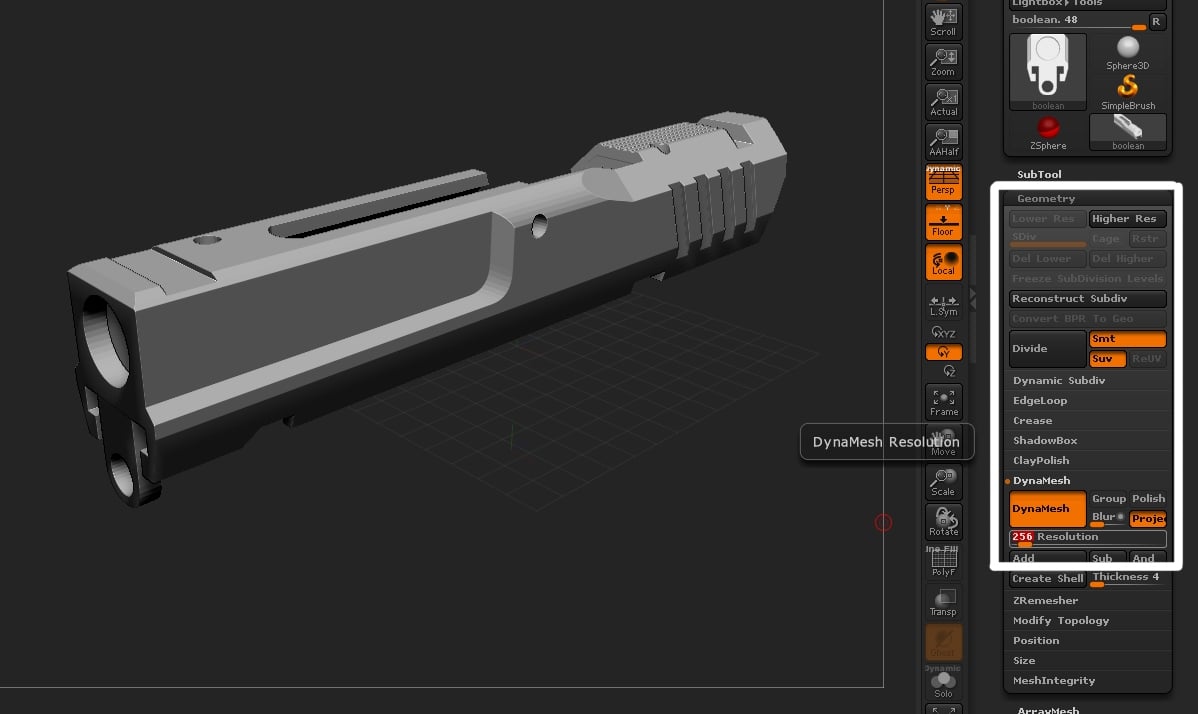 Yeah, I get the whole exagerrating smoothness part. :) Bakes edges generally come out better when you slightly over-soften edges. This is the image I'm referencing when I talk about crisp edges after dynamesh: Notice how crisp and perfect all of the edges are on this model after the Dynamesh? Unless I'm…
 -
Re: Normal Map issue
Yep that is your problem, when using a cage the projection mesh is "averaged", when using the offset method the projection is split along hard edges(smoothing groups) and will provide missed detail/seams on those hard edges. Best to always use the cage in max if you have any hard edges/smoothing groups. And in addition,… -
Re: New/updated portfolio site
 By the way another way to get the cool tubes Tinman made: 1. Model shape 2. Select the edge loop you want to be the tubes. 3. Extract the edges using the create edge from selection button found in edge or border. works with e mesh as well 4. Select spline and go under it's rendering options and turn on renderable in…
 -
Re: Max Techniques
 Here's how i do it most of the time... -Select both edges and hit connect. -Use cut and snap your cursor to center edges. You need to setup the snap toggle, (one of the magnets at the top) right click and check the "midpoint" box. Hit "S" to activate snap tool. Moving a vert along an edge: In the edit geometry rollout,…
 -
No Normals on UV Border?
 So I'm having a bit of a problem and I've been wracking my brain for the past couple hours trying to figure out why I'm having issues here. I've got a chest I'm working on, and where my seams in maya are placed, I'm getting no normal map information. Usually I would see some transfer from one shell to another, and get a…
>27982 results