Search
-
Re: Doom 2016
 On first viewing, it looked amazing. I was really stoked. It kind of lessened a bit on subsequent viewings, but it still looks good. I really don't get the negative reactions from some people in the games media though, but then I really don't know what they were expecting. Would kill for some high res screens
 -
Re: Character WIP- Tracker ( critiques are welcome)
 Progress so far is... Amazing! The head has some real likeness to the concept. And the body anatomy is solid, did you made it completely from scratch? The only thing that I'd tweak a little is the area between ribcage and pelvis in the profile view and sternocleidomastoid muscle again in the profile view. But other than…
 -
Re: [Portfolio] Joshua Lennen
 UPDATED SITE REVISION Changes made: *Additional work has been added* 1) Complete revised layout/color scheme/design 2) New gallery viewing system (javascript, not flash); you can still click, view image, save, print 3) All work has contact info on it 4) Bio/Resum
 -
Re: Wicked - Fatty / GTA like
 Hey DZ! Looking good However, even if the ears look well placed on the untextured model they still look off on the textured view. Just imagine him wearing glasses - they would be tilted backwards. The problem comes from that small triangle of ear being textured as hair. Easy to spot on the perspective view. Body? BODY!!!
 -
Re: asian goth girl
 You need to model in perspective view if you are using photo ref. Because most people model in the ortho views, 99% of what you see from photo refs looks terrible. In fact, you need to set up cameras with the correct FOV for your different refs, and then maybe it will come out looking okay.
 -
Re: Blender 2.48
 on the mac, i just switched the viewport options to turntable and rotate around selection, spun the view a couple of times... aaaaaand... the default cube in view exploded into rainbow colors and blender vanished. :D think i'll give it another try in a couple of releases. if it's that easy to get the thing to crash, i'd…
 -
Maya "Create UV Shell" after adding thickness issue

 Hi guys! I found out that after I add thickness to my clothes and then click "Create UV Shell" to split inside and outside parts , thinkness part splitted in some weird way, I showed it on video here: https://drive.google.com/file/d/1mdj-DCoIsobDJUu6qX9wcOXNKf2ZBs1S/view?usp=sharing Would be so thankful if somebody know…
 -
Re: Blender - Megascans import carrying over weird axis attached to object import
 Answer: - Click the Empty (XYZ axis) - view the Scene - Find the selected Empty in the scene - Click the drop down for the Empty to view all assets attached to it - Right click the Empty and click unlink - This will send the assets back to the center of the scene on the cross section of the X and Y axis (If still unable to…
 -
Critique on a body mechanics/cinematic exercise
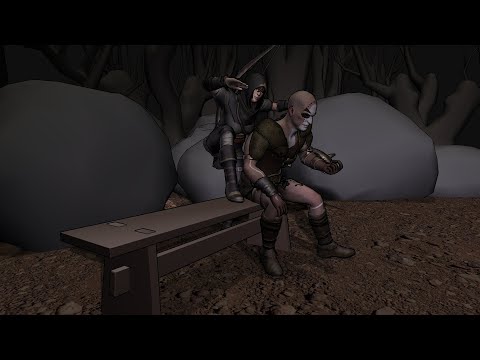 Hello animators, I would be very grateful for your views, critiques and recommendation on where to focus when improving my animation skillset. This exercise was done in Motionbuilder and I focused just on the body mechanics as the rigs didn't have face bones nor blendshapes. Thank you very much for your time. (please use ,…
 -
Modeling with less reference images? Any good tips?
 Hello, If you have to model a face. And you have only one image what you have to model. How do you approach this? I have a image from what i want to model a character face, I have similar but not same side view image. How would you recommend modeling in this case? Try to find similar expression face side view?
>29837 results