Search
-
Re: Attaching separate meshes and retain skinning data. Help. (3Dsmax, but open to other software)
 1. Duplicate the meshes in place (select them all then press ctrl+V). 2. Combine them, and add a Skin Wrap modifier to the resulting mesh. 3. In the Skin Wrap modifier add the already skinned meshes, and change settings as needed. 4. Convert the Skin Wrap modifier to a regular Skin modifier. 5. Delete old non-combined…
 -
Duplicate of a topic, can be removed

 Hello everyone. Few days ago, I opened this thread https://polycount.com/discussion/comment/2734111#Comment_2734111 concerning the basic pipeline to follow when you want to make a game asset. I've received the answers I needed to start a project and try to follow the "checklist" of the 3D Game Artist. BUT of course I'm a…
 -
Re: AI Usage in Indie Games
 I personally wouldn't buy a game that used AI, most people won't care if it was heavily modified or even didn't end up in the final product and others would, as Zetheros said, if you do this type of move when you still have the benefit of the doubt people will start to see your studio and the people putting their name in…
 -
Re: Booleans in Max
Thanks friend! I don't really know what you're talking about, but I will do my best to duplicate your instructions. However, now in the modifier menu it shows up as having "boolean" as modifier, even if I haven't done anything to it. When I delete the boolean modifier, it deletes the entire model. Is there a way to undo… -
Re: 3DS max: Unwrap uvw texture map on mesh with attached geometry
 1. Add a UVW Map modifier, and fit it to the whole mesh. 2. Adjust the UV scale until the texture matches the geometry, roughly. 3. Go below the UVW Map modifier and select the building in subobject mode. 4. Go back up the modifier stack, and the building should now be roughly mapped. 5. Add a UVW Unwrap modifier to…
 -
Re: UV and opensubdiv questions
 Don't attach anything. Just apply a Unwrap UVW modifier to all the objects. This will create an instanced modifier that can be used to unwrap them all at the same time. After applying the Unwrap UVW modifier select each object one at a time and move the Unwrap mod under the Turbosmooth / OpenSubDiv modifiers.
 -
Re: Fastest Way to attach a HighPoly together?
You could also keep them separate, deleting their individual Turbosmooth modifiers, then just instance the same Turbosmooth modifier on all of them. (select all, choose the modifier) Saves you from having to adjust settings on multiple modifiers. Assuming you want the same subdivision on everything, sometimes you don't. -
Re: What exactly is wrong with Blender's normals baking process?
 The tangent space in Blender is the same one that xNormal uses and actually has some pretty significant advantages over the tangent spaces in Maya and Max, which you can read about here. So there is noting wrong with Blenders baking in that regard ;) All in all, Blenders baking is pretty good in terms of workflow, it's…
 -
Re: Misplaced textures are shown in the render view [3DSMax]
Also, the modifier stack in your first screenshot is a mess. This is a really bad way to work, since any changes below the top modifier will often cause bad results. Many modifiers are dependent on the vertex order staying the same. If you change it, you're going to get all sorts of bad things. It's best to work as "flat"… -
Re: Lowpoly tree and bird needed for open source project
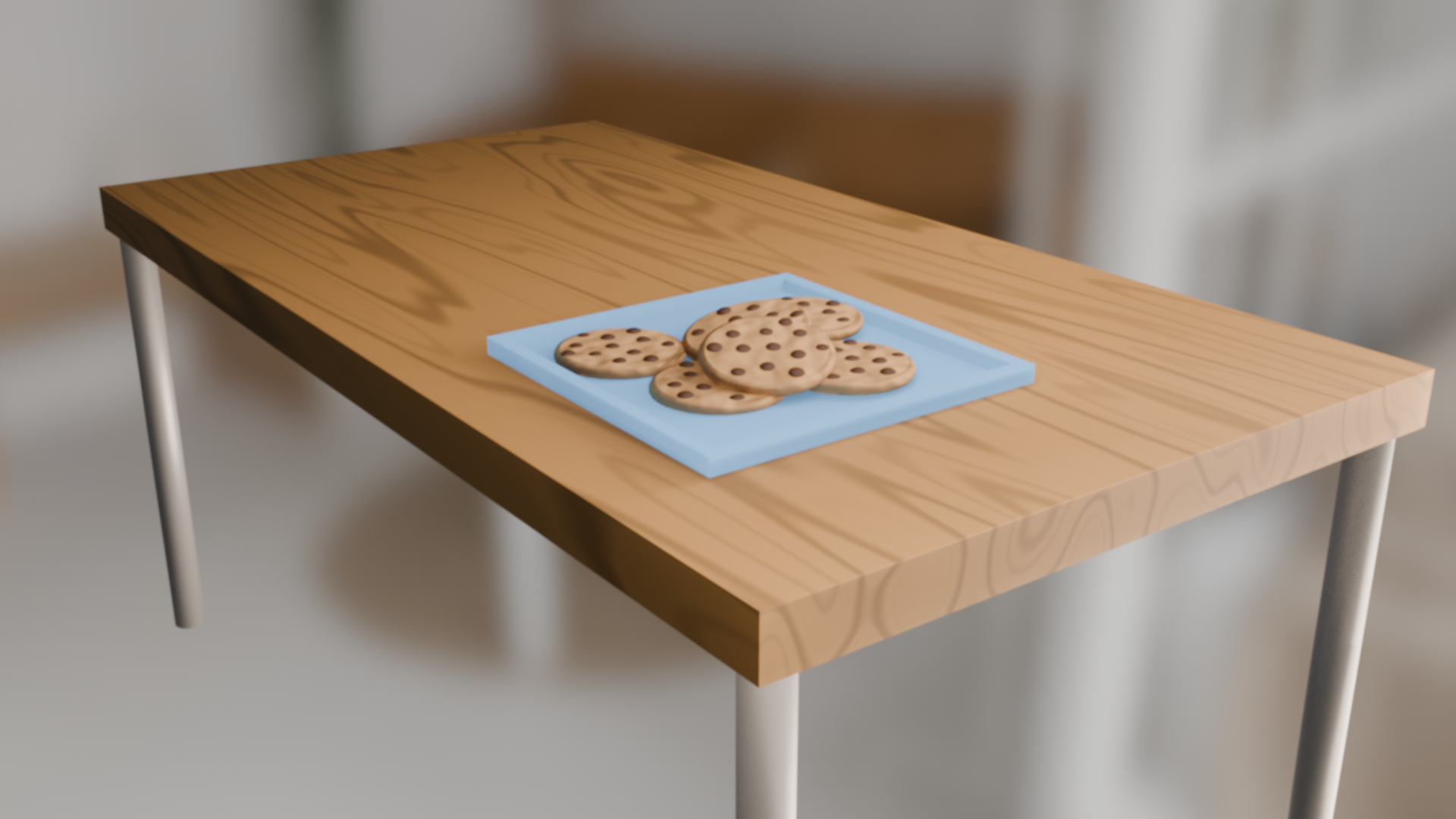 I can do the job, i am learning blender and i want to do free simple projects to train myself. my work doesn't cost $5 like the fiverr minimal price. here is an image of what i did in 30 minutes as my first thing ever after watching the guide to all the basic tools and modifiers
>11681 results