Search
-
Re: Marmoset Skyshop 1.07 is out! Image Based Lighting for Unity
-
Re: Hard surface robot character detailing questions
 You basically create a height map. 50% gray is flat, black pushes in, white sticks out. http://img521.imageshack.us/img521/9046/normalmapminitutrf7.jpg has a good example
 -
Re: Exporting Unreal Sketeal Mesh Socket to Max or Maya?
 You can position a helper such as a dummy there, and link it to the hand for example, and export it with the bones. You will have to include this helper into your skin by the way, so you will be able to see it as a bone in UE.
 -
Re: J.Norman's Hard Surface Journal

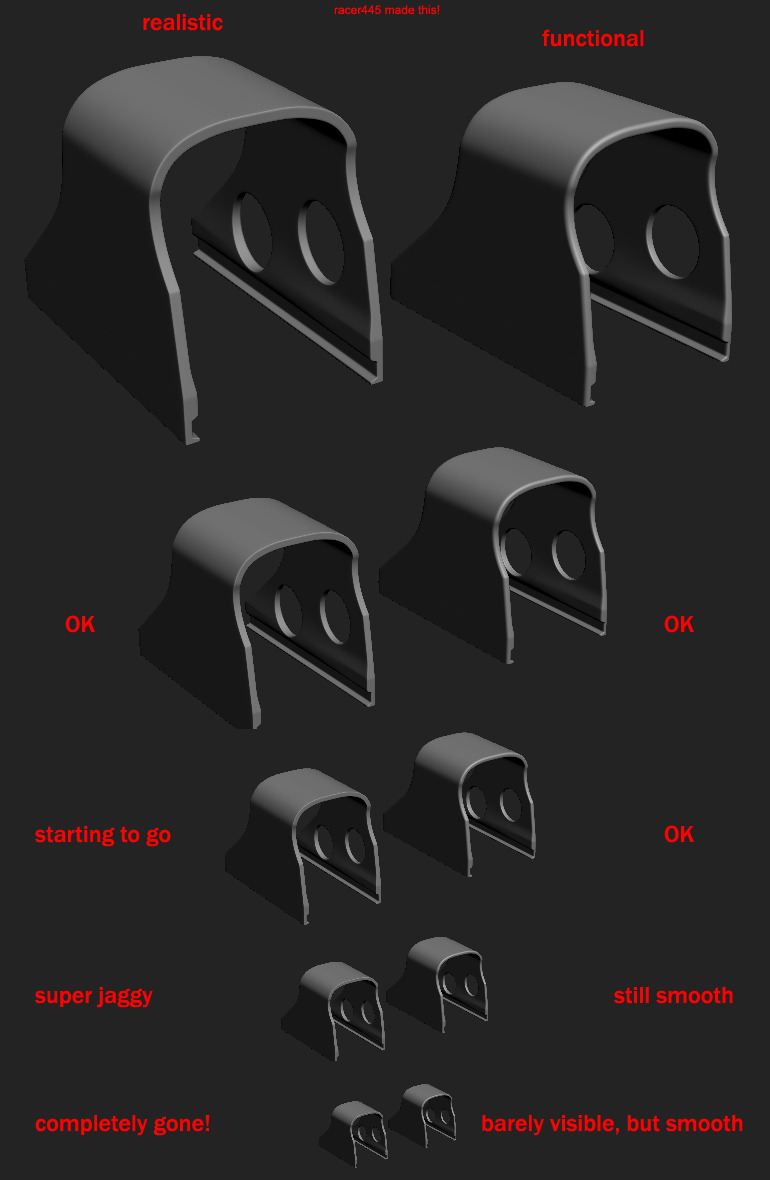 while i do not agree entirely on this one, as realistisc FPS weapons totally should look realistic in first person view foremost, i think this is still a pretty good example.
 -
Re: Low Poly to High Poly (or not??) / Workflow Question
 Really good example, thank you! I mostly do hard surface stuff, maybe there it's different. I will try both methods. Guess it also depends on what you're working on.
 -
Re: Researching The Seattle Area
 for example, I lived in Florida and my first industry job was in Virginia, they also covered all of my moving expenses. Before that I assumed my only chances where in California.
 -
Re: The best way to UV pack low poly model for bake
 Show an example of what you have so far, with the texture. Hard to critique your workflow without an image to judge. These might help you http://wiki.polycount.com/wiki/Uv#UV_Tutorials
 -
Re: Mass Effect 3 art - Marc-Antoine Hamelin
 Really amazing work which reminds me a lot of epic moments, especially the Cerberus base! As an example how long did it takes to complete these environments were you alone on all of these?
 -
Re: Soft Edge Distortions On Model In Maya -- Should I Care?
 Well I use the migNormalTools script. For this example I select all the planar faces, harden the normal and then with the same faces selected I use the fillet outside option in the migNormalTools script.
 -
Re: Tileable stone wall, zbrush
 The bricks that have a high contrast compare to the other ones (the black square brick for example) will stand out quite a lot once you tile your texture. I'd be careful about that!

>27408 results