Search
-
Re: Substance Designer Edge Detect [Issue]
 Your result is the expected result, and the one I got when running through your steps. To fix it, you should just be able to increase the tolerance on the edge detect node. It looks for contrast, and if you notice, in your distance node you can see a subtle gradient in each shape. Your edge detect is just set sensitively…
 -
With all fresh new Adobe 3d substance what are real improvements?
 Is former Alchemist capable to work with non-square textures now? Have it's AI improved in depth reconstruction and especially de-lighting or it's still same hipass mostly? Is it respect pixel grid to move something exactly 1 pix without blurring everything like Designer with every move and crop i.e ready to…
 -
2D Artists/Partners for iOS SHMUP.
THE PROJECT: We have been working on a big iOS SHMUP project for more than two years now, the development process is going smoothly and we currently have a near-finished game product. Everything from the graphic-engine to the game-engine has been written from the scratch, and that's to get the best performances and… -
Seams are showing up between modular pieces using an atlas texture I made in substance painter

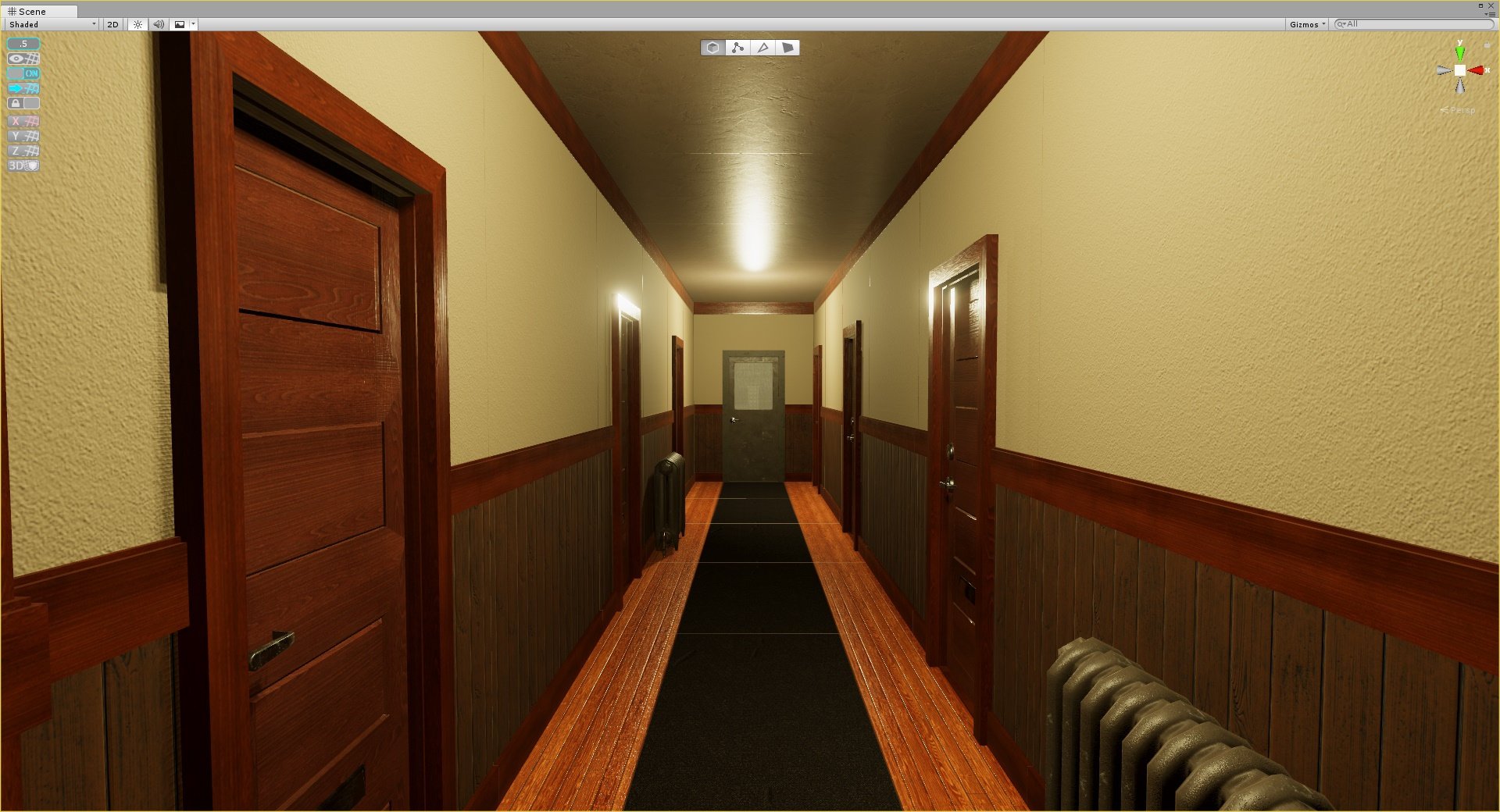 Hi, I've been trying out substances new plugin for unity 2018.1 with livelink and I've been having a small issue with the textures to a modular apartment hall set I've been working on where these seams would appear between the pieces as you can see below. I was using a plane mesh for the atlas and mapped the uvs for the…
 -
Problem with HLSL
I am trying to make a Fresnel shader, the problem is that if I move the object from the [0,0,0] position , it looks broken. I am using 3d Max 2008.string ParamID = "0x003"; // this string tells 3ds Max to use the DXSAS compilerfloat4x4 wvp : WorldViewProjection < string UIWidget = "None"; >;float4x4 ViewInverse :… -
3dsmax: mirroring texture on overflowing UVs
 Oh hello, I want to put an UV shell so that coordinates overflowing the initial 0-1 square pick up a mirrored version of the map. I have learned this is called MIRROR, where things seem to default to WRAP (maybe CLAMP?). So, where do I enable this mirroring? Using 3dsmax 2011. It's probably REALLY simple, but I can't find…
 -
Re: Making roads and paths - Have anyone found the ultimate solution?

 You can either use a Landscape spline actor or just a normal spline mesh blueprint that has your plane on it with a tiling material. You would also probably set material applied to include Pixel Depth Offset so that any intersecting edges on the spline will dither blend the mesh into your ground or landscape. The seams…
 -
Re: Another pc build thread
 Thanks for the reply Zac! I actually checked that website out. I looked at the 660ti vs the gtx 760 and the only real difference was in pixel rate. That was about a 40% difference which seems like a lot but even after reading the definition of pixel rate I'm still not sure if that's a big difference. There's a $55…
 -
Re: 3ds max : reproject a normal map on a different uv set ?
 I agree you can't transfer a normal map that way. BUT you can still transfer it. It will work IF you use 2 meshes and projection. It will read the bump as height data on the surface and translate it appropriately, like it would a normal map applied to a high poly object. You can NOT transfer if you only use a single mesh…
 -
Re: Can you use 2:1 uv map/texture in CE3?
 well then i correct myself. I thought the preview showed the actual texture shape.. Currently im just confused about what the actual distinction between 2:1 and 1:1 is. As far as i know the UV space in max is ALWAYS 1:1, so if you "cheat" and squish your UV's in to (0.5, 1) scale, the map would still effectively be 1:1,…
>8815 results