Search
-
Maya normal baking
 Trying to get some normal baking done but im getting nothing captured. I have checked the uv so it have space to bake on. It should get some info at least. Have no idea why, im on maya 2011 64 bit.
 -
Re: Max Normal Map Baking Color-Set
 Another thing you can do, for baking normals/AO on different parts of the body is to make an exploded version of your model. Just break apart the parts of the model, then you wont have as much intersection. Going along with EarthQuake, you can probably fix most of your problem by manual adjusting your cage...but if you are…
 -
Re: In-progress: SP bake - sync - Quixel(Mikkt space)

 You can use a synced workflow in quixel, but there is one work around you have to take note of and the below is for UE4 btw: I have imported my maps (the normal's are baked in modo using MikkTSpace tangent space normal's) I have one smoothing group and no uv splits and the export target is for UE4 (with the Flip Y…
 -
Mental Ray lightingmap baking - black render (3dsmax)
 Hello, I'm having an issue with baking a lighting map with mental ray. It worked just fine earlier on an another machine, it gave perfect bakes. But now I'm working from an another pc, and I can't bake a lighting map with that. It spits out black textures with a very small, bit brighter spot on the center of the map. I…
 -
Re: Can I bake textures with only a LP model and a normal map?
 A lot of our bakers can work without a high-poly mesh. It would help if you could give more information. In which software are you trying to bake ? What does those weird shadows look like ?
 -
Re: Ax (fan art)The Elder Scrolls V : Skyrim

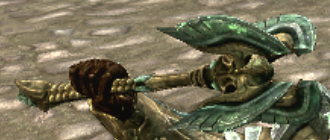 Hmm, from the game screenshot, it looks like it's a four-sided system of blades: But if you wanted to just make it two-bladed, I think the middle part as you've sculpted it is too thick. (Oh wait, nevermind, I didn't look at his other hand!)
 -
Re: Question about low to high poly baking in regard to deleting faces that are not visible.
 If the planks are overlapping I would join them together in the lowpoly at the edges to make one continuous mesh. Otherwise it'll be too hard to bake the lowpoly.
 -
Bake AO into vertices
 Hi! I used to bake AO maps and merge them with diffuse maps in Photoshop. Now I read that you can bake the AO directly into the mesh vertices in 3ds max. Can anybody please explain to me how this works and how to use this in UDK? Thanks, Oli
 -
Re: help : bake texture from zbrush to retopology
 An alternative: Export your highpoly mesh along with it's polypaint (as long as polypaint is turned on, then it should be included with the resulting OBJ). Decimation Master is optional but may be beneficial if it is a large file; if you do use it, be sure to enable Preferences: Decimation Master: Use and Keep Polypaint.…
 -
Re: Baking Normal
 Acknowledge what baking is, and why. If you're baking in substance without a high-res mesh to extract details from, why bake to begin with?
>114867 results