Search
-
Re: Bunker
 Is that whole bunker uniquely unwrapped? A couple other points: - Do not render on top of white or black, ever. Use something between 33% and 66% brightness. - See-through wireframes are incomprehensible. Just take screenshots of the max wireframe view or, even better, the max edged faces view.
 -
Re: Modelling a Polyprop chair (the procedural way?)
 Thanks musashidan, that's indeed a great example. I started with a plane, added an edit poly modifier, and then added a turbosmooth on top that I could toggle to view the result, but do any of the other sub-d tools allow for easier editing of the underlying polymesh whilst viewing the smoothed results?
 -
Re: Golden Fantasy Sword!
Thank you!For some reason the size of the image in this post is a bit small, if you right-click-> view image you will have a bigger resolution and more clear view. Well the handles aren't my strong suit but im trying to get better and better! Thank you for commenthing! -
Re: Overlapping UVs - Bake Priority
 Surfaces in front should always bake as if they are in front. Your perspective view shows some bevels on the paneling, but the ortho view makes them appear totally flat as if they didn't have a bevel. If that's actually the case- that's your problem. The normal baker doesn't see any changes to bake out.
 -
Re: two Pictures enough as base for skin model?
Skin artist? That's a throw back If you're asking if you need a complete front/rear/side view orthographic view sheet for a character artist to model the character then the answer is no not really unless there's something important there. Just keep in mind anything the artist can't see, they have to invent themselves. -
Re: Theif girl
Definitely looking really good. totally diggin the proportions and overall use of polygons, but just a side note...personally I would just scale down and decrease the width of her biceps in the front view and maybe the side view aswell, but just a bit....good stuff so far.... -
Re: [WiP] The Dark Carnival
 Love it! Very moody! The thing that kept bugging me like crazy, though, was that tarp hanging in the street. It kept obstructing my view and was actually quite distracting. It's not that it's a bad idea, but it's in the way of viewing some major focal points. I'd move it to an un-obstructive location, or take it down.
 -
Re: DS 3dviewer
Viewer v5 The issue was indeed due to the different line endings. That's now fixed. However, it doesn't seem to load any textures past the first one. So whatever model you view first, that's the texture that shows on all the models. Fixing that is for tomorrow or the weekend though. Happy viewing! -
Re: The basics of creating pseudo volume textures in Substance Designer - Tutorial
 @Obscura one question for you. do you know how can I fix the texture slicing artifact on the side of the baked volume texture? I was following the tutorial on this page https://www.overdraw.xyz/blog to create volume texture in unreal. this is the top view of my volume texture this is the side view of my volume texture my…
 -
Unreal texture set not coming in properly?
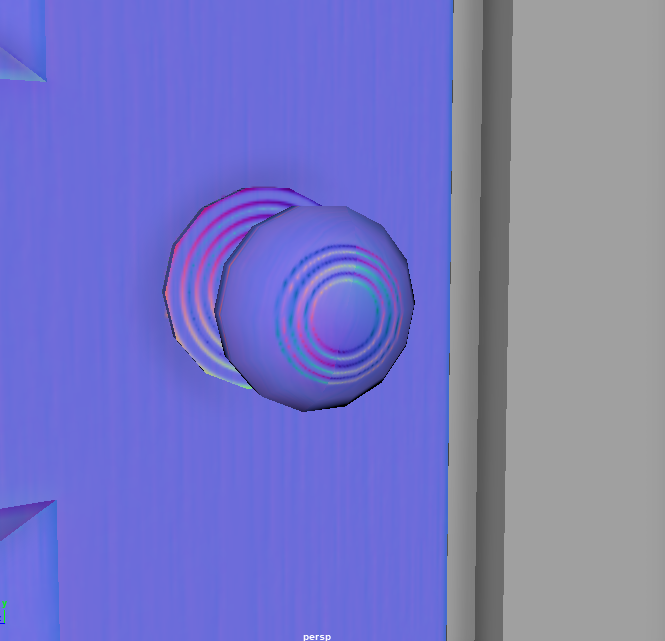 I seem to be having an issue with a set of textures in Unreal. In Unreal Engine, the texture comes in looking really odd and deformed, while inside of Maya and Substance Painter, it looks the way it should. Would anyone happen to know the reason behind this or a potential fix? Any help is greatly appreciated. Thank you!…
>29835 results