Search
-
Re: Evenly-space UV verts in Max?
 Sorry about the delay, kept forgetting to bring them home. Here's a link for anyone who wants them: MoP's UV tools and misc scripts As usual, just run the .ms file once from inside Max, then look in the Customize menu and you will find a new category called "MoP's Tools" with a bunch of commands in the list. The "Align UVs…
 -
Quick question Maya - Rotate Tool?
 I need to rotate along an edge, in the edge's local angle. I'm not asking how to reposition a pivot location. I want to get the Rotation pivot angle Set to Edge, just like in Scale and Transform options. See my screenshots. Take note of the Z-axis direction in each image, I successfully Set to Edge for Transform and Scale,…
 -
Re: Character in Maya, tips and help?
 Here are some guidelines to follow, and topics to study. 1. NGon Ngons are faces with 5 or more edges. For now, you can consider them bad. Keeping your mesh as close to all 4-sided faces as possible is ideal! Also, if import a mesh with NGons into a game engine, the engine will automatically triangulate your mesh however…
 -
Re: Maya/ZBrush workflow, extremely hard normals
 add an edge loop (or however many you need) in maya near to the edge in desired location. Look up hard surface modelling techniques as someone already said there are fundamental techniques for sub d modelling. If your looking to bake things your going to want a bit of a round edge anyway. you will be able to see what it…
 -
Re: Normals Issues - Tried everything,
 Not so much supporting edges as retopologizing the original with new edges to fix the poling problem. But to answer your question, no, that wouldn't fix the problem. Two many edges terminating into one vertex will just show up poorly pretty much no matter what. If that side of the model is perfectly flat, and you harden…
 -
Re: [WIP] Ed - Cowboy Bebop (Need Crits)
 Well even that model isn't all straight edges. She's still got distinct musculature on her arms and legs and that's even more noticable on the first image you posted. Regardless, the face still needs some development to get close the the necessary shape. She's got quite a distinct profile.
 -
Re: Year 2 Work by Pete
That is a "pole" (you have more than four edges meeting at a point). You could connect the vertical edge loops (run parallel to the center line) and end up with some tris (you will never get away from having a few tris). You could then delete particular edges between the newly connected edges and the center line (or… -
Re: maya 8 help plz
 Not sure what you mean about insert edge loop tool not making straight lines, can you post a screenshot? Have you tried deleting the history on your model before you use the edge loop split? There are 3 ways to split edges on a 90" angle besides the edge loop tool. 1. Use the split polygon tool and turn on the snapping in…
 -
3ds Max to Blender Nit-Picks
 Hey guys, As someone who has transitioned into using Blender full time both professionally and for personal work. I have a few nit-picks that I'd like to share and see if anyone can offer some insight as to how to approach them effectively. When switching between selections (Vertex, edge, polygon), they aren't remembered…
 -
Unity 6 HDRP Golf Course 18

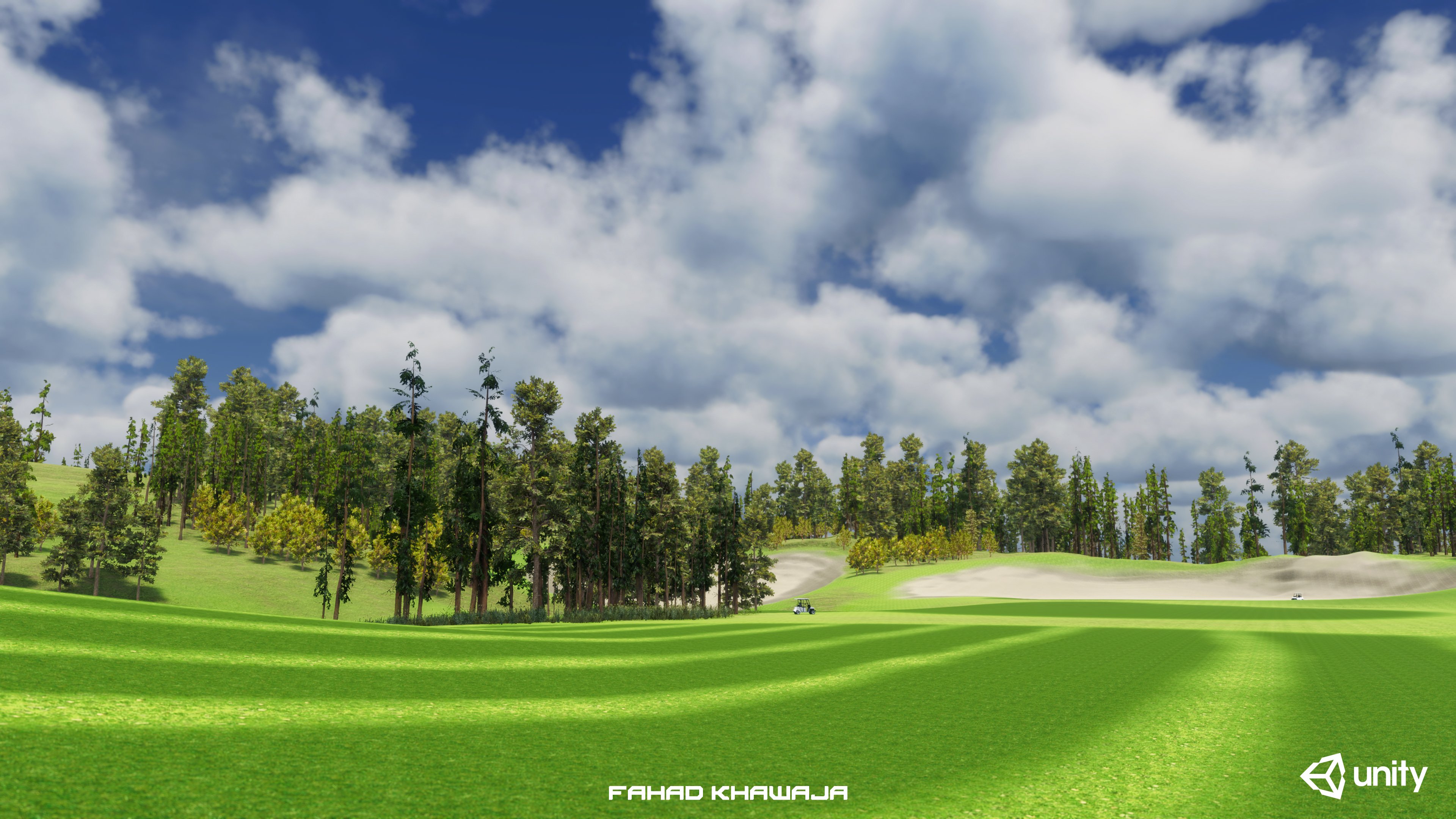 Hey all, made a fictional golf course environment to test new features of Unity HDRP terrain and lighting. Whole environment from blockout to final is done in 18 hours, used Unity Essentials and free assets. Most time spent on Unity forums figuring out warnings and errors related to terrain, hdrp shaders and art directing…
>27974 results