Search
-
Re: Getting correct bakes from Blender
 I did some further research on this but this things do not look good: 1.) If you set your Lopoli smooth before you bake and have NO hard edges set you get some nice smooth corners around your edges. (The Lopoli is set to smooth after the bake as well) http://imageshack.us/content_round.p...moothedlop.png Even though this…
 -
Re: inset letters
 Well tried the boolean method but for the life of me I couldn't get it to work. So then I tried to do a displace map, but the polycount required to get the result I wanted was to much to bare. So I ended up taking a more direct approach and thought I would share my method for others. If someone sees a way I could simplify…
 -
Re: Weird light artifacts after baking and exporting
 Hi! Blender has a Triangulate modifier (keep normals option to preserve shading), which makes it easy to work with quads and triangulate on export. I recommend triangulating to ensure topology (and as a result mesh shading) is the same across softwares. Since you shared UV layout, I'll note that there's a lot of unused…
 -
Re: [MAYA] Modeling ToolSet

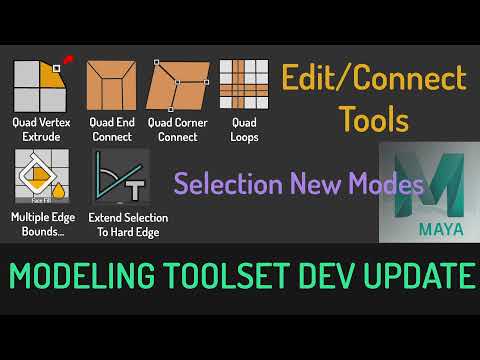 development update: In This Update, I will be demonstrating the new selection modes and Quad Connect tools. This tool is still in development, I will release it as soon as its stable enough. -----New Selection Modes ---- Multiple EdgeBounds -- it will auto select Face section inbetween 2 Edge Bounds Extend To Hard Edge --…
 -
Re: modeling hi poly weapons is painful, any tips?
 You just gotta drag me into this don't you Daz? 8-) I don't want to let this model out of the bag yet, but here is a closeup of the wires on one portion Its very important to get the microchamfers, and keep your quads for hard surface modeling. If it's for normal maps, you can afford to be messy a little, but I found it…
 -
Re: How do I go about creating this geometry with what I have now?

 It depends on the character design you're trying to model. With the concept art you draw exactly what you want and what the character should look like. But when it comes to modeling it, you need to do some engineering and think of how to best arrange your topology to represent the forms and flow that the design suggests.…
 -
Re: Knald - Master Thread

 @metalliandy Thanks for a quick response! For now, here are the meshes I've used: https://www.dropbox.com/s/zd93478qb3mhmpo/knald_test_01.fbx?dl=0 https://www.dropbox.com/s/5d0u8qbt9zz9zay/knald_test_05.fbx?dl=0 So, if I understand you correctly, "Mesh AO" mode in Knald 1.0 worked in a very similar way to the new "Baker"…
 -
Re: Official handplane support thread - Now freeware!!
 Its also very important that you genuinely *do* have an engine that is synced up to Maya as well. If you're using xnormal to bake over Maya it makes me sort of wonder if you do. An easy way to test, is to take an existing asset, soften all of the edges and re-bake* it in maya, and then preview it in the maya viewport with…
 -
Re: Maya Tendacy to Crash throughout the Years
 No, x grid snap does not work for me with the new split tool? I suppose the grid as a snapping template might be useful for working to scale. I think the best solution for a predictable split tool behavior is to just crank up the magnet: Edge Snapping> snap magnets to 10. I do not know why the Edge Snapping magnets…
 -
Re: Axioms of Hard Surface Modeling?
 I have a small set of rules I've developed privately that nobody uses but me PECS: A rubric for assessing the quality of a highpoly hardsurface model. PECS stands for Proportions, Edges, Construction, Shading. For a given model, each PECS component is scored from 1-5. The final PECS score is the sum of every component…
>27970 results