Search
-
Re: Blender 2.5 Crash Course (Not For Retards)
 That was a great video! I actually took some notes! I have a couple points I want to add on to your video: Multiple Component Selecting Mode- you can press Shift and select multiple component modes, like Shift select both Face and Vertex mode, or all 3. (similar for the transform widgets rotate, scale and translate) You…
 -
Re: Maya Alt+H (Hide Unselected) Not Working
 I was always annoyed with the hotkeys associated with hiding/unhiding objects in Maya, so I wrote a small script to just use Ctrl + H to toggle visibility of selections, as well as unhide the last hidden object if you have no objects selected. With this you can also select multiple hidden and unhidden objects and it will…
 -
Re: 3ds Max 2012 Hot Fix announced
 For those of you about to go nuts trying to figure this out, for whatever reason they changed "Display Selected with Edged Faces Toggle", which puts a wireframe over only the selected mesh, into "Viewport Selection Display Selected with Edged Faces Toggle". So I was trying to figure out how come my F4 key didn't do…
 -
Re: mudbox import as layer problem.. help!
 I just tried it again, and it worked fine. Here's my exact steps to reproduce. 1. Select the mesh in Mudbox with the "object" tool. 2. File>Export Selection 3. In Maya, load the obj (as opposed to importing it) 4. Make an obvious tweak, like a big head, for example. I also UV mapped it with automatic mapping. Delete…
 -
Re: Female Character(W.I.P)
 AaronF3D, nice work so far, keep it up. i wanted to make sure you were familiar with some tools and ideas that will help with your model. you understand the goal of an edge loop is to follow the flow of the muscles and forms of the body, so that when it is animated, it deforms properly. a good way to check an edgeloop is…
 -
[Blender 2.8 Add-on] UnrealEngine - Blender [UEBok!] . Clipboard copy/paste UE/Blender. Export to UE

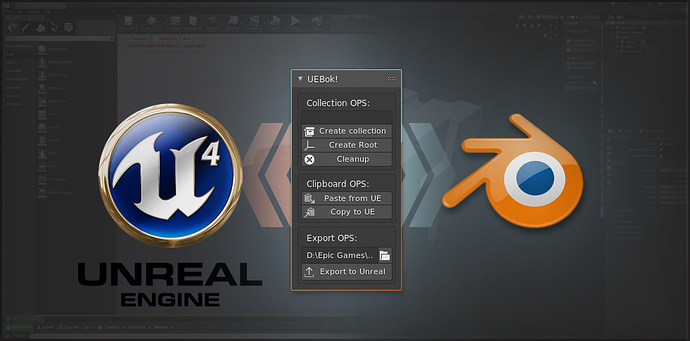 UnrealEngine - Blender OK! further known as UEBok! an Blender 2.8 Addon. Idea: Speed up interaction between Blender and UnrealEngine and to Blender and … https://youtu.be/kPihB9LmXsg UEBok! functions: Collection OPS: * Create collection for selected objects * Create ROOT object for collection(ROOT object is pivot point…
 -
Re: I need feedbacks & Critiques on my 3D work
 I'll try to distribute that stain more selectively. Thank you so much
 -
Re: 3dsMax / UE4 Tools
 Thanks yet again man. Working much better now. I kinda liked the old functionality better, where it would export the selected object, naming the FBX file the same as the selected object. It was just one less step to have to click through when exporting. Maybe split the functionality into 2: 'Export as object name' and…
 -
Re: Max to Illustrator or Orthographic outlines
 Here's a really convoluted method that may work. 1. Get and install the PSD Path Unwrapper script. 2. Select what you want in an orthographic viewport with backface culling enabled. 3. Select inverse, then delete the rest of the model, since you don't want backfaces? 4. Delete the interior edges, since you only want…
 -
Re: Pelt Mapping from an inner seam?
 You can select a few verts, turn on "Soft Select" (lower right) in the editor window and relax a selection, that normally works best to fix trouble areas rather than trying to relax the whole thing. It might also help to break a few edges diagonally through the corner (from the corner toward the center, but not too far…
>15387 results