Search
-
(Solved) [Blender] Expose Material Input in Property View

 Another quick question on Blender: I have been searching for a way to expose material graph input nodes to material property view, but only find solution that use node group as a workaround. I know we can "drill down" and find these input nodes eventually, and it's fine for simple graphs, but ideally I want to expose them…
 -
Re: Blender - How to render model with wireframe in Cycles (actual wireframe, not triangulized)

 The Wireframe modifier can work. https://www.youtube.com/watch?v=kAaToapgBxQ You can put the wireframe modifier before a subdiv modifier, but you will need to enable crease edges on the wireframe mod. There is a workaround; select all your objects, tab to enter multi object edit mode to see the meshes, set viewport to…
 -
Re: Maya, nonmanifold geometry issues. Solution?
That's a workflow I can identify with, and one that maya doesn't take naturally to. Cleanup only works in object mode. It's best to be targeted with your selected options in the cleanup dialog when dealing with shit meshes. As I said, tell it to select rather than cleanup, pick a couple of related things to search for at… -
Re: UV problems and Xnormal
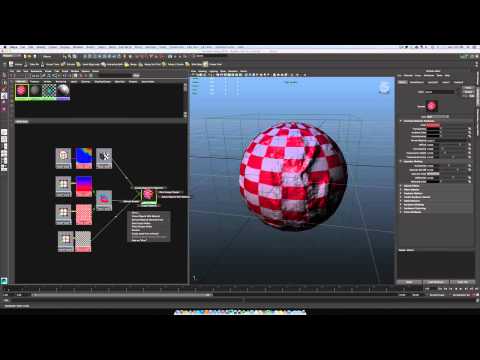 4, 5, 6 and 7 is the quick way to switch between viewport display modes, 6 for textured. Make sure you have the texture plugged into the color node of your material, you can check that in the hypershade (windows>rendering editors>hypershade) Also make sure the material is applied, it will show up in the Attribute editor…
 -
Re: Substance designer in UE4 vs UE4 material editor
I believe so, it bakes down its node-graph at runtime. It is lickly heavily tied into the material instance system of unreal, and bakes down the textures and creates a new material instance for every varration you mode from one network. Be too expensive otherwise, since large networks in substance dseginer take upwards of… -
3Dsmax Schematic view question
 I was just curious, what are the differences in these two pics. Like what does the red frame around a node mean and what does it mean when a node is light purple opposed to dark purple. Everytime I import a baked animated character in to max as an FBX it comes in with dark purple nodes with a lot of red/purple, and black…
 -
Re: Do you guys use common hotkey maps between programs?
 I tried to sync all my navigation hotkeys across softwares before, it didn't work out so well. The problem is they interfere with other functions, 3d softwares have so many functions that you can't change hotkey. For example when you use a specific tool, in a specific mode you have to hold Shift to add selection, Alt to…
 -
Re: mirror animation with puppetshop?
 Yea I would have trouble not working with mirroring, so losing that would be a deal breaker. If you wanted to switch what you have over to CAT it wouldn't be too hard. CAT has pretty much the same kind of functionality as PuppetShop as far as flexibility of rig customization and it comes with a lot of presets, like…
 -
Re: Max Creation Graph modifier - accessing graph values

 For quite a lot of stuff, option 2 would be the most flexible way. Note that MCG has a good raytracer (I've used it before from maxscript, much better than what you have maxscript side) so to reap full benefits, you'd expose that as a maxscript function and call that from the scripted simpleMeshMod. In a simple case like…
 -
Re: Talkin' about developing for the UDK (iOS)
 I don't have much iOS experience, but I do know a bit about UDK, so: it depends. It depends on how far you want to go with your game, what exactly you want to achieve. You can actually view all the Jazz Jackrabbit nodes used for the complete version with AI, so it shows that a whole lot is possible. I'd say the chance is…
>37259 results