Search
-
Re: Unwrapping a Sphere?
 @Noren you read it correctly. however in my experience baking and display rendering engines are not always perfectly aligned. especially when you are using more than 1 rendering engine (one for rendering animations, and one for rendering real-time content(in the editor or a game engine). so you can't always count on them…
 -
Re: New to digital Painting, need some feedback

 Hey! I like this design! I think you are right, the detail belongs on the face and claw. When you feel your contrast and colors are off, it helps to put the image in black and white. Pushing the contrast is one helpful way to place focus. Right now there is mostly lower midtone and dark. When you squint, he kind of becomes…
 -
Re: [UE4] Hong Kong Alleyway Re-Light
 This is really great lighting, Tim. You can really see how the light bounces around the scene from the origins and how the fluorescent lights are just bright enough to give focus and life to the atmosphere without stealing the focus completely. Fantastic work!
 -
Re: [WIP] BlackSmith Girl Character

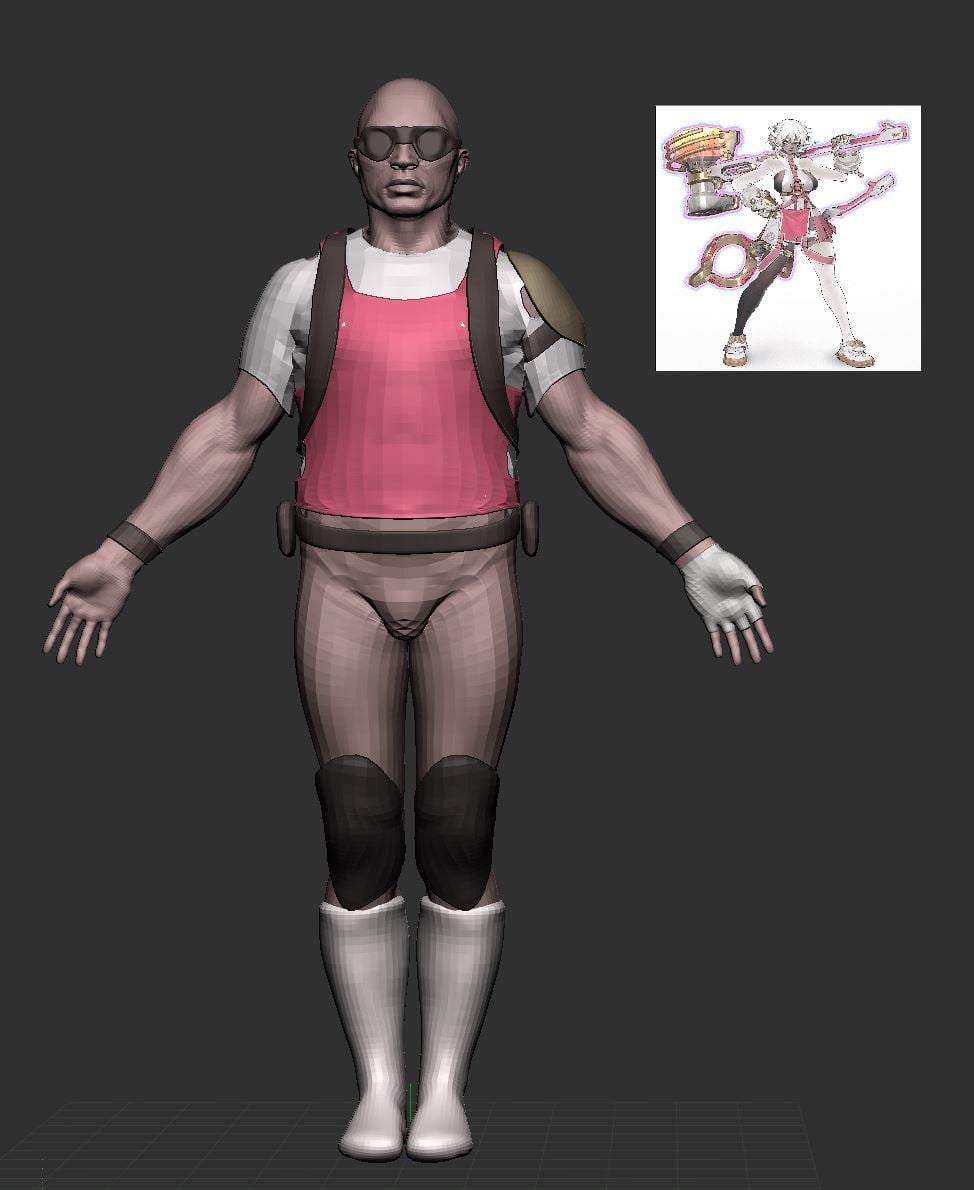 at this stage i would recommend blocking in colour; it'll help with grouping details and getting proportions right; you can drag your concept in as a texture, apply it to a plane, then colour sample the texture (shortcut c) and go from subtool to subtool, rbg > fill
 -
Re: 3dsmax Quick and Dirty Workflow Tips!
 If your lights cast shadows setting them up correctly will speed up your render times. 1. Try not to cast shadows using omni lights; they are equivalent to placing 6 spotlights with a 90 degree field of view. 2. If youre rendering a scene with a lot of lights dont try and set them up all at once. Use Tools>Light Lister…
 -
Re: Texture and lighting issues
If you're not using radiosity, then just change the RGB level under the output category on your diffuse texture. If you are using radiosity, likely the reflectance of that materials is too high. Go under preferences>radiosity and make sure 'display reflectance' is checked. In your material editor. Right under the editor… -
Re: Dying Light Art Dump!
 Just beat Dying Light, great game, it's awesome that you're a part of their team. While the characters are strong in-game, the environment and props really impressed me. It's a world I just love running around in, it's all so atmospheric and each piece feels so cohesive and familiar. There's a strong grounded feeling to…
 -
Re: Car Crash VFX Project
 Here's Another Update I've Been working on the Intro Animation a bit and i have been on location to make foto's for my background since the assignment requires that you not build your environement but use mattepaintings/ Photos Instead. I've Also been Bussy With Lighting witch is my Weakest point. I'm really bad at…
 -
Extremely Digital right now... I gawts a jerb!
 Howdy doody ya'll, just wanted to let you lovely people know that in a couple of weeks I'll be working at Digital Extremes :) Just wanted to say thanks to Hiten (Mistry10) and Ryan (Virtuosic) for helping me out answering lame ass questions that I had (it was great meeting you guys, can't wait to start working with you)…
 -
the right hair-card-scale-correlation

 When placing hair cards, I find it hard to find the correct scale correlations between the head-mesh and the hair card itself. Maya is set to "cm"-Unit: My Body-Mesh has about average height of 180 cm what I do is: - Hair-Texture is 2048x2048 - i create a plane (width: 40.960, height: 40.960) - assign a material with the…
>89254 results