Search
-
Re: Maya translate gets wonky after scaling object
 Oh, I've made a report to Autodesk sometime ago with this problem. It also occurs while working with components. However, later they said, that this was solved with UPDATE 1. Have you tried installing it? I haven't, so can't tell you exactly will this help.
 -
Re: Radial painting (2D)
 What was that leaf monster making app... Alchemy? It had symmetry of some kind if I remember correctly. Autodesks Sketchbook pro has symmetry also. [ame=" https://www.youtube.com/watch?v=_enqb1K6KOI"]Symmetry in Sketchbook Pro 11 - YouTube[/ame]
 -
Re: Sculpt first or last?
 Thanks all for your replies, especially Pior. I have access to Autodesk's suite so it will be Max and Mudbox for me. I have been recently working on some straight up high poly for 3d printing so it's going to be an interesting journey.
 -
Re: Maya Inset - Is it possible in 2016(7)?

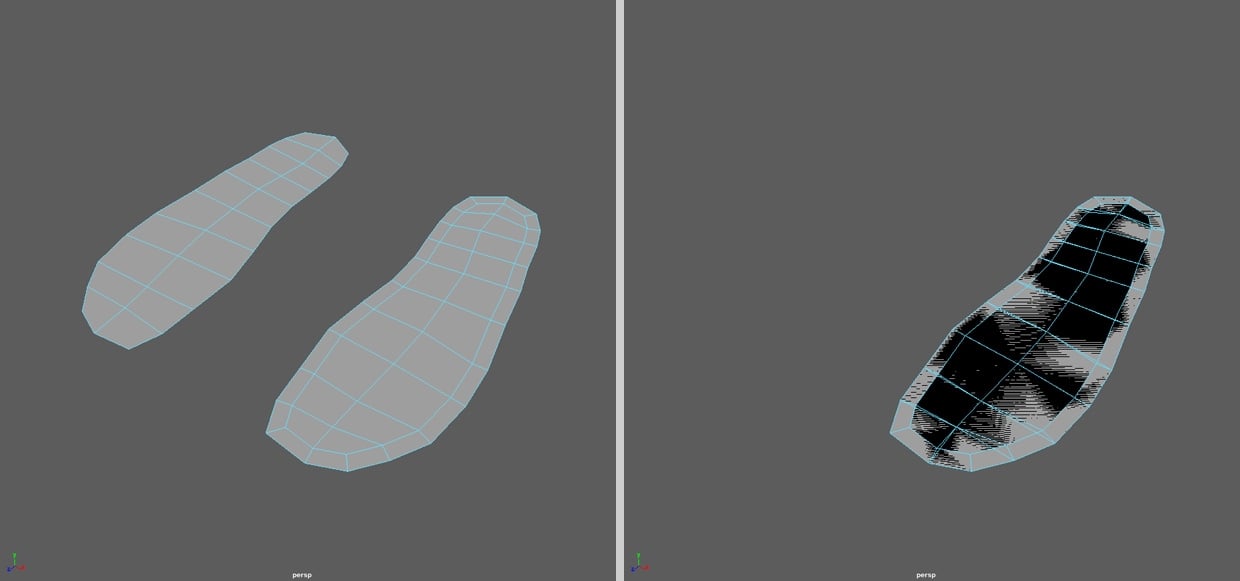 Okay, to sum it up - it isn't really possible in the newest Maya version - just with a workaround and for me it is a bug. What is the logic behind this? For the future I will use your workaround, but I hope Autodesk will fix it some time... Anyway. Thanks for your help!
 -
Re: Maya Hair System Issue

 Someone from Autodesk recommended updating my driver, doing a clean install, and also changing these settings in Maya: Settings and Preferences > Preferences > Settings > Animation > Evaluation.. switch from Parallel to DG mode.. But these are the results: Any other suggestions are very appreciated! :)
 -
Re: Extrude polygonal faces from a curve in Maya?
 Well, what makes autodesk not to make a solid sculpting feature in 3ds max or maya that they have mudbox. and yes they want to gain more money but don't forget the other feature in 3ds max and maya plus the plugins that are made by maybe 3d artisits.
 -
Re: 3ds max painting weights
 You can use the weights table. http://docs.autodesk.com/3DSMAX/13/ENU/Autodesk%203ds%20Max%202011%20Help/index.html?url=./files/WSf742dab04106313366400bf6112a1cea097-7ef6.htm,topicNumber=d0e82445 I always use the options "Selected Vertices" and "Flip UI"
 -
Annoying things that can -- and usually -- happens when 3d modeling
 I'll begin: > Relatively complex scene > Start to explode meshes using keyframes > Finishes it > Realize you forgot to press the "auto key" button This happened twice today. When will autodesk make a warning like "pls no ferget about auto key"?
 -
Stingray animation test
Want to do something cool with this model http://polygoo.com/humanoidrobot using Stingray Engine?(StingrayEngine.com) Let me know, I'll send you a link to it. Come up with something cool and we can make a blog post about it on Area and highlight your work. Frank DeLise Autodesk -
Monster Creation
 Hey guys, I've been working on a monster character that I was given for a student project. This is the reference sheet and what I have so far. This was created by using both Autodesk Maya and Mudbox. If there is anything to improve on or to watch out for, please offer your critiques so I can learn and improve.
>3478 results