Search
-
Re: Maya fbx import only wireframe visible
 That is typically a good way to clean up a mesh. :) Models also have a Drawing Overrides section in the attribute editor for both the transform and shape nodes, this was probably set to Template mode. Something to check out if you run into this again later.
 -
Re: Substance Desginer to Unreal, basecolor map turns out tinted in the material editor?
 Probably too late but if someone is asking the same thing... i fixed my issue this way In your substance, add a 'gradient' node juste before your baseColor output. Your baseColor output will be set to color mode and not grayscale.
 -
Re: (Solved) Substance PBR export appears more glossy in Maya
 Looks good matey, have you shared the ShaderFX file anywhere? I tried to recreate your graph from the picture but none of the available nodes in ShaderFX give me the texcoord with the RG outputs you have on the left? Ta!
 -
Ask A Fellow Polycounter - "Maya Mental Ray Issue"
 This one I really need help with... I've finished my new portfolio scene with shader maps assigned to and all but when I booted up to do final renders today, Mental Ray suddenly could not render. The script editor said it's out of memory, I tried restarting and optimize scene size but nothing is helping it. This is what my…
 -
Re: (Maya) MEL need help with extracting numeric part of a name
 you could do this: string $suffix = match("[0-9]+", `match "[[0-9]+]" $node`); or could use tokenize instead if you dont want to mess around with regex. The top code basically matched the [###] and then matches again for just numbers.
 -
Re: Brick Wall Material - WIP
Try to use slope blur node to fake edge erosion and height/ slope variations in a copy of bricks generator to make color variations . Or flood fill node. -
Re: [FINISHED] - UE5 Realtime Metahuman - Ryan Gosling: Drive

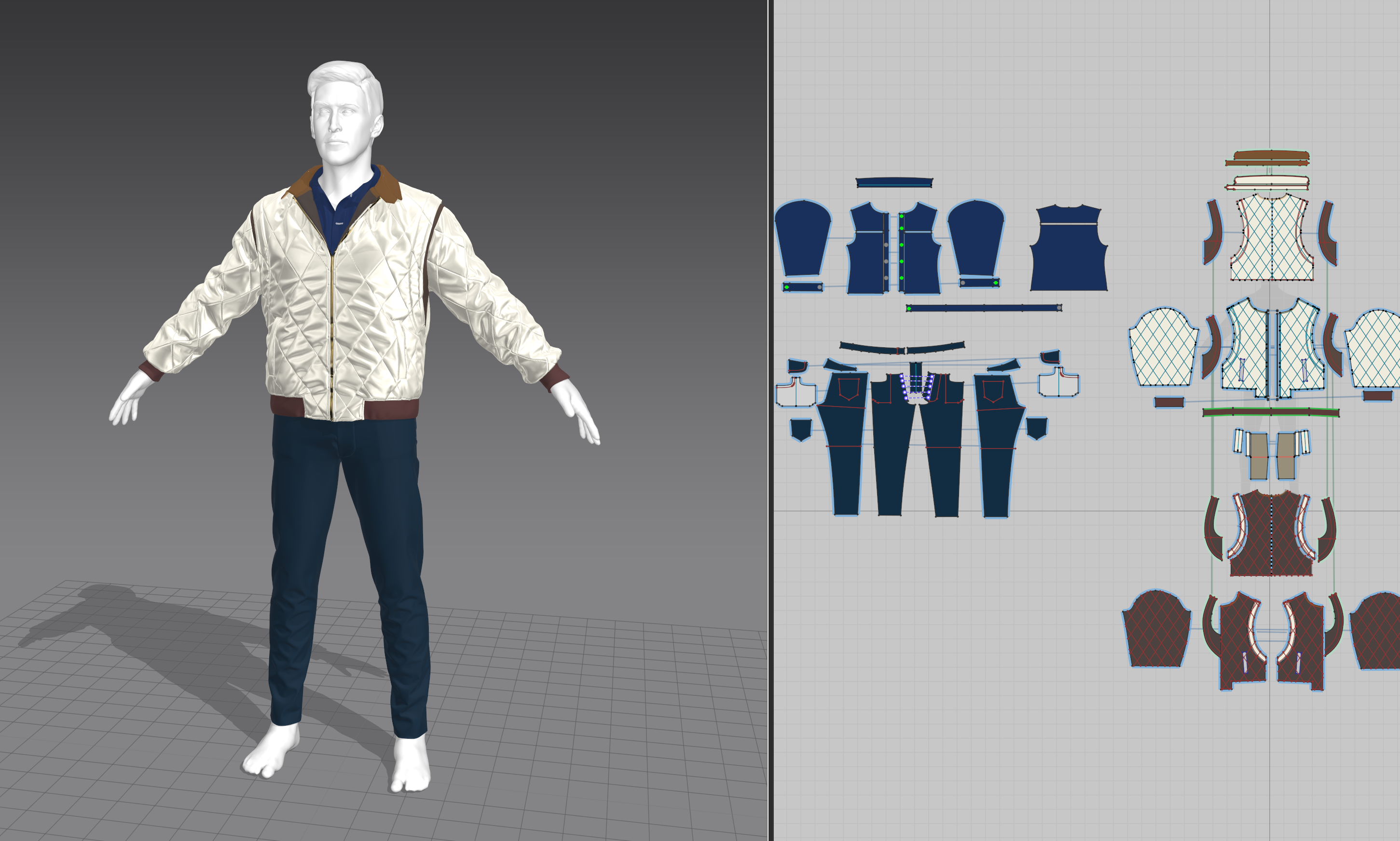 I'm kind of close to the end I think, I'm fixing some bugs and running renders through MRQ now so I should really catch up on the posts. Clothing creation was really problematic and I think one of the things I spent the most time on. There's a lot I could talk about but I guess I will focus on 2 things I realized: 1.…
 -
Re: DDS cube maps - Maya LT - OSX (edit: solved)
 I have no problems making the source pixels. It's saving them in a format I can use. The photoshop DDS plugin is windows only I can make dds square files, but it seems Maya's LT reflection cube map node in shaderFX wants a cubemap DDS in a very specific format, and I need to find a way to author that using OSX tools if at…
 -
Re: Triplanar Projection in Maya
 Here's the basics of how it works. You can attach the Projection node either by searching and adding it to the work area and CTRL+MMB dragging to connect it to your lambert material node, or by selecting projection instead of "file" when you'd normally choose what to fill the color attribute with. Then you add your texture…
 -
Re: Post proccessing.
So there's a few things you'll want to do to make sure your scene is set to take full advantage of you PPC. By default the World setting usually want to maintain as much control as they can, which defeats the purpose of having a PPC in the first place (except in certain situations). First, in your World settings make sure…
>37269 results