Search
-
Re: Maya 2014 finally gets a huge update to its modeling tools!
 there are two things getting mixed up. 'spline modeling', and general curves. spline modeling and to a lesser extent nurbs are less flexible then subdivison schemes which is why subdivision has replaces them in most areas. the fact that they use first degree lines with arbitrary topology (polygons) as input makes them even…
 -
Re: Wacom 22 HD!
 The worse scenario I ever experienced predates my computer usage... Where hip art students used 4ft homosote panels as their portable push pin friendly drawing surface made portable with make shift shoulder straps to carry your drawing surface everywhere. ( sort of like Andrew Jones does with his Wacom slung with a guitar…
 -
Re: (Metal textures) need some critacisms
 Are these meant to tile? Other Metal tutorials: http://cg.tutsplus.com/tutorials/3d-art/how-to-hand-paint-convincing-metal-textures/ (pretty good techniques for starting a metal base) http://forums.cgsociety.org/showthread.php?f=46&t=373024 (If you move into painted surfaces) http://www.cgtextures.com/ Some great ref, even…
 -
[ Maya ] DecalMaster - Accelerate Detailing Through Decals and Trim Sheets

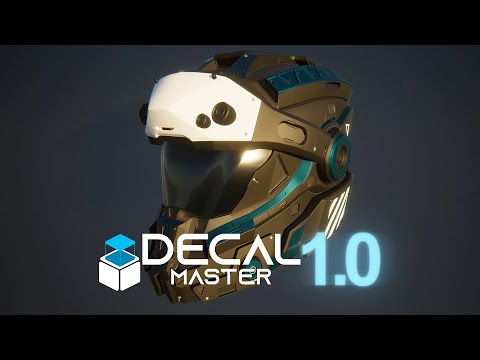 DecalMaster is a Maya plugin designed to accelerate the surface detailing phase by providing a UV-less, non-destructive, non-committal workflow through decals and trim sheets. It does this by enabling quick placement of decals onto a target mesh as well as automated uv unwrapping target mesh faces to trims within a trim…
 -
Re: Help choosing a portable computer
 I second everyone else about the surface pro. I personally own a vivotab note 8 ad i love it but its only used for basic work. I plan to get a surface pro in due time, i think you can get a surface pro 2/3 for under $1000 now. and yeah i think 4gb of ram should be acceptable for preliminary work, not sure how far you would…
 -
Re: What does the Specular channel in UE4 actually do.
 It makes sense to me but it helps to have some background as to why. (I'm not an expert so don't put too much weight on anything I say but I generally know the gist of things) The metallic value is for saying what type of material it is and what shader model it's using. I'm simplifying but a non-metalic material will have…
 -
Re: technical highpoly workflow tutorial and scripts..
 I likewise maintain the edgeloops around my entire model. This way I can quickly use CSslide as a more efficient way of quickly moving my edgeloops nearer or further apart as I would manually with the gizmo and edge constraints applied to control the tightness or looseness of my edge curves. Even when it comes to hard…
 -
Re: Polycount Model Database for Normal Mapping
Another easy way to place things on the surface is with the Attachment Constraint. It will let you slide/align the floater along any surface you pick. Here's what you do: - Select your floater click Animation > Constraints > Attachment - Click or click/drag on the surface to place it. Tips: - Assign Attachment Constraint… -
Grow leafs on sufaces now
-
Re: Is tri-planar related to 45 degrees or something?

 You sample the texture on three axes, and then blend these 3 samples based on the surface normal at that pixel. Images taken from the excellent Ronja tutorial on the topic: Sampling the texture once on each X, Y, Z axis and blending these 3 samples with the same weight (AKA an average): The normals of the mesh: Using the…


>18706 results