Search
-
Help with basic normal map baking

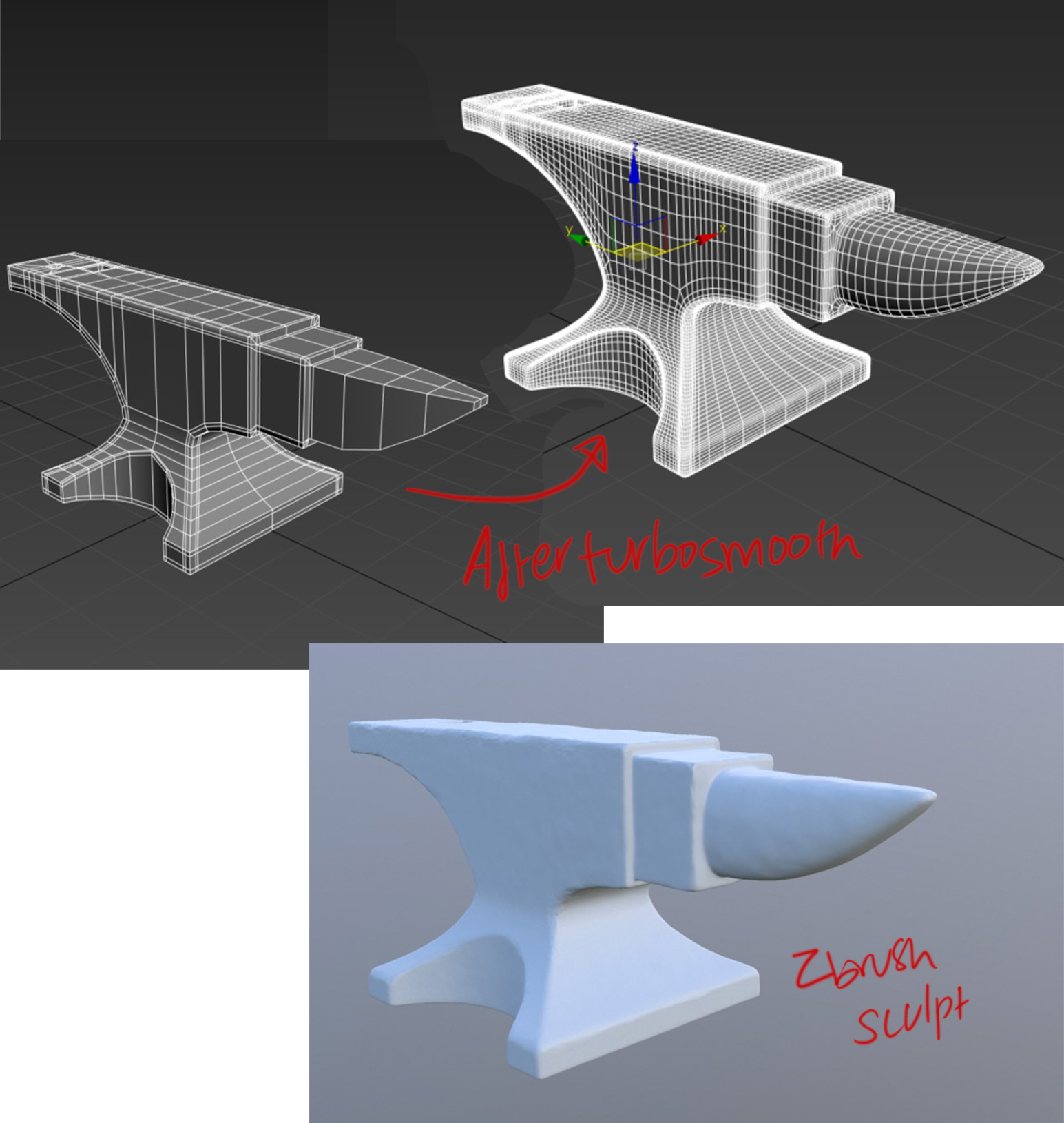 Hello everyone, The workflow that I used in the past was low poly---->smoothing groups---->chamfer modifier (based on smoothing groups)---->Fixing issues---->Turbosmooth This provided me with a high poly and a low poly, which gave me alright bake results. When it comes to baking normal maps I feel like my normal maps…
 -
Re: Normal Maps: Can Somone Explain This "Black Edge" issue
 I think you understood it wrong: i didn't split the vertices - i just split the UVs. The verts are welded together BUT: I programmer told me some time ago, that the model is split by code where different smoothing groups hit together. Means: * 1 smoothing group for whole object: no vert splitting * 1 smoothing group for…
 -
Re: Maya user learning 3DS Max
 In Maya I missed pressing 3 in Maya to see a preview if my model smoothed/subdivided . Do quickly view your model smoothed you can use a thing called NURMS. Which I bound to the S key which was the Set key-frame hot-key but as I am only using MAX for Modeling and Rendering it seems like a good choice for me S = Smooth :)
 -
Re: Offsetting UV islands - how do _you_ do it?
 Lets say you have your smoothing groups set up, so you can see where you have the seams. There is an option in edit poly to select faces based on smoothing groups. This can work in this case...To be honest, I don't really have an idea about how to do it if you have only one or just a few smoothing groups, which are not…
 -
Re: Quarantine Map
 hahah thanks man means alot coming from you :) also you know the way to told me to do the smoothing groups i just realised i actually did it your way instead of smoothing everything. the windows are a different smooting grop and so are the window trim i think the only thing that has the same smoothing group all around is…
 -
Re: Learning to bake

 Here is a problem with smoothing I have, there's a seam right where the smoothing group is but am guessing this is normal and there's nothing that can be done about it, it's just the way the smoothing is. If anyone has any suggestions on how to fix this I 'd love to hear their feedback. In any case, thanks for the help and…
 -
Re: M1911 Model
Read these threads and try to get satisfactory result in XNormal. I created a simple model and the best my result i got with one smoothing group on model, with different smoothing groups i got a white line on rounded edge. Here my result with rounded highpoly, lowpoly with one smoothing group and separate cage (unsmooth,… -
Re: My first Environment in a LONG time
 It depends on what you want to use the Normal map for. If you're using the Normal map purely to smooth out the cylinder then don't bother, just add more sides to it. A few more edge loops to smooth it is cheaper than loading a normal map. If however you are going to stuff like rust on it using a normal map then you could…
 -
Re: What to do. What not to do.
Here is a video that explains it. Essentially What you do is build a model with smoothing groups in the exact shape you want and the edges you want. Then add a turbosmooth and click on smoothing groups and than add another turbosmooth to smooth the edges out. The video shows it a bit more clearly. [ame="… -
Re: Weird Edges when baking
Then we just found whats the issue... You need to have uv splits along the smoothing spits when you bake using the smoothing groups method. Also apply some padding between them. You should check out the "you are making me hard..." sticky thread in the technical talk. It explains how to do this whole smoothing…
>15012 results