Search
-
Re: MODO | Vaughan in 60 Seconds Videos

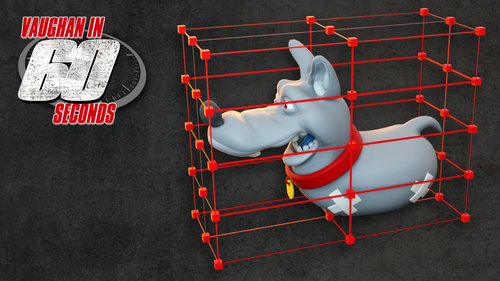 MODO | Lattice Effector This quick video introduced the Lattice Effector. This powerful deformation tool creates a cage made up of an array of locators that can be individually positioned to deform the mesh it's attached to. http://www.pixelfondue.com/blog/2017/5/18/modo-lattice-effector
 -
Re: The Bi-Monthly Environment Art Challenge | July - August (85)

 Nice progress pictures! What texture resolution are you targeting for the walkie-talkie? I think straightening UV strips where applicable would be nice. I continued some on the magic hall. Created a trim atlas to map UVs to, which I want to flesh out further (iterate shapes, sculpt, texture). Large areas will be covered…
 -
Re: Diablo 3
 anyone still playing? Don't think i posted my battletag... my friends list of "online" people is getting smaller and smaller :( I have an array of characters from normal through inferno, and nightmare hardcore. moose#1283
 -
Re: Pacific Rim - Crimson Typhhon ( Jaegirl Version) WIP
 OK. Project cancelled then. Thanks shosh, Dimfist, Di$array, Xaragoth, Ahoburg. Your critics are appreciated, I want you to know that. I'll start anew when... I have the determination let's just say. Thanks everyone.
 -
Re: Environment : HalfLife : Black Mesa Tunnel (Done)
 @Di$array will do :) and thanks :) Yeah Half Life 1 has aged badly 2 on the other hand still has moments where it holds up. @OneHotDay Thanks :) will keep on showing progress and also a video later on of the making of.
 -
Re: 3dsmax 2017 path deform not working
 this is getting me crazy , everytime I do assign the patch deform binding wsm it always offsets the item . No matters if I resetted Xform or I have edited the working pivot to be right at the start of the side of the array , it always friggin moves it from a side ... why?
 -
Re: Sketchbook: tiptop3D
 Started out with a spline, because I figured it would be the easiest way to knock out the shape of the rim that I needed. I also knew i would just want to model 1 section of it so I could then do an array or some form of copies.
 -
Re: Diablo III Skeleton King
 Awesome work here! Was curious, what matcap are you using while working with this piece? It works really well with your polypaint! I have to agree with Di$array about the cape, it's very clean at the moment and could use some attention.
 -
Re: MAXSCRIPT CompleteRedraw question
 yeah great way to test this but wouldn't it start updating before all previous operations are complete if it's a bigger operation? I'm going to test this with an array of objects maybe i can push my laptop that way to trigger such a scenario tnx for the input ^^
 -
Re: [UE4] Need some Blueprint help - Making a fence that deforms to terrain
 Sorry if its clearly not the right answer, but can you not use something like the UE4 blueprint spline for this? If you want the mesh to change randomly you could just pull a selection from an array. That's how I would botch it anyway.
>1590 results