Search
-
Discover a tool to generate a game asset in one click (free!)

 Dark Blender: the ultimate tool for game asset creation: https://vimeo.com/151433064 Hi, i agree the name of this topic sounds weird but it is actually true, i have made a script able to generate a game asset and the textures ready to be exported to your favorite game engine in one click from your high poly. This project…
 -
gesture smoothing ( organic modeling energy )
 Pretty tired here, scuse me if dis iz to succinct. If anyone is interested i'll follow up with better pipeline descriptions and script updates/new gesture tools when I am not as brain dead... download: " me ( maya mel )" An argument fer polygon modifier that respects the energy present within every edit of artist's sculpt…
 -
[RevShare] working on an isometric dark fantasy CRPG, our team needs more people!
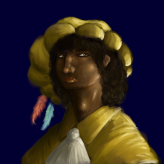 we are a small team, and we need some 3D artists/animators and some programmers/coders. (bonus points if you know how to make isometric assets and characters, and if you can make spell and area effects) trimetric tiles are what we are aiming for message be and I'll show you! 3D character animator (Blender rigging…
 -
Re: Issue with baking my normal map
 Looks like 3d max . Make sure you have different smooth group inside the hole . If it's there anyway find that handle before you cut the hole in and transfer vertex normals to vertexes where you see shading gradients from a mesh without them ( before the hole) using normal theft script or just manually by copy/paste . Or…
 -
PixelArtWorld - Aseprite and Tiled Extensions Database
 Hi! I’m making a website to have an overview of all Aseprite Extensions, scripts and themes, grouped by category. Also Tiled extensions. https://pixelartworld.netlify.app I hope you enjoy my website. It’s a work in progress. PixelArtGirl
 -
Re: freelancing with blender?
 Yeah honestly the max system is pretty strange and convoluted. In maya you can simply select an edge loop and set it to hard. Max you have to make a face selection, and then assign it to the weird smooth group system thing. If you want to do something more complex like have a hard edge transition from hard to soft…
 -
Re: Help with Chainmail
 Yep the method Neox outlined is what I would use. The TexTools UV>3D method requires a bit more work. TexTools really isn't designed to do this and because of that it won't make a good morph target, you need to break the mesh along UV seams so you have the same number of verts/open edges on your mesh as the UV layout…
 -
Re: Array follow a mesh?
Depends on how you want them placed and if you plan on editing the geometry after they're placed. Option 1: Align Tool, Normal Align. - Select the rivet, - Click Align set it to Normal Align. - Click drag on the surface of the rivet this will give you a blue arrow, think of this as needle part of a thumbtack the arrow will… -
Re: [3ds Max] miauu's Spline Deformer
 Undo for soft selected edges not works. The reason: - when MAX moves soft selected edges the amount of used RAM increase and increase and increase. My PC have 8 GB of RAM and during the tests that I made I manage to crash my PC several times. The reason - max starts to eat memory one every movement of the spline's knot. So…
 -
Re: Modeling: Maya Vs. Max
Draster's Switcher plugin gives you Maya viewport and clicking behavior. This is not only handy for easing the transition, but if you use them both at the same time, having a single set of viewport controls allows to switch back and forth seamlessly (especially if you have both open at the same time, you don't have to keep…
>11555 results