Search
-
GetMaterial from face (3ds Max)
 Hi, To obtain the material ID from a given face in 3ds max for an editable mesh there is a function called: "getFaceMatID". However, this function often gives me an id that is higher than the amount of materials assigned to the editble mesh. Is this a bug, am i doing it wrong or what? I want to know to which material a…
 -
Re: [WIP] Feedback on my first modular wall prototype (ProBuilder) + anime-style ground texture attempt

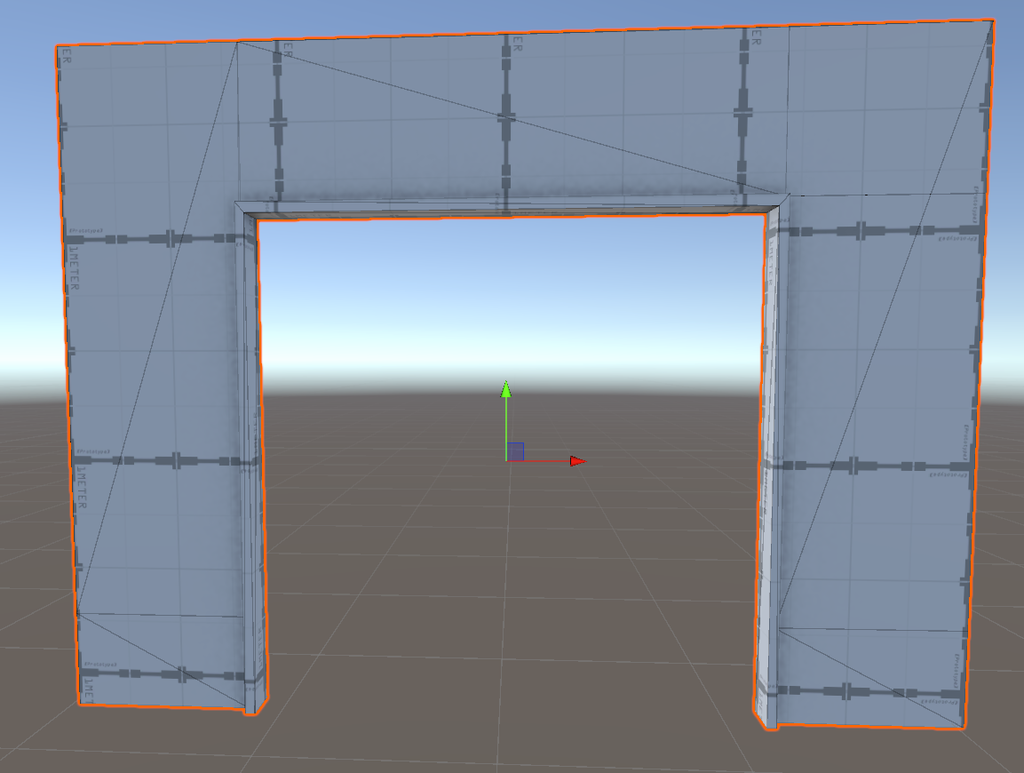 Update! -Added an exterior door wall. -Added a walkway. -Replaced the window opening model with a new one. I also had a question about the back faces of wall models. In the case of the school’s outer perimeter wall, I deliberately removed the back faces to save on polygon count, since no one will ever see that side, it…
 -
Re: SOLVED: How to import a preset?
In the ddo base creator under the map assignment slots select choose from disk (icon on the right side) and select your preset. but using presets is currently broken when you use multiple color ids and different meshes with unique color id's. It's supposed to be fixed in 1.9 tho -
Re: Selection masks edges from Xnormal
 You should always bake your ID map without any antialiasing to get good results when masking materials. Antialiasing will introduce new colors in between the main ID colors (like that blue line between your purple and green) and the mask creation can't deal properly with it.
 -
Re: How to bake a character with multiple pieces?
 If you bake it in 3dsmax you can define Materialid's for the lowpoly and highpoly and check in the bakingsettings to hit only the matching ID's. This way only for example faces with material ID 3 in the LP will get only hp information from the highpoly with matid3 in range. I wish this option was possible in xnormal
 -
[Closed] [FILLED] Stylized Marmot 3D Model for Mobile (Unity URP, Modeling+Texturi
Thanks to everyone who applied—really appreciated the portfolios. The role is now filled. Project Indie mobile game (solo developer), fixed-price contract; modeling + texturing only (no rig). I’m developing a mobile puzzle game in Unity 2022.3 LTS (URP). I need a stylized-but-believable marmot character (red with blue… -
Re: Type 56 Assault Rifle
 Nice model, and I wait this mod! But, many poeple prefer Material ID based normal and AO baking. With material ID-s the scene parts stay original position, for correct AO and corect normals. (Dozer Part 2 tutorial and 3DMotive Normal Tricks tutorial for more info)
 -
Re: What Are You Working On? 2011 Edition!
 HAHA! Kickass! I hear Snake's voice in my head saying " My Little Pony's Changed. ID tagged Ponys, carrrying ID tagged guns..." @BelgianBoolean- I kinda like the tower plating more. Doesnt feel as soft. @BrontoThumder- Like skin. Very Shark like.
 -
Re: 3dsmax object placement noise?
 I don't know if this would work, but how about this: Attach all objects together, add 'Material by Element' modifier or whatever it's called, and assign as many random id's as you like. Then select by mat id and local rotate/move/scale. Not entirely random or automated but maybe a quicker solution?
 -
Re: Making Two Separate Texture files For One Model
 In map, create a material of the type "Multi/Sub Object". This allows you to assign multiple maps to one object. Stick the walls in slot 1, the doors in slot 2 etc. Then in the model set all the wall faces to material id 1, and the doort, windows etc to mat id 2....
>55310 results