Search
-
Re: Prisma Palette: Light based Photoshop picker plugin.
 I bought the software, i runner the installer script, but notthing happens, when i restart Photoshop i cant find the panel nowhere.... can someone help me? let me edd more details: after i run the isntaller script, notthing appears on the "Extensions" list.
 -
Re: Maya scene running poorly (where's the bottleneck?)

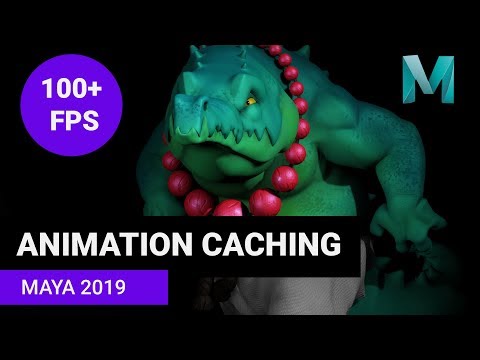 Just a note: the new caching in maya2019 has nothing todo with the caching scripts out there. Its totaly new tech injected into the core of maya. Nothing you could script. But similar rules apply to caching if the rig isnt designed for caching it wont work that good. https://youtu.be/yk85EahWTQc
 -
Re: How to rig and animate cloth/hair in games??
 Guys,Its working now.The shoulder finally deforms well.Thanks a lot,finally got the hang of corrective blendshapes.By the way,I saw this on youtube: [ame] http://www.youtube.com/watch?v=bgZTWDetoYc[/ame] The script used here is called Hyper real corrective shape script by Eric Miller.
 -
Re: Modeling Tool?
ya blender uses python, which is a very clean and very good scripting language, that will also be useful to you if you move on to modo or maya since both of these also use python for scripting. also really $150 is a big deal for you, when investing in tools to do your work? -
Re: 3d max retopologizing Shrink/relax problems
yes I know that it the way turbosmooth works but I hoped, that there was someone who had made a script, ther was able to do it. without knowing anything about scripting, can not be so difficult to measure how much a vertex moves, and then move it in the opposite direction ? it would be a great tool. true ? -
Re: 3dsmax 9 - Material ID issues.
 There is a blur script that cleans up multiple meshes materials and collapses it as one. http://www.neilblevins.com/blurscripts/blurscripts.htm Edit: It's called CollapseSubObjectMaterial. 2nd Edit: It's the way I work by the way, if I attach two meshes together I always use the 2nd option and then run a material cleaner…
 -
Modo and making holes in curved surface.
 In Max you have to select polygons->face constraint->loop regularizer script->profit. In Modo...Select polygons->perfectcircle script or radial align->WTF? Without face constraints result is messy. This tip is legit, but too many clicks and actions. And this. Same. Is there any other (fast and simple) way to make holes in…
 -
Re: capstone story board
thanks guys for the feed back and I do agree with you guys, i need to fix the 180 rule that I break. my teacher told me that same thing, as for the pitch and script, it has no script, I was trying to make it a opening for a game or a game trailer -
Re: [3DSMAX] welding vertex normals
 You could maybe write a script that stores the custom normals as vertex colour in Blender, allowing you to then recreate them in Max off that with another script. Bit involved but guaranteed to come through intact. This is of course assuming you're already not using that vertex colour data.
 -
Re: Do most game engines use a form of Unreal's Blueprints?
Just learn to script. In the long view it's far less tedious and annoying than all the visual scripting methods, gives you more power and makes your skills more marketable. You will also be in a better position to change fields if you ever decide too.
>11573 results